Yesterday night was the first Speaking out – public speaking made easy event in London and I was lucky enough to be one of the speakers. Speaking Out was the idea of my friend Laura North who hates public speaking and has been pestering me for a while for private tutoring on the matter. Instead, I told her we should organise a bigger event and this was it.
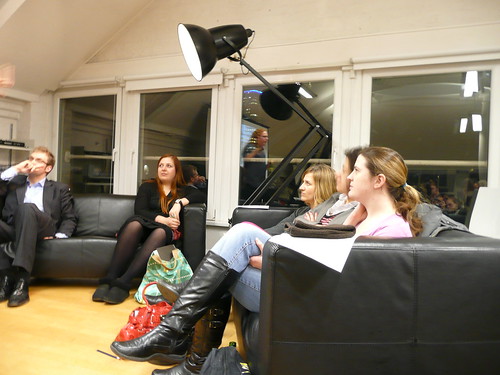
With help from Imagination and the Soho location of Sense Worldwide we successfully pulled off the first event of this kind.
Our not-too-hidden agenda was that we encourage more women to get out there and do more public speaking – be it in a meeting room or at conferences in front of hundreds of people.
The event is open to all, but women are especially encouraged to attend and subjects include speaking in public from a woman’s perspective.
Speakers include Katie Streten, Head of Digital Strategy at design agency Imagination, Christian Heilmann from Yahoo!, and Dave Bell from Merrill Lynch, who has been helping young women in Tower Hamlets make public presentations. All the speakers share the same aim of helping participants to communicate in a more relaxed and informal way.
On the day about 45 attendees (5 of which were men) got up the 4(!) flights of stairs to see what this is all about.
The introduction
The first surprise was that Katie made Laura do the introduction talk and thus put the money where her mouth is and take the plunge into her first public speaking appearance (and if you wonder, she mastered it brilliantly).
Dave Bell: Focus on presentation styles & contexts
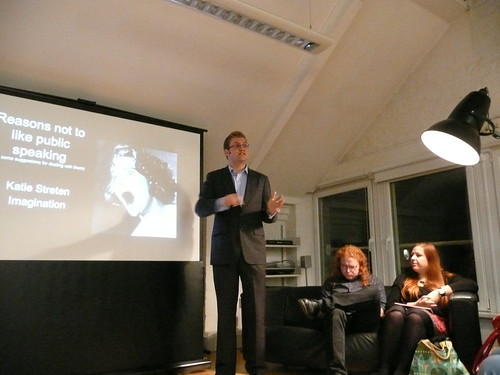
Right after this was Dave Bell who talked about dealing with public speaking in smaller groups, boardrooms and in pitches.
Dave’s main conclusions were:
- Connecting with your audience is vital
- Preparation is the key to being relaxed
- Be selective with your material – think big picture!
- Your style will develop over time and comes with practice
- Presentations are performances – sometimes they go better than others.
- And please remember: Everyone gets nervous – you aren’t the only one!
Katie Streten: Reasons not to like public speaking and some suggestions for dealing with them
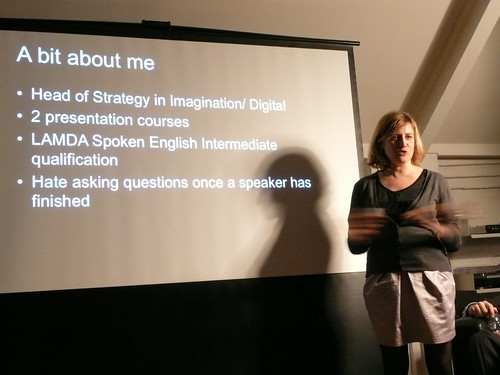
Katie Streten delivered a very engaging talk with a much better focus on the women’s perspective to public speaking than Dave or me (strange, that). She listed a bunch of reasons why people are afraid of public speaking and gave tips how to work around them. The reasons Katie managed to debunk during her talk were:
- No one will be interested in what I’ve got to say
- I will start speaking and go completely blank
- I’m afraid that everyone will find out that I’m a fraud
- I will look out over the crowd, see their faces and go blank
- I will lose my place and just stall!
- I will ask something that everyone else understands. I will look like a complete idiot.
- It feels artificial. It should feel like a conversation, I hate the awkward feeling.
Katie’s slides are below and the audio recording will be available soon and I encourage you to check them out – there is some very good detail in there and I loved the way she kept it personal by introducing the people she got the above reasons from instead of quoting them as de facto truths.
After loosening up the crowd with free drinks and food, Laura thought it safe to let them hear what I had to say.
Christian Heilmann – How to inspire as a speaker
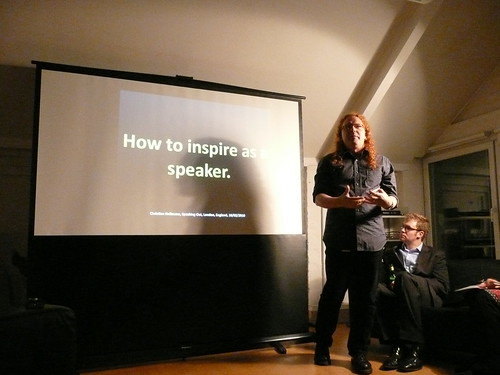
My talk was all about finding peace with yourself about doing a public speech. There is a lot of information out there about being a great public speaker but most of it is hokum and no matter how trained and well dressed you are – in the end it is you on stage. If you are not happy with being the speaker or if you are forced to be someone else or talk about things you don’t believe in you will do a terrible job. If you are yourself – with all your flaws and problems – then you will be believable and go off stage with a smile on your face.
Here are the slides of my talk on SlideShare synced with the audio:
I also did an audio recording of the whole thing:
Photos
There are some photos on Flickr:
What now?
This was a great little get-together and I hope we managed to relax some of the people who came. I think we should do this much more often – maybe next time do some PowerPoint Karaoke, lightning talks and only one talk one a more detailed sub-topic. I am very happy that we ran this event and can only hope that there will be more of those. Thanks to everyone involved and thanks for coming!
Update: Suw Charman-Anderson has taken some very detailed notes of the event, cheers Suw!