An explanation for all conference organizers who need slides upfront
Tuesday, November 25th, 2008
Found via the fabulous Searchable Calvin and Hobbes Archive

Found via the fabulous Searchable Calvin and Hobbes Archive
It’s been a while since I released a full web app (no, shouldiusetablesforlayout doesn’t count), so I thought I spend a few hours and created keywordfinder.org:
It is a service that returns the 20 most successful keywords for a search term you enter and the first 20 sites that come up when you do a search online.
Hopefully this is useful to some, I just had fun playing with BOSS and some YUI CSS to create the whole thing from scratch in one morning :)
I just had a bit of fun with Twitter and the Google charts API. You can now add an image to your blog, web site or wherever and show a picture of what kind of a twitter user you are. All you need to do is embed an image and give it the right source:

For example my user name is codepo8, which would be:

And the resulting image is:
For John Hicks for example it is:

And the resulting image is:
You can download the source code and have a play with this (I hope this will not spike my traffic :) so it might go offline if that is the case). There’s really not much magic to this:
First I get the user name and filter out nasties:
$user = $_GET['user'];
$isjs = "/^[a-z|A-Z|_|-|$|0-9|.]+$/";
if(preg_match($isjs,$user)){
Then I set the content type to show the image and use cURL to get the information from the user’s twitter page.
header('Content-type:image/png');
$info = array();
$cont = get('http://twitter.com/'.$user);
I get the information using regular expressions and put them in an associative array:
preg_match_all('/([^>]+)/msi',$cont,$follow);
$info['follower'] = convert($follow[1][0]);
preg_match_all('/([^>]+)/msi',$cont,$follower);
$info['followed'] = convert($follower[1][0]);
preg_match_all('/([^>]+)/msi',$cont,$updates);
$info['updater'] = convert($updates[1][0]);
The convert function removes the comma punctuation added by twitter and makes sure the values are integers.
I then need to determine which of the three values is the highest and define a scaling factor as the Google API only allows values up to 100. I then check what the type of the user is by getting the right array key and change the values for displaying.
$max = max($info);
$convert = 100 / $max ;
foreach($info as $k=>$f){
if($f = $max){
$type = $k;
}
$disp[$k] = $f * $convert;
}
I check the type and assemble the display string accordingly:
if($type = ‘updater’){
$t = ’ is an ‘;
}
if($type = 'follower'){
$t = ' is a ';
}
if($type = ‘followed’){
$t = ’ is being ‘;
}
$title = $user . $t . $type;
I assemble the labels array and the values array and add all up to the correct Google charts API url. I use cURL to get the image and echo it out.
$out = array();
foreach($info as $k=>$i){
$out[] = $k.'+('.$i.')';
}
$labels = join($out,'|');
$values = join($disp,',');
$img = get('http://chart.apis.google.com/chart?cht=p3&chco=336699&'.
'chtt='.urlencode($title).'&chd=t:'.$values.
'&chs=350x100&chl='.$labels);
echo $img;
}
The rest are the cURL and convert helper functions.
function get($url){
$ch = curl_init();
curl_setopt($ch, CURLOPT_URL, $url);
curl_setopt($ch, CURLOPT_RETURNTRANSFER, 1);
$feed = curl_exec($ch);
curl_close($ch);
return $feed;
}
function convert($x){
$x = str_replace(',','',$x);
$x = (int)$x;
return $x;
}
You like?
Instead of setting the PNG header and echoing out the image you can also just set a location header at the end and redirect the URL request to Google’s servers. I guess they have more bandwidth. :)
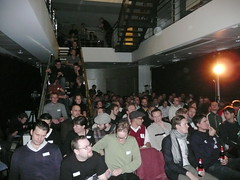
I’m just looking out of the window at the snow on my balcony (in London! ZOMG!) and try to wrap up my quick trip to Vienna to attend the A-Tag conference which was an accessibility event sponsored by both Austrian government organizations and commercial partners.

Photo by Markus Ladstaetter
The motto of the conference was “The Future is now” and thus the main sponsor was the organization in the Austrian government dealing with youth matters. This is a great idea as it meant that first of all the accessibility argument is taken outside of the disability camp but into the area that we have to deal with much more – the youth of today and its education but it also meant that people are more likely to listen to a government body than just bloggers or IT company representatives. The conference had two tracks and here’s a quick roundup of the talks I attended.
The conference presentations ended with my own plea for better communication between the accessibility world and the web development world out there. The slides are available on slideshare (this is the English version, but there is also a German one. If you don’t want to sign up for slideshare to download the slides, get them from S3: German, English.
Here are the slides translated into English:
[slideshare id=778833&doc=atagenglish-1227392313529781-9&w=425]
I will write more about this topic soon and hopefully give some talk on it in the anglophone world, too :)
The organization of the conference was flawless and went without a hitch. The catering was marvelous and Vienna itself is a beautiful, easy to navigate town full of coffee houses and bakeries. Please London, take these on!
I have to thank the organizers, Eric Eggert, Accessible media and the dynamic duo of Markus and Martin Ladstaetter of Bizeps for a great conference. I was also very impressed with the live transcription to sign language and the professionalism this was done with (I had a good talking to before my talk to speak much slower and hope I pulled it off).
On a personal note one of my highlights was being able to have a long chat (with aid of the sign language translators) with several hard-of-hearing attendees (including the terribly inspiring Manfred Schuetz) which helped me to understand their concerns and give them some ideas how to get the need for proper captioning and transcription to sign language out there.
It was a good time and if you speak German and you care about accessibility, give A-Tag a go next time, it is well worth it.
Continuing my playing around with Yahoo BOSS, I’ve put together a quick WordPress plugin to add keywords to any of your blog posts.
Simply Download the plugin unpack it to your plugin directory and activate it.
Once activated you can use two commands in your blog posts:
[ yahookeywords:parisweb]
This will be replaced by a list of keywords – an HTML list of 10 terms with a CSS class called “yahoo-keywords”.
[ yahootags:parisweb]
This will be replaced by the same list, but each of the terms will be linked as a tag back to your blog.
[yahookeywords:parisweb]
[yahootags:parisweb]