I just got back from having an amazing time at the Smashing Conference in Freiburg, Germany (report to follow soon). I was lucky to be asked to be the closing keynote speaker, and the talk was great fun to give and seems to have pleased the audience if Twitter can be trusted.
I spent the last weekend in Warsaw, Poland to attend the Mozcamp 2012 meeting with Mozillians from around the world to see where the project is going and how we can best use the resources we have.
In essence: it was a blast. You can see at the very packed schedule that we covered a lot of topics and got each other up to speed on the things we are doing for Mozilla.
Meet 10 already existing or new Evangelism Reps and deliver a great training to get them started.
I easily achieved that mission but I was a bit disappointed when I saw that we only had an hour of training rather than the originally planned 2 hours. I partnered with the man who got me excited about Mozilla in the first place, Tristan Nitot, to introduce the attendees of our training to the Mozilla mission and get them excited about presenting and producing posts, screencasts and code examples.
When I plan trainings, I have something for every minute of it and the main trick is to make the attendees do the work. This is not because I am lazy, but as humans we tend to retain information we found out by ourselves much better than things we just listened to. The plan for this session was:
00.00 – 05.00 – Introduction and aim of the course
“By the end of this training you know where to find information to promote Mozilla in person and on the Internet”
05.00 – 10.00 – Introduction of different ways to promote Mozilla:
36:00 – 52:00 Group presentations on all the results
52:00 – 60:00 Joint presentation Chris/Tristan on the resources we have.
The idea is to have four groups and make them each for 4 minutes collect information on the topic and then shift around, so in the end each group has their own findings and those of others to use in their presentations.
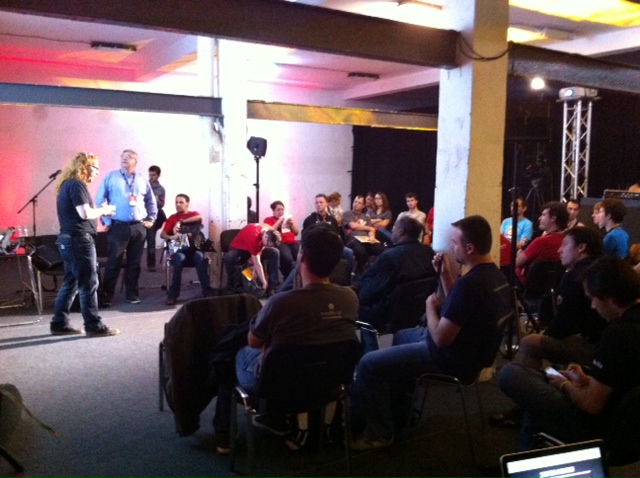
So much for the theory – 10 people had signed up for our session which is a good size. When our session started though, about 45 showed up and we had neither the whiteboards in place or enough chairs, so we had to get them from other rooms.
The beauty of the 4 group training is that it scales so in the end we had groups of 12 people which made for longer discussions and appointing speakers but it worked out. Incredibly well, actually – I am always amazed how you can make a group of people work very concentrated together when you set a simple goal and a fixed time frame.
See the full intensity of it in this video (fox hat included):
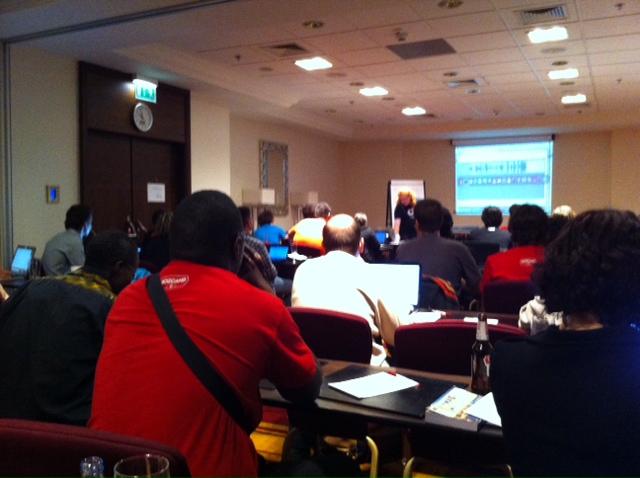
As there was a lot more interest in evangelism training Shezmeen Prasad and me thought it a good idea to offer another, after-mozcamp session in the hotel. We set it on Sunday at 8 – 10pm after two days of a packed schedule and again wondered if anyone would show up. They did, 35 of them this time.
As the room layout did not really lend itself to a training in the style of the other we spent the two hours with open Q&A about speaker tips and tricks and watching a few talks analysing how the speakers made them great – again in a group information gathering and presenting session.
As a follow-up (and as this was a common request) I cleaned up the HTML5 slide deck we have for evangelism reps and created two screencasts on how to get the slide deck and present in it and how to write your own slides.
At the Reasons to be Creative conference I was asked to give an extra 5 minute talk for Ubelly at their Soapbox stage about some subject. As I had given the keynote before and I was rather excited about it I thought I share my thoughts on how to become a good speaker and get past stage fear. As there was no recording I thought I release it here as a screencast with the notes. The slides are available here.
Script and Links:
Here’s how I learned to stop worrying about being on stage and being
ready for the challenge.
The first step to being a good speaker is to get inspired and learn by watching other people do it.
On the Evangelism Reps Wiki we have a list of great talks and detailed information why they are great talks.
Going to conferences and meetups allows you to see other talks. From them you can learn what you like other speakers doing and what to avoid.
A lot of conference videos are available on the web, so check them out there.
TED is a great resource for seeing amazing talks – but be aware that this is the master class, don’t feel bad about these talks. A lot of rehearsal and work went into them and they only look very easy to deliver.
Do all this to find your own style – do not copy what other people do as this will show. Find little bits and pieces you realise to be effective and being you and start using them in your talks.
Be comfortable with yourself – have good friends to point out flaws
One big step to becoming a good speaker is to get used to yourself, to the sound of your voice and the person you appear to be. How other people see us is very different to how we see ourselves and this very much starts with the voice. Our heads vibrate when we speak which means we hear ourselves much
deeper than we really sound.
Watching videos of yourself is awkward but a very important part to becoming a speaker. This is how you come across, and this is the person you are – get used to it. You are your worst critic and that is good. Also have good friends watch you and tell you what can be improved. A lot of this is about posture and body language and you can improve a lot by being aware of ticks and
things you don’t like about you and avoiding them.
I know this is all awkward but it is a great step to being you
on stage and not some afraid person far removed from you.
Talk about things you are passionate about
If you don’t care about what you say, you’ll deliver an awful talk
Easy to find materials to use
Passion is the most integral part to being an inspiring speaker.
If you don’t care for what you talk about or you don’t quite understand it you will deliver a sub-standard if not terrible talk. Passion for a subject makes it easy for you to explain it, you can even share why you feel the passion for the subject.
If you get the subject and you want to talk about it your body language and tone will automatically fall into place. If you don’t, you need to spend more effort covering up the automatic body language you emit when feeling uncomfortable.
Computers = bastards
Don’t rely on your laptop
Don’t rely on your slides+notes
Never trust projectors
Hardware seems to have an uncanny knack of breaking when you need it. Your computer will be totally fine until you are up on stage – then it starts to lock up on you. Projectors have a creative edge to them displaying your slides and notes in ways you don’t intend to and can’t deal with.
All of these things should be a nice to have but not make and break your presentation. Just prepare for a few things going wrong and if they do, swiftly move on.
Share pain and excitement
Tell stories
Share how you learned what you tell people
Share success and failure stories
One big obstacle for a lot of new speakers is to move from human to expert that needs to inspire. This step is much less hard to take when you stay human and think of human ways to interact with the audience. Share that you are excited and/or afraid of being on stage and talking about this. Be human, be honest. Good stories on how you reached conclusions, how you bettered your ways and how a failure got turned into a success are a great way to give an inspiring talk. Use them.
Posted in General | Comments Off on De-bricking yourself – starting out as a speaker
I am right now on the train back to London after attending the Reasons to be Creative conference in Brighton, England. How was it? Short answer: splendid, indeed.
Can has keynote?
When the organisers approached me to speak after giving a talk at the reasons to be appy conference I wasn’t quite sure if I’d be a fit, and for just for the heck of it I asked for the keynote slot to make it worth while. Big mouth strikes again: they agreed so I was in a bit of a pickle.
Wait, what? Stage fright(-ish thing) kicking in
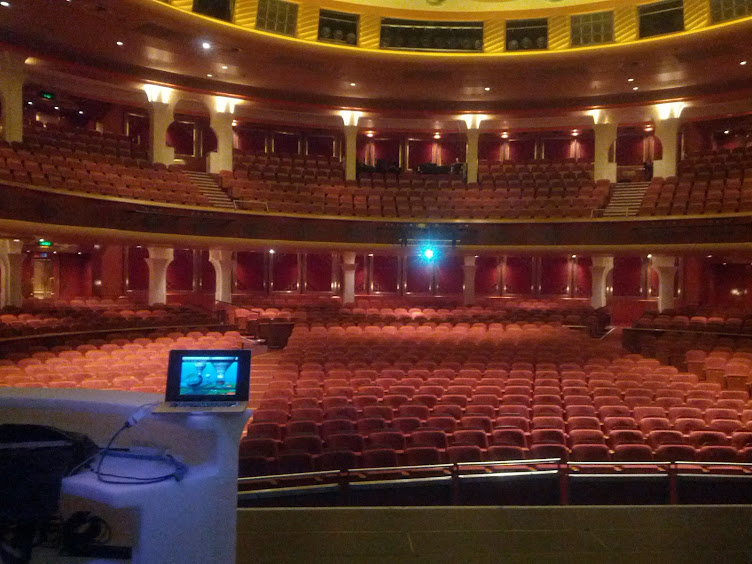
Why? Well, I was nervous. Yes, the guy who speaks at dozens of conferences every month and is part of a training program for people to become evangelists got nervous. As I put it, I was bricking it. My normal reaction to speaking is a bit like a puppy seeing a shiny red ball. I love it and I go for it and won’t let go as I have too much fun doing it. A keynote is a big thing though, and can make or break the start of the day and the Dome in Brighton is a huge venue.
I have a few principles as a speaker, which I also tell anyone who wants to speak are a great idea to consider. They are a lot of work but worth it:
I am there for the audience to give them a great time, give them information and get them excited to try something out
I should speak to the audience in a way that is understandable and engaging to them
My goal should be to give the audience something to take away to try out and to impress their bosses or peers with
Always be fresh – do not repeat the same things over and over again
Creative eye for the coder/writer guy
Now, with Reasons to be Creative I was very much out of my comfort zone. I am a tech and writing guy, whenever I try to be visually creative whatever I do are “happy accidents” and I have a deep respect and lots of jealousy for people who can draw a beautifully curved line or paint a character or even know the first thing about typography.
Reasons to be Creative used to be Flash on the Beach, a conference celebrating Flash and interactive Art and all things visual. So not me.
Shaun Tan the man
Good, I thought and looked around to be inspired. Luckily enough Marc Thiele who organises the Beyond Tellerand conference and is very connected with Reasons to be Creative got me a book as a present in the past that just blew me away: The Arrival by Shaun Tan, a graphic novel without any text but just the most stunning little pictures telling a beautiful story. I got more of his work from my partner, and one of the books I got was The lost Thing by Shaun Tan. I devoured this book and the movie and had a lightbulb moment. I can do a talk about the lost thing we call the web and how we as a community fail to nourish it with our knowledge as we are too busy impressing each other with things that could be if we called the shots. As we do call the shots if we just take ownership of our work and the outcome, this was a good start for a talk.
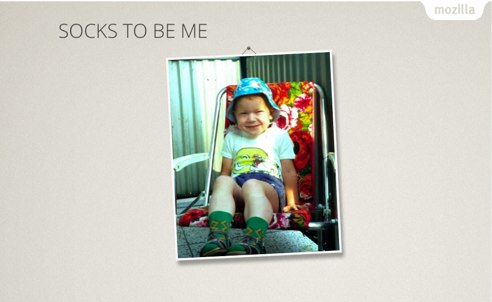
So I wrote the talk and split it up into slides and spent more time than usual “designing” it (adding a “dangling picture” animation feature to the images) and I was ready to go.
To try out the talk (something I normally never do) the people who couldn’t attend the conferences I thought it good to record a screencast of it (about half an hour long). This one sticks more or less to my notes.
Now, on stage this was different. As soon as I started and shared my excitement and awkwardness about the gap between me and the audience with them I was off to the races. The 50 minute live version of the keynote deviates heavily from the notes but shows that simply going for it does the trick.
Not one to waste an opportunity, I used my learnings from the experience to give a quick 5 minute talk at Ubelly’s Soapbox. The Soapbox is an idea by Ubelly to have a small stage for speakers to give 5 minute passionate talks about any subject and it will travel around a few conference.
Originally I promised to speak there about how I built my HTML slides for the keynote but as Jake Archibald did the same I talked instead how I de-bricked myself for giving the keynote using the opportunity to promote the Evangelism Reps program I spend most of my time on these days.
I just recently started using the Nexus7 I got at Google IO in earnest and thought I have a go at some 3D games. After continuously failing to download the larger than 1GB racing game I bought on the Android market I thought I’d go lower and got myself Running Fred, a very addictive running game recommended for players of Cannabalt. I installed, started and almost instantly sucked at the game.
Must be bad developers
And then I did what every developer seems to be hardwired to do: I started blaming the game, well, actually the game developers. I blamed that the game crashes a lot. I blamed that Google Now! opens up when I swipe over the bottom of the screen and I get killed as soon as I go back to the game. I blamed that 3D objects don’t appear smoothly but as a surprise at times.
All of this made me think the developers of the game are bad, or – the more evil version – that this is yet another “free” Android game that only becomes playable when you fork out money to buy upgrades to your character or skills. It seemed to me that the prices of those things are ridiculously high to reach just by playing the game.
Dealing with it
What didn’t occur to me for a long time was the simple fact that I was bad at the game and that it will take some learning for me to improve. I was too impatient. Now that I gritted my teeth and played the game a few times I don’t open up Google Now any longer as I realised you tap to jump and not swipe up like you do in Temple Run. I also breeze through the lower levels and manage to collect money to get better skills as I remember where the traps are and I am more confident in my game character’s abilities. I learned when to jump and when to double jump, how to tilt my device to go left and right and not accidentally use up expensive special skills by tilting too much. In other words: I know how to play the game and the longer I do it the more fun it is.
Some great reward
Of course I could have bought the upgrades and all the stuff up-front, too, but I am sure that if I had “cheated” that way I’d have lost interest in the game much sooner. Making the rewards less attainable can be a great motivator to make you try harder. This article How We Use In-Game Purchases To Teach Our Son Personal Responsibility explains how that can work with kids.
Play the game, not the blame game
Now what did I learn today? That having knowledge about something can make you very much a grumpy bastard who starts pointing fingers instead of having a go.
So next time I get the “this should be so much better, I know how to do it” feeling about a web product or idea, I will hold myself back more and have a play with it rather than being the first to dismiss it. Being clever in hindsight is simple, rolling out the product in the first place much harder and comes with a lot of deterrents that a quick “meh this sucks” could not even know about.
I also learned that impatience and trying to find the simple way out does get you some satisfaction but robs you of the longer term fun experience.
This is harder and I think it is the main reason for a lot of abstraction taking place. “CSS has no variables and mixins? Damn the standards body, they will never get to grips with that! Let’s build a preprocessor and a library and call the problem solved instead!”
In the short term, yes, this will help us to deliver things. In the long run, not so much as we fill the heads of new developers with syntax of an abstraction layer rather than what comes with browsers. And no, “browsers just need to adopt that syntax then” doesn’t work as upon more advanced analysis a lot of “great and quick solutions” fail to cover a lot of use cases.
Let’s not allow the – in a lot of cases perceived rather than real – need to deliver quickly stop us from creating great products build from maintained and solid parts rather than a quick stop-gap that will never be replaced later on. We owe it to us to learn whilst we work and we owe it to our clients and their users to build products that show the love that went into them.