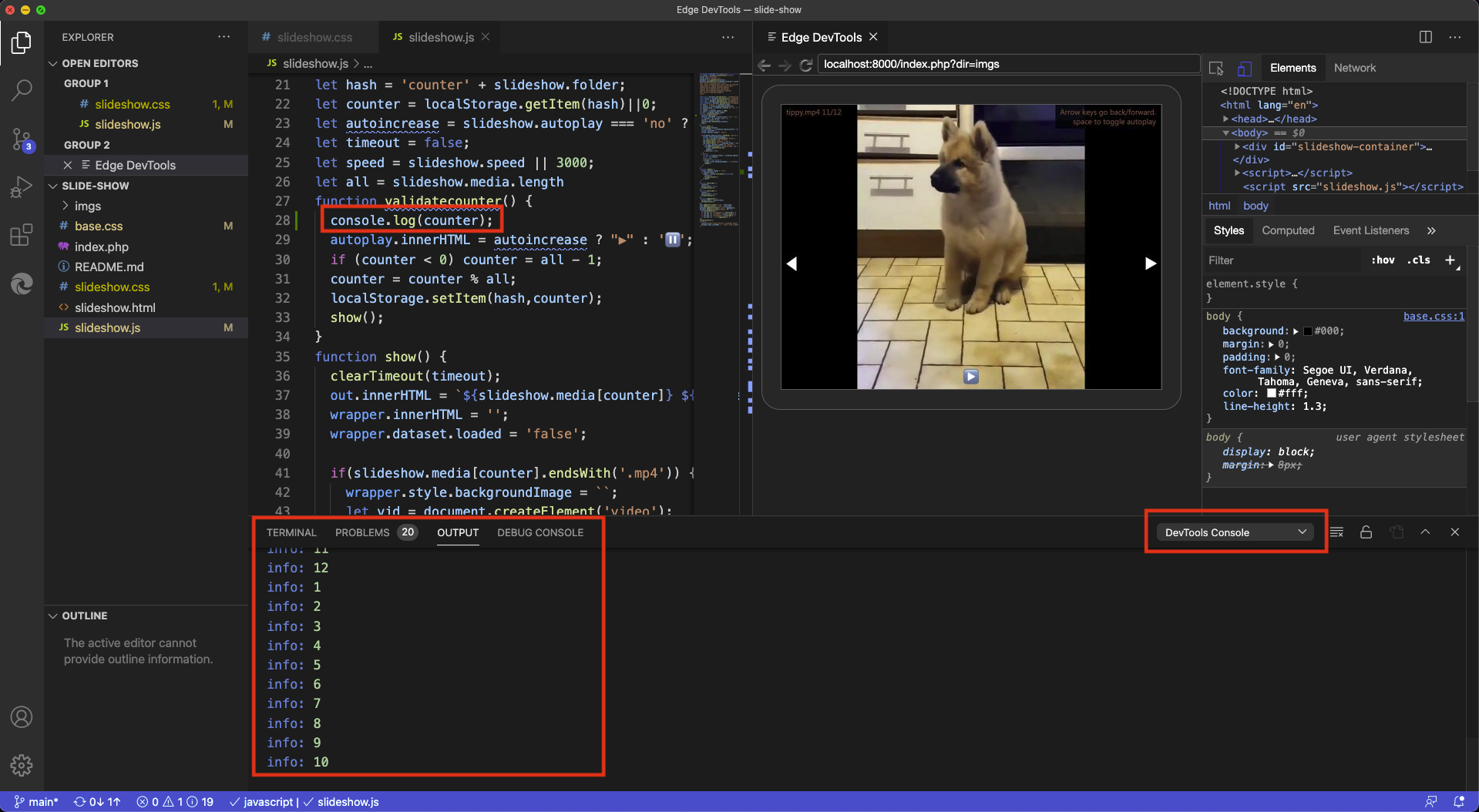
To celebrate and as it has been long coming, I recorded a quick, roughly four minute video walkthrough showing how:
You can start a server inside Visual Studio Code in the correct folder without using an external terminal
You start using the extension by creating a new instance of Edge running inside the editor
How to debug network issues in the editor
How to tweak the DOM and CSS in the editor
How the extension allows you to activate the link to a style sheet in the CSS editor to jump to the correct line in the file inside the VS Code editor
The extension is available from the market place and inside of Visual Studio Code. It is open source and you can file issues on GitHub and see what’s coming next.
Posted in General | Comments Off on [Video] How to debug web projects using the browser developer tools inside Visual Studio code
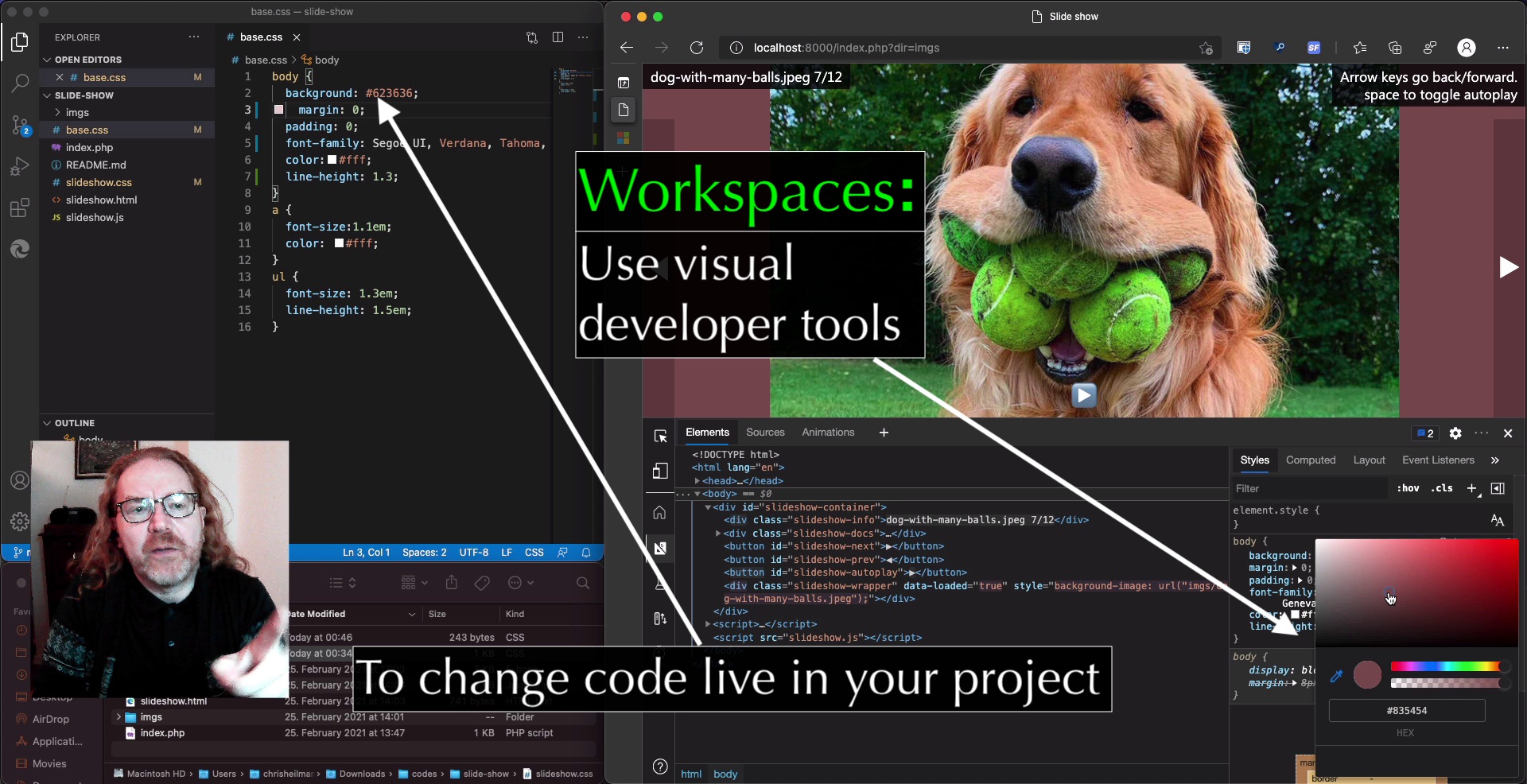
Lately I’ve been looking into improving the ways I use browser developer tools by using features I’ve never looked and/or forgotten. One amazing feature of those are Workspaces which have been around for a long time but don’t get as much use as I think they should.
In essence, this feature allows you to use the visual tools in the developer tools to tweak and change styles in a more persistent manner. Instead of having to copy and paste the changes you made back into your CSS files in your editor, using Workspaces allows Browser Developer Tools to directly change files on the hard drive. That way you sync changes with your editor.
Lately I thought it would be good to convert a lot of the GIFs I have to MP4 to save space on some of memory sticks. The problem that I found with that is that Quicklook on Mac doesn’t loop MP4s when you view them, which is annoying.
Currently I am using this on my hard drive running a local server and the index.php script. If you are using a Mac, PHP comes with the system. Go to the terminal, navigate to the folder where the slide show is and run:
$ php -S localhost:8000
Then you can navigate in you browser to localhost:8000 and the rest happens automatically.
The index.php script lists all the current folders in the directory the script is in and gives you list of all of them. Clicking the link of the name starts the slide show with the current folder. Feel free to check the script, but there isn’t much magic there.
When you use Markdown to write your documentation most static page generators will generate IDs for each of the headings in the document to allow you to navigate directly to them. (more…)
Posted in General | Comments Off on A code snippet to scrape all headings and their target URLs from a markdown generated page
The sticky value of CSS positioning is an underused gem. It treats an element as it if is positioned relative until it reaches a certain position on the screen and then turns it into a fixed position.
This means that any heading that reaches the top of the screen when you scroll will stick there (position: sticky and top:0). Giving the heading the same background colour as the main document and adding some padding makes sure that the rest of the text isn’t visible behind the fixed heading.
There are quite a few JavaScript solutions for this, but as you can see these are not needed.
Sticky had a problem that it wasn’t supported by Safari for a while, but as with everything that is “impossible to use”, this was only temporary. The web keeps moving, it is fun to catch up with it.
Posted in General | Comments Off on Using position: sticky to create persistent headers in long texts