I spent the day today in some usability testing of a product I am involved in at the moment. We sat in a small room with coffee, soft drinks and far too many chocolately nibbles and watched people through a one-way mirror remark on our wireframes and try to solve tasks given to them.
I’ve done this in the past, but had a bit of a break in between, so it was fun coming back to it. The most interesting part is that in the year or so I have been out of that loop not much changed.
Test subjects are still very much confused and driven by page copy.
There is somehow no way you can win this. If you use Lorem Ipsum the testers asked what language that is and why it was allowed there. If you use copy nicked from other sites or made-up by a copywriter user names or headlines make testers judge the site by this and don’t see it as just a demo of what can be done.
Everybody is a designer.
Even when it is obvious that this boxed grey monstrosity is not the final page, you get lots of feedback about font sizes, image sizes, and even the look and feel of a map although you kept them deliberately the bog-standard Google or Yahoo maps
It is easy to kill functionality with copy that makes assumptions about how tech-savvy the user is.
My favourite example is “People tagged this with� and “add a tag�. The functionality of tags – being able to give something a memorable keyword that allows you to find this again – is appealing to a lot of users, but the term “tag� just does not wash yet. A lot of users get confused about it and discard this functionality instead of seeing it as a benefit. The danger of that is that it becomes an assumption for webdesigners that way. “People don’t use tags� in reality should be “people don’t know tags if we don’t make them understandable to humans who are not ‘web-savvy’�.
Don’t show your colours prematurely.
Brand perception is a very powerful thing. Concepts that were alien to testers magically become very useful and interesting once you tell them who is behind the product. This messes terribly with your test results. My favourite example is Maggi, the German OXO, a company that produces spice-mixes, instant soups and sauces trying to start a range of sweets. They produced chocolate that was the same quality as competitors like Milka or Lindt, and branded it with their name. Nearly every test subject liked the chocolate but complained about “a slight aftertaste of herbs�.
Think about the viewport, not about the whole layout.
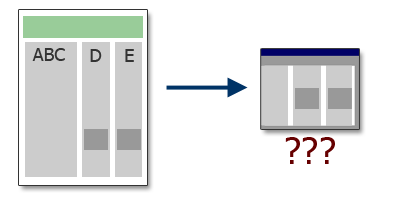
Our wireframe was a three column layout that sorted different content into columns but without a strong visual separation between them. On the whole page there was no confusion at all but as two headlines of separate columns with totally unrelated content ended up on the same horizontal line testers ended up seeing this content juxtaposed in the viewport. This confused them as they started wondering what one thing has to do with the other. Of course, this is something that can be solved with proper design, but it was interesting to see how fast people forget what was at the top of the page.
Users know more than you do!
User testing makes you aware of the pros and cons of a product a lot more than any brain-storm, thought-shower, war-room or repeated stand-up session will ever be able to. Things you considered obvious and conventions on the web turn out to be stumbling blocks and things you considered too complex turn out to be a spark for users to come up with ideas how to enhance that functionality in ways you just didn’t think about.
[tags]usability,testing,viewport,tagging,brand[/tags]