Where this shines is videos, image content and embeds. No more hacks with relative positioning and percentages. Browser support is green all over, so, like me, it makes sense to upgrade your CSS habits.
Posted in General | Comments Off on Upgrading our CSS habits: aspect-ratio
Background: I’ve been asked in a few applications for new roles to do written interviews. I thought it might be worth while to release some of my answers as posts as it was fun to reflect a bit on these things.
One question was what practices I think help software teams build better quality products. And this is what I wrote:
There are a few things that helped a lot making my current team deliver quality products. The first parts are processes and technical setup.
A development environment that involves linting, error and issue reporting while you develop using static code analysis in the editor. Any bug that isn’t written means less work for the QA department and less waiting for results.
A version control system workflow that involves checks like tests, documentation, peer review, and automated security and data analysis.
A code standard that is automatically applied on commit to the version control system. People can write any way they want to, but code coming from the repository needs to be in a predictable format.
End-to-end tests. Code without any tests will not be allowed in the repository.
The other part is the team/human factors that ensure that we all follow best practices and learn from another.
Peer reviews / team reviews of code with detection of best practices. Once these practices are discovered, they should be documented in and shared amongst the team.
Presentations to the group of new and exciting tools and processes. I mentored and coached my team on those which also helped them with their communication in their own reviews.
Learning days that allow developers to try something new or share information with others.
Documentation days to catch up on missing write-ups.
Bug bashes – we take a list of long-standing bugs and dedicate a day to fixing those instead of continuously working around them.
Leaving ample time at the end of the daily stand-up for questions and answers when people are stuck.
End of sprint reviews and sharing of learnings.
Including engineers in design reviews and user testing. The former to ensure we can build what the UX team dreams of and the latter to give engineers a feeling of who we work for and that what is obvious to a technical person may not be understandable to others at all.
Another concept I’ve seen work extremely well in two companies so far is a developer rotation. Products get cut up into “work pods” and developers get assigned as needed to the pod depending on how soon that product needs to be finished or new features released. Engineers get assigned to pods on a rotation basis, which means that everybody in the team knows about the different work going on.
This means:
People can get sick or take time off without the product being stalled.
If people leave the company, they don’t take all their knowledge with them.
Documentation and handover are a must as you are not the only person working on the product.
Engineers learn from each other how their counterpart worked on the last iteration of the product.
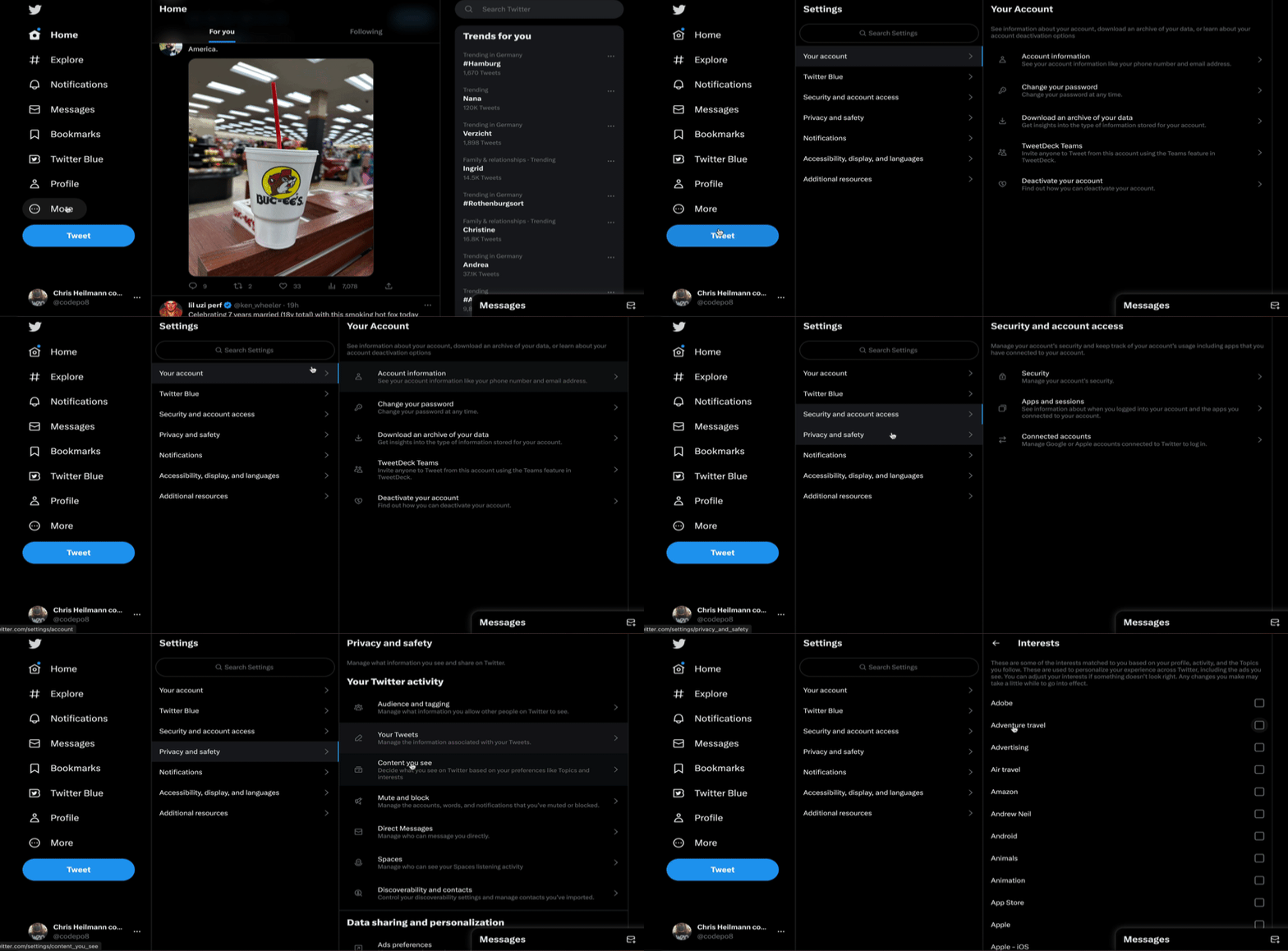
Twitter has a list of interests you can define that affects what content you see on your home timeline. This is a list of 150 topics, most not chosen by you but considered something you should see. You can change these settings by going to:
More -> Settings and Privacy -> Privacy and Safety -> Content you see -> Interests
This is a UX nightmare and unchecking 150 boxes isn’t fun, so you can also toggle all 150 in bulk by opening developer tools, going to the Console and running this command:
Here’s a quick video of me showing you the benefits of GitHub Copilot for docs:
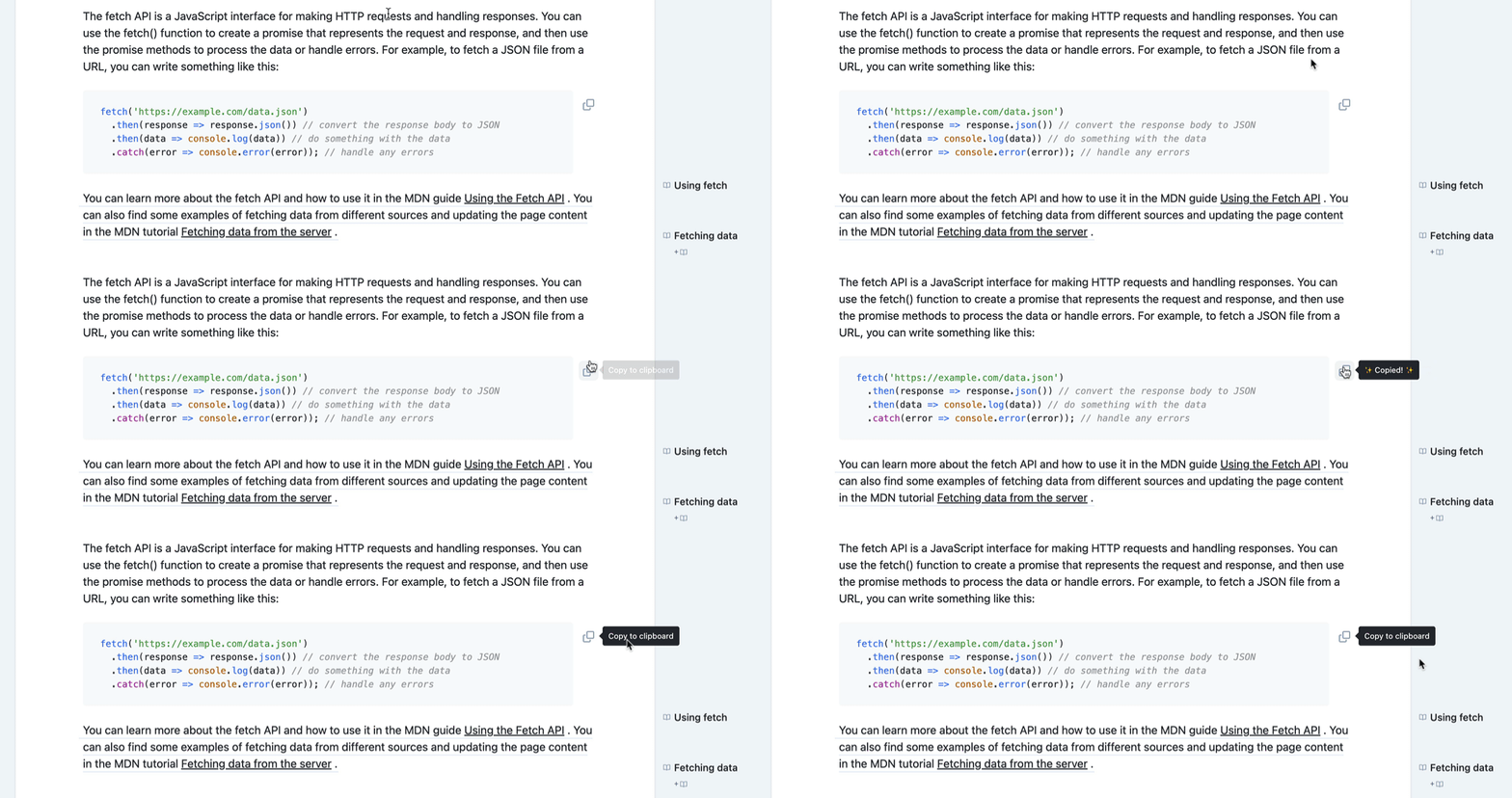
AI powered chat interfaces are a great and fun way to learn about new technologies. The problem is quality and relevance. Chat GPT for example doesn’t tell you the source of the information. Bing chat does at times pull from sources that are highly successful, but not necessarily the best. Another thing is that it is sorely missing is a copy button for code results.
This is not a new problem. For years I’ve prepended any Google search with “MDN” to only get results from official documentation, written by expert writers.
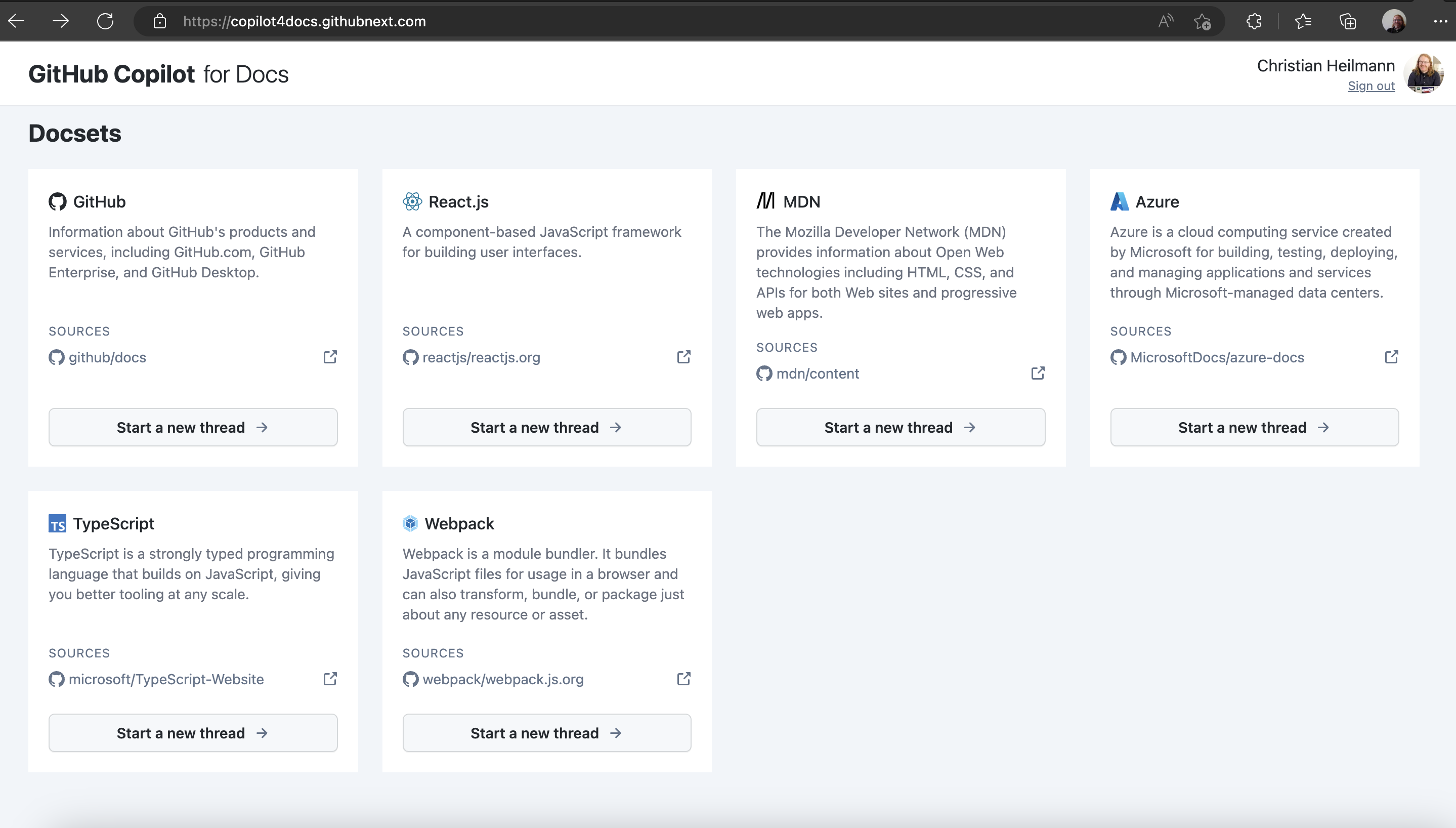
GitHub Copilot for docs is the best of both worlds. It gives you an interface like ChatGPT to look up information of the official documentations of libraries, products and resources.
Right now, it covers GitHub, React, MDN, Azure, TypeScript and Webpack.
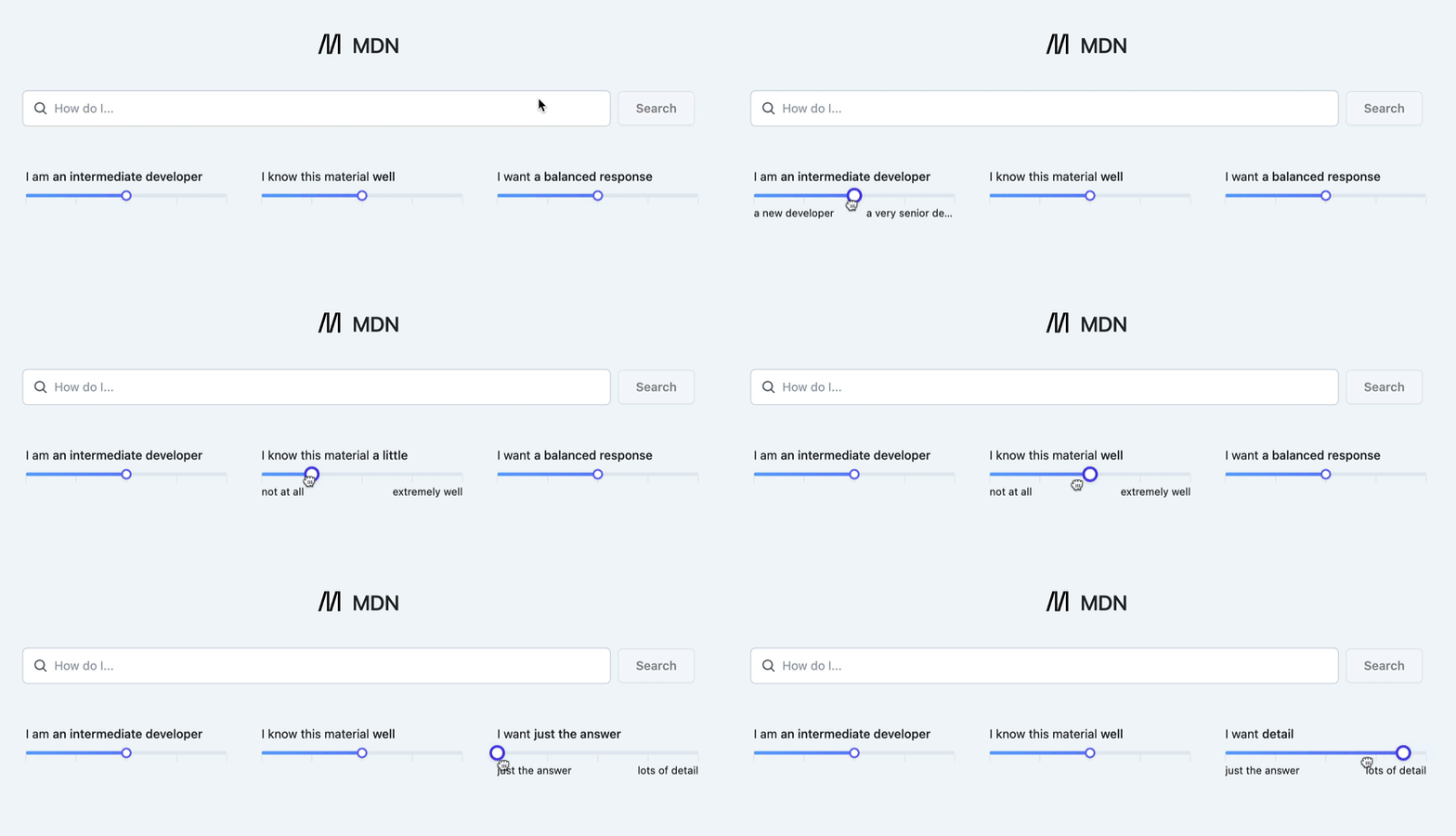
Once you picked a source, you can add filters to change your level of expertise and how well you already know the subject. You can choose to only get the answer to your question or more detail about the subject in general.
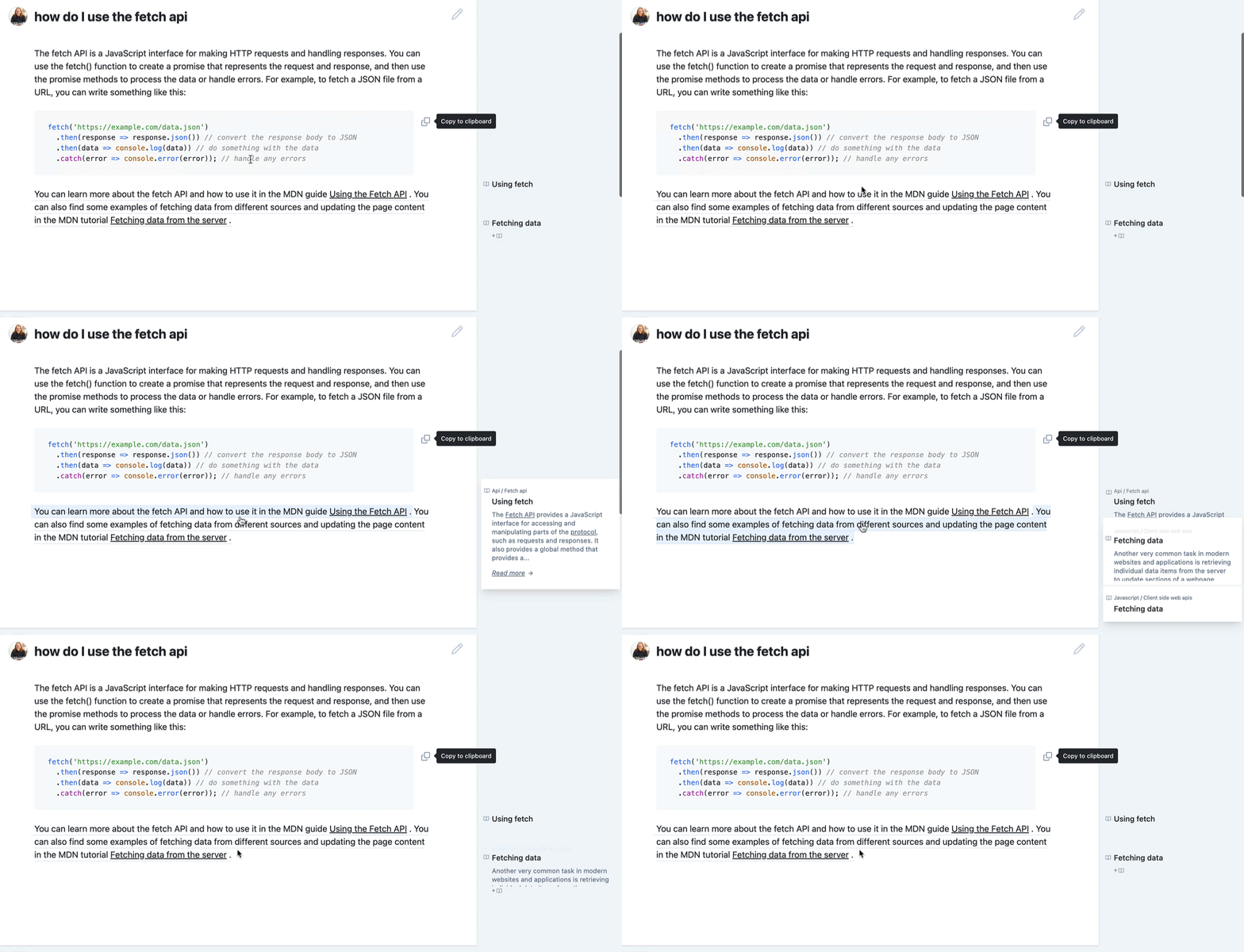
You can then ask your question, like “how do I use the fetch API” and get a result that has information and code examples. You can keep chatting with the system to dig deeper or you can copy the code examples to your clipboard.
Another thing that makes this tool great is that it gives you the source of the information. You can hover over any part of the text to find out where in the documentation you can learn more on this specific topic.
I’ve been using this tool for a few days now and I’m impressed. It’s a great way to learn about technologies straight from the source without of having to learn the hard way what result sounds good but is actually bad advice.
It puts the “fun” into RTFM.
Posted in General | Comments Off on GitHub Copilot for Docs – putting the “fun” into RTFM
Yesterday I wrote a blog post about a question I got at a conference and I thought I try one of those fancy “AI” tools that grace my inbox every few hours. Video Tap promises to turn videos into blog posts. You give it a YouTube URL, and it writes a post for you, looking up and including relevant links and showing you an editing interface when you are done.
Sounded too good to be true, and suspicious me thought all they do is scrape the auto generated captions of YouTube and show those as paragraphs. I was positively surprised though, how thorough the tool was.
Much like ChatGPT or the Bing Chat in Microsoft Edge, it wrote a proper blog post for me, taking the information from the video. It found and included relevant links and whilst the post didn’t sound like me, it cut my writing time in half.
The editing interface reminds of Medium or WordPress, so they are treading the cowpaths here.
Context-aware screenshot tool
Not relevant to this video, but I also love that it gives you a “include screenshot” option. This one shows the video at the time stamp the generated paragraph talks about and allows you to include a screenshot of that time.
This is much more useful with content that has more meaning that just me talking. Like a slide or a code demo. Code, by the way also seems to get detected and turned into code blocks automatically.
Publish or export as Markdown or HTML
Once you are happy with the result, you can either publish the post on Video Tap, or you can export it as HTML or Markdown.
The pricing is $1 per minute of video, which is just fair and there are also bulk pricing options for YouTube channels.
Things I’d love to see
I can see myself using this a lot in the nearer future, but there are a few things I’d love to have to make it even better:
The ability to upload local videos / not publicly available hosted videos This is now a feature, hooray!
Sharing to LinkedIn / WordPress / Medium
A domain that is the name of the product. I keep forgetting “Videotapit” and “Videotap” is a domain squatting site.