Thinking lowsrc – how to make sites appear to be available a lot faster
Monday, July 9th, 2007*ZOMG Update!*: We put our heads together and came up with a client side solution without a PHP component that does the same as this one explained in detail here.
Those of you who’ve been around some years may remember an otherwise forgotten non-standardized HTML attribute called lowsrc. It was supported by Netscape browsers and allowed you to define a black and white preview picture of the real picture. The browser would load the “diet” black and white shot first and then load the “full fat” colour shot and overlay the preview picture line by line. Alongside progressive JPGs (which load in lower quality first and then progressively get clearer) and interlaced GIFs (which loaded every second line first and then subsequently filled up the rest) this was a killer trick to speed up your web site in the times when 56K Modems were luxury items.
How come that we have fast connections but sites are still slow?
Most of us are on faster connections these days and yet we constantly get annoyed at how long it takes for some pages to finish loading. The reason is that we embed too many resources (videos, images, scripts) in the page.
Browsers in general seem to download two resources in parallel and stall the rest of the dependencies from loading until these are done. When you use a lot of images, especially from different servers this leads to a long delay, as for each of these images the browser needs to initiate an HTTP request, convert the URL to a DNS and IP and pull the image.
Furthermore the browser shows us an endless spinning wheel or progress bar and informs us that “10 of 73 resources” have been loaded. While this does not necessarily mean that we cannot use the current document (browsers these days at least don’t stop rendering halfway through – unless you use inline scripting that fails) it still gives us an impression that things still happen and the document is not ready for us yet.
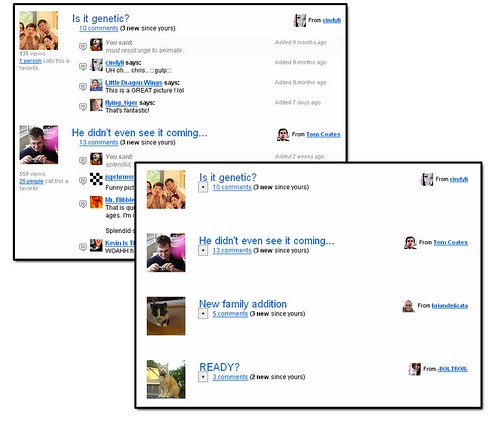
The most common example where this happens is when you use avatars on your site – the small images depicting the user that contributed the content adjacent to it. Using a lot of these can make the page appear very slow, as the following example which loads and display fifty results from Yahoo! Answers with avatars shows.
- Load fifty answers with avatars (opens in a new window) avatars.php
During testing on this connection using Firebug’s network monitor this loaded 30 resources with 125kb in overall 14.92 seconds.
This delay also means that scripts that get fired via the onload handler of the window will get delayed until all the images were loaded, which is why libraries have to use methods like onAvailable , onDOMReady or onContentReady to run our scripts.
However, if you are in control of the middle tier of your server than there is a solution to make this delay less painful for the end user and seemingly deliver your pages quicker.
- Load fifty answers with avatars delayed (opens in a new window) avatarsdelay.php
During testing on this connection using Firebug’s network monitor this loaded 30 resources with 125kb in overall 12.7 seconds, however the wheel of the browser stopped spinning after 3 seconds and I got the impression all is done. What was the difference?
The avatars.php example uses CURL and PHP to load information from the Yahoo! Answers API. We serialize the return value and spit out the HTML:
$p){
echo '!['.$p['UserNick'].']('.$p['UserPhotoURL'].') ';
echo '
';
echo ''.$p['Subject'].'
';
echo ''.$p['Content'].'
';
}
?>This results in all of the HTTP requests that delay the user-felt availability of the site. A simple trick and small change to the script makes this delay obsolete.
Shifting the HTTP overhead further down the timeline
Using JavaScript we have the option to delay the loading of extra content that is “not really needed” for the enjoyment and availability of your site. As the avatars are not really necessary to get the gist of the answers page, we can alter the backend script to harvest the image URLs and replace all the images with different URLs with a placeholder – say a “grey man” picture. In order to allow us to identify the pictures later and link them to the harvested URL, we add a dynamic ID.
$p){
echo '![]() id="i-'.$key.'" src="http://us.i1.yimg.com/us.yimg.com/i/us/sch/gr2/nophoto3_48x48.gif" width="48" height="48" alt="'.$p[UserNick].'">';
echo '
id="i-'.$key.'" src="http://us.i1.yimg.com/us.yimg.com/i/us/sch/gr2/nophoto3_48x48.gif" width="48" height="48" alt="'.$p[UserNick].'">';
echo ''.$p['Subject'].'
';
echo ''.$p['Content'].'
';
$out[$key]='''.$p['UserPhotoURL'].''';
}
?>When the page and all the other assets have finished loading we load the rest of the pictures by replacing the src attribute of all the placeholders with the real URLs. This script should go to the end of the document.
Yes, this makes your avatars dependent on JavaScript, but it has no real impact on accessibility or SEO as the alternative text of each avatar is still available. The only impact it has is that visitors will see a transition from a “grey man” to the user’s avatar and as most of the time avatars are outside the initial viewport or at its boundaries the majority of users won’t be the wiser about our little trick – but they get page that seems to have loaded a lot faster.
Delaying the delivery of heavy screen furniture
While this trick is most efficient with third party images, we could also go further in our optimization and take another leaf out of the book of tricks of the days of slow connections.
When Netscape 4 and other older browsers still made up a substantial part of the overall visitor numbers, the main trick to cater for these browsers and newer ones was to use the @import directive to add a style sheet for newer browsers and have a simple LINK to add the one for these oldies:
(The single quotes also blocked out MSIE 5/Mac)
We can do something like that easily for the document, too. Simply create a more basic style sheet that for example uses background-colours instead of fancy gradients, massive bevels or pretty but very large nature shots. Then create an extra style sheet that adds all of these background-images. As URLs in CSS are as much an HTTP request as embedded images are, this’ll give us the same gain. In the document’s onload handler, all you’ll need to do is create a new LINK element pointing to the style sheet with the images and add it to the head of the document.
[...]
This’ll add all the fancy imagery after the main document was loaded and replace background colours that did the job until the page was ready and we can go and make it prettier.
[tags]optimization,speed,avatars,php,javascript,faster pages,webdevtrick[/tags]