Christian Heilmann

Author Archive

New chapter in the Developer Evangelism handbook: keeping time in presentations

Wednesday, July 22nd, 2015

Having analysed a lot of conference talks lately, I found a few things that don’t work when it comes to keeping to the time you have as a speakers. I then analysed what the issues were and what you can do to avoid them and put together a new chapter for the Developer Evangelism Handbook called “Keeping time in presentations“.

Rabbit with watch
White Rabbit by Claire Stevenson

In this pretty extensive chapter, I cover a few topics:

All this information is applicable to conference talks. As this is a handbook, all of it is YMMV, too. But following these guidelines, I always managed to keep on time and feel OK watching some of my old videos without thinking I should have done a less rushed job.

The full stackoverflow developer

Friday, July 17th, 2015

In a few talks and interviews I lamented about a phenomenon in our market that’s always been around, but seems to be rampant by now: the one of the full stackoverflow developer. Prompted by Stephen Hay on Twitter, I shall now talk a bit about what this means.

copy and paste

Full Stack Overflow developers work almost entirely by copying and pasting code from Stack Overflow instead of understanding what they are doing. Instead of researching a topic, they go there first to ask a question hoping people will just give them the result.

In many cases, this works out. It is amazing what you can achieve by pasting things you don’t understand, that people who know what they are doing put out there.

I am not having a go at Stackoverflow here. It is an incredible resource and it is hard to create a community like this and not drown in spam and mediocrity (trust me, I am admin on several technical Facebook groups).

We had that problem for a long time. I challenge anyone learning PHP not simply copying the code examples in the notes. W3Schools for years gave us the answers we wanted, but didn’t need. Heck, even Matt’s Script Archive is probably the source for many a spam mailer as people used formmail.pl without knowing what it does.

I am, however, worried about how rampant this behaviour is today. Of course, it is understandable:

  • Creating something is more fun than reading up on how to create something
  • Using something that works immediately, even if you don’t know how it does it, feels better than encountering the frustration of not being able to fix something.
  • You feel like you cheated the system – shortcuts are fun, and makes you feel like you’re cleverer than all those chumps who spend all this time learning
  • Our job is mainstream and there is a massive need for developers. The speed of how we are asked to deliver has massively increased. People want results quicker, rather than cleaner.

We, as a community, are partly to blame for breeding this kind of developer:

  • When we answer questions, we tend to give the solution instead of analysing what the person really needs. This is much more work, so we tend to avoid it.
  • Posting the “one true solution” and winning a thread on StackOverflow feels great – even if we have no plan whatsoever to come back to it later if it turns out not to be such a good idea any longer as the environment changed
  • Getting recognition, Karma and upvotes for giving the solution is much easier than getting it for being the person who asks the right questions to get to the source of the problem
  • It is easy to lose patience with getting the same questions over and over again and a “just use jQuery” is easy to paste

So what? Why is it a problem if people are faster and more effective in releasing products?

Of course, you can call me a grumpy old so-and-so now and tell me that the concept of learning the basics in software is an outdated concept. The complexity of today’s products makes it almost impossible to know everything and in other, highly successful environments using lots of packages and libraries is par for the course. Fine, although we seem to be understanding that software as a whole might be more broken than we care to admit, and this might be one of the causes.

There are several problems with full stack overflow development:

  • It assumes the simplest answer with the most technical detail is the best. This is dangerous and can result in many a copied and pasted example which has a lot of issues surviving for years and years on the web.
  • The most copy-able answer being used, upvoted and linked to means that better solutions that fix its issues are much less likely to succeed in replacing them. There is no “digging deeper”, so even important fixes will fall under the radar.
  • Any expert community is most likely to have a lot of assumptions as to what makes up a “professional environment”. That means that answers giving in those communities are very likely to work in a great, new and complex developer setup but are not necessarily useful for our end users out there. It is very easy to add yet another library or npm package or bootstrap solution to a project, but it adds to the already full-to-the-brim landfill of outdated code on the web.
  • It perpetuates the fondness we have for tersity over writing understandable code. The smallest solution – however unreadable – is always the one that wins the thread. As people copy and paste them without understanding, that’s fine by them. For debugging and maintenance, however, it is the worst solution. A great example for this is the use of || for default parameters. Short isn’t better, it is just less work.
  • It cheapens our craft. If we, as the people delivering the work, don’t have any respect for it and simply put things together and hope they work, then we shouldn’t be surprised if our managers and peers don’t see us as professionals.

The biggest problem, however, is that it is bad for the developers themselves.

Finding pride in your work is the biggest reward

Going on the web, finding a solution and copying and pasting it is easy – too easy. There is no effort in it, and it is not your work – it is someone elses. Instead of being proud of what you achieved, you are more likely to stress out as you don’t want to be found out as a phoney who uses other people’s work and sells it as your own.

Repetition is anathema to a lot of developers. Don’t repeat yourself (DRY) is a good concept in code, but for learning and working it is a terribly idea. We need repetition, to build up muscle memory. The more you repeat a task, the easier it gets and your body does it without you having to think about it.

When you started driving a car, you probably sat down on the seat and got utterly overwhelmed by all the gears, levers, pedals and things to pay attention to. After a while, you don’t even think about what you are doing any longer, and even switching from UK to other cars is not an issue. Failing and learning from it is something we retain much better than simply using something. We put more effort in, it feels more worthy.

Dan Ariely’s TED Talk “What makes us feel good about our work” has some incredibly good points about that topic:

Recognition is what we crave as humans. And we can’t get recognition if we don’t own what we do. You can totally get by copying and pasting and using solution after solution and abstraction upon abstraction. But, sooner or later, you will feel that you are not achieving or creating anything. Many developers who worked like that burned out quickly and stopped developing, stopped caring. And that is a big loss as you might be the person to come up with the next great idea that changes things for a lot of us. That’s an option you shouldn’t rob yourself of. Don’t be a full stackoverflow developer. You deserve to be better.

7 Reasons why EdgeConf rocks and why you should be part of it

Monday, July 13th, 2015

Having just been there and seeing that the coverage is available today, I wanted to use this post to tell you just how amazing EdgeConf is as a conference, a concept and a learning resource. So here are seven reasons why you should care about EdgeConf:

Reason 1: It is a fully recorded think-tank

Unlike other conferences, where you hear great presentations and have meetings and chats of high significance but have to wait for weeks for them to come out, EdgeConf is live in its coverage. Everything that’s been discussed has a live comment backchannel (this year it was powered by Slack), there are dedicated note-takers and the video recordings are transcribed and published within a few days. The talks are searchable that way and you don’t need to sift through hours of footage to find the nugget of information you came for.

Reason 2: It is all about questions and answers, not about the delivery and showing off

The format of EdgeConf is a Q&A session with experts, moderated by another expert. There are a few chosen experts on stage but everybody in the audience has the right to answer and be part of it. This happens in normal conference Q&A in any case; Edge makes sure it is natural instead of disrupting. There is no space for pathos and grandstanding in this event – it is all about facts.

Reason 3: The audience is a gold-mine of knowledge and experts to network with

Edge attracts the most dedicated people when it comes to newest technology and ideas on the web. Not blue-sky “I know what will be next” thinkers, but people who want to make the current state work and point towards what’s next. This can be intimidating – and it is to me – but for networking and having knowledgable people to bounce your ideas of, this is pure gold.

Reason 4: The conference is fully open about the money involved

Edge is a commercial conference, with a very affordable ticket price. At the end of the conference, you see a full disclosure of who paid for what and how much money got in. Whatever is left over, gets donated right there and then to a good cause. This year, the conference generated a massive amount of money for codeclub. This means that your sponsorship is obvious and people see how much you put in. This is better than getting a random label like “platinum” or “silver”. People see how much things cost, and get to appreciate it more.

Reason 5: The location is always an in-the-trenches building

Instead of being in a hotel or convention centre that looks swanky but has no working WiFi, the organisers partner with tech companies to use their offices. That way you get up-close to Google, Facebook, or whoever they manage to partner with and meet local developers on their own turf. This is refreshingly simple and means you get to meet folk that don’t get time off to go to conferences, but can drop by for a coffee.

Reason 6: If you can’t be there, you still can be part of this

All the panels of this conference are live streamed, so even if you can’t make it, you can sit in and watch the action. You can even take part on Slack or Twitter and have a dedicated screening in your office to watch it. This is a ridiculously expensive and hard to pull off trick that many conferences wouldn’t event want to do. I think we should thank the organisers for going that extra step.

Reason 7: The organisers

The team behind Edge is extremely dedicated and professional. I rushed my part this year, as I was in between other conferences, and I feel sorry and like a slacker in comparison what the organisers pulled off and how they herd presenters, moderators and audience. My hat is off to them, as they do not make any money with this event. If you get a chance to thank them, do so.

Just go already

When the next Edge is announced, don’t hesitate. Try to get your tickets or at least make sure you have time to watch the live feeds and take part in the conversations. As someone thinking of sponsoring events, this is a great one to get seen and there is no confusion as to where the money goes.

Slimming down the web: Remove code to fix things, don’t add the “clever” thing

Wednesday, July 8th, 2015

Today we saw a new, interesting service called Does it work on Edge? which allows you to enter a URL, and get that URL rendered in Microsoft Edge. It also gives you a report in case there are issues with your HTML or CSS that are troublesome for Edge (much like Microsoft’s own service does). In most cases, this will be browser-specific code like prefixed CSS. All in all this is a great service, one of many that make our lives as developers very easy.

If you release something on the web, you get feedback. When I tweeted enthusiastically about the service, one of the answers was by @jlbruno, who was concerned about the form not being keyboard accessible.

The reason for this is simple: the form on the site itself is none insofar there is no submit button of any kind. The button in the page is a anchor pointing nowhere and the input element itself has a keypress event attached to it (even inline):

screenshot of the page source codeclick for bigger

There’s also another anchor that points nowhere that is a loading message with a display of none. Once you click the first one, this one gets a display of block and replaces the original link visually. This is great UX - telling you something is going on – but it only really works when I can see it. It also gives me a link element that does nothing.

Once the complaint got heard, the developers of the site took action and added an autofocus attribute to the input field, and proudly announcing that now the form is keyboard accessible.

Now, I am not having a go here at the developers of the site. I am more concerned that this is pretty much the state of web development we have right now:

  • The visual outcome of our tools is the most important aspect – make it look good across all platforms, no matter how.
  • As developers, we most likely are abled individuals with great computers and fast connections. Our machines execute JavaScript reliably and we use a trackpad or mouse.
  • When something goes wrong, we don’t analyse what the issue is, but instead we look for a tool that solves the issue for us – the fancier that tool is, the better

How can this be keyboard accessible?

In this case, the whole construct is far too complex for the job at hand. If you want to create something like this and make it accessible to keyboard and mouse users alike, the course of action is simple:

  • Use a form elment with an input element and a submit button

Use the REST URL of your service (which I very much assume this product has) as the action and re-render the page when it is done.

If you want to get fancy and not reload the page, but keep all in place assign a submit handler to the form element, call preventDefault() and do all the JS magic you want to do:

  • You can still have a keypress handler on the input element if you want to interact with the entries while they happen. If you look at the code on the page now, all it does is check for the enter button. Hitting the enter button in a form with a submit button or a button element submits the form – this whole code never has to be written, simply by understanding how forms work.
  • You can change the value of a submit button when the submit handler kicks in (or the innerHTML of the button) and make it inactive. This way you can show a loading message and you prevent duplicate form submissions

What’s wrong with autofocus?

Visually and functionally on a browser that was lucky enough to not encounter a JavaScript error until now, the autofocus solution does look like it does the job. However, what it does is shift the focus of the document to the input field once the page has loaded. A screenreader user thusly would never ever learn what the site is about as you skip the header and all the information. As the input element also lacks a label, there isn’t even any information as to what the user is supposed to enter here. You sent that user into a corner without any means of knowing what’s going on. Furthermore, keyboard users are primed and ready to start navigating around the page as soon as it loads. By hijacking the keyboard navigation and automatically sending it to your field you confuse people. Imagine pressing the TV listings button on a TV and instead it just sends you to the poodle grooming channel every time you do it.

The web is obese enough!

So here’s my plea in this: let’s break that pattern of working on the web. Our products don’t get better when we use fancier code. They get better when they are easier to use for everybody. The fascinating bit here is that by understanding how HTML works and what it does in browsers, we can avoid writing a lot of code that looks great but breaks very easily.

There is no shortage of articles lamenting how the web is too slow, too complex and too big on the wire compared to native apps. We can blame tools for that or we could do something about it. And maybe not looking for a readymade solution or the first result of Stackoverflow is the right way to do that.

Trust me, writing code for the web is much more rewarding when it is your code and you learned something while you implemented it.

Let’s stop adding more when doing the right thing is enough.

Over the Edge: Web Components are an endangered species

Wednesday, July 1st, 2015

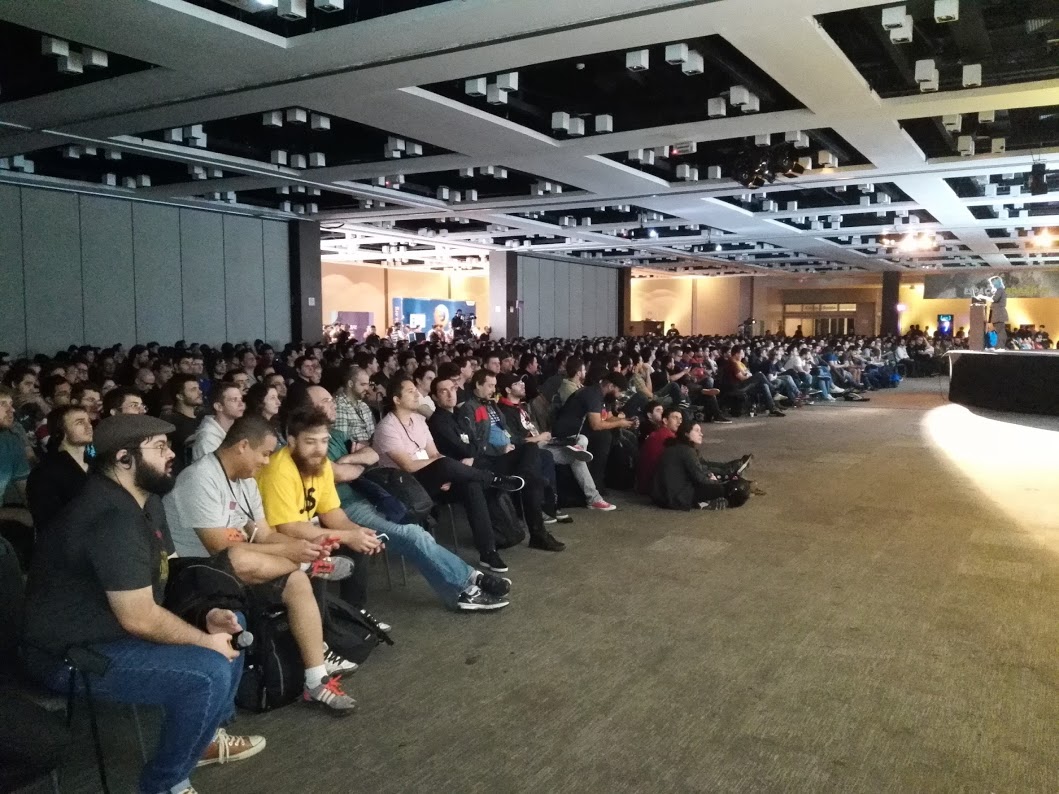
Last week I ran the panel and the web components/modules breakout session of the excellent Edge Conference in London, England and I think I did quite a terrible job. The reason was that the topic is too large and too fragmented and broken to be taken on as a bundle.

If you want to see the mess that is the standardisation effort around web components right now in all its ugliness, Wilson Page wrote a great post on that on Mozilla Hacks. Make sure to also read the comments – lots of good stuff there.

Web Components are a great idea. Modules are a great idea. Together, they bring us hours and hours of fun debating where what should be done to create a well-performing, easy to maintain and all around extensible complex app for the web. Along the way we can throw around lots of tools and ideas like NPM and ES6 imports or – as Alex Russell said it on the panel: “tooling will save you”.

It does. But that was always the case. When browsers didn’t support CSS, we had Dreamweaver to create horribly nested tables that achieved the same effect. There is always a way to make browsers do what we want them to do. In the past, we did a lot of convoluted things client-side with libraries. With the advent of node and others we now have even more environments to innovate and release “not for production ready” impressive and clever solutions.

When it comes to componentising the web, the rabbit hole is deep and also a maze. Many developers don’t have time to even start digging and use libraries like Polymer or React instead and call it a day and that the “de facto standard” (a term that makes my toenails crawl up – layout tables were a “de facto standard”, so was Flash video).

React did a genius thing: by virtualising the DOM, it avoided a lot of the problems with browsers. But it also means that you forfeit all the good things the DOM gives you in terms of accessibility and semantics/declarative code. It simply is easier to write a than to create a fragment for it or write it in JavaScript.

Of course, either are easy for us clever and amazing developers, but the fact is that the web is not for developers. It is a publishing platform, and we are moving away from that concept at a ridiculous pace.

And whilst React gives us all the goodness of Web Components now, it is also a library by a commercial company. That it is open source, doesn’t make much of a difference. YUI showed that a truckload of innovation can go into “maintenance mode” very quickly when a company’s direction changes. I have high hopes for React, but I am also worried about dependencies on a single company.

Let’s rewind and talk about Web Components

Let’s do away with modules and imports for now, as I think this is a totally different discussion.

I always loved the idea of Web Components – allowing me to write widgets in the browser that work with it rather than against it is an incredible idea. Years of widget frameworks trying to get the correct performance out of a browser whilst empowering maintainers would come to a fruitful climax. Yes, please, give me a way to write my own controls, inherit from existing ones and share my independent components with other developers.

However, in four years, we haven’t got much to show.. When we asked the very captive and elite audience of EdgeConf about Web Components, nobody raised their hand that they are using them in real products. People either used React or Polymer as there is still no way to use Web Components in production otherwise. When we tried to find examples in the wild, the meager harvest was GitHub’s time element. I do hope that this was not all we wrote and many a company is ready to go with Web Components. But most discussions I had ended up the same way: people are interested, tried them out once and had to bail out because of lack of browser support.

Web Components are a chicken and egg problem where we are currently trying to define the chicken and have many a different idea what an egg could be. Meanwhile, people go to chicken-meat based fast food places to get quick results. And others increasingly mention that we should hide the chicken and just give people the eggs leaving the chicken farming to those who also know how to build a hen-house. OK, I might have taken that metaphor a bit far.

We all agreed that XHTML2 sucked, was overly complicated, and defined without the input of web developers. I get the weird feeling that Web Components and modules are going in the same direction.

In 2012 I wrote a longer post as an immediate response to Google’s big announcement of the foundation of the web platform following Alex Russell’s presentation at Fronteers 11 showing off what Web Components could do. In it I kind of lamented the lack of clean web code and the focus on developer convenience over clarity. Last year, I listed a few dangers of web components. Today, I am not too proud to admit that I lost sight of what is going on. And I am not alone. As Wilson’s post on Mozilla Hacks shows, the current state is messy to say the least.

We need to enable web developers to use “vanilla” web components

What we need is a base to start from. In the browser and in a browser that users have and doesn’t ask them to turn on a flag. Without that, Web Components are doomed to become a “too complex” standard that nobody implements but instead relies on libraries.

During the breakout session, one of the interesting proposals was to turn Bootstrap components into web components and start with that. Tread the cowpath of what people use and make it available to see how it performs.

Of course, this is a big gamble and it means consensus across browser makers. But we had that with HTML5. Maybe there is a chance for harmony amongst competitors for the sake of an extensible and modularised web that is not dependent on ES6 availability across browsers. We’re probably better off with implementing one sci-fi idea at a time.

I wished I could be more excited or positive about this. But it left me with a sour taste in my mouth to see that EdgeConf, that hot-house of web innovation and think-tank of many very intelligent people were as confused as I was.

I’d love to see a “let’s turn it on and see what happens” instead of “but, wait, this could happen”. Of course, it isn’t that simple – and the Mozilla Hacks post explains this well – but a boy can dream, right? Remember when using HTML5 video was just a dream?