Any web site can become a PWA – but we need to do better
Tuesday, June 27th, 2017Over on his blog, I just go a ding from Jeremy.
Literally any website can—and should—be a progressive web app. Don’t let anyone tell you otherwise. I was at an event last year where I heard Chris Heilmann say that you shouldn’t make your blog into a progressive web app. I couldn’t believe what I was hearing. He repeats that message in this video chat: “When somebody, for example, turns their blog into a PWA, I don’t see the point. I don’t want to have that icon on my homepage. This doesn’t make any sense to me” Excuse me!? Just because you don’t want to have someone’s icon on your home screen, that person shouldn’t be using state-of-the-art technologies!? Excuse my French, but Fuck. That. Shit!
Our imaginations have become so limited by what native mobile apps currently do that we can’t see past merely imitating the status quo like a sad cargo cult.
I don’t want the web to equal native; I want the web to surpass it. I, for one, would prefer a reality where my home screen isn’t filled with the icons of startups and companies that have fulfilled the criteria of the gatekeepers. But a home screen filled with the faces of people who didn’t have to ask anyone’s permission to publish? That’s what I want!
Suffice to say, I am not telling anyone not to use great, modern technologies to the benefit of their end users and their own publishing convenience. And the stack that make up PWA are great to make either more successful than it is now.
I want us to do more. I want modern web technologies not to be a personal thing to use. I want it to be what we do at work, not to bring to work or point to at some amazing web person’s web presence or a showcase of a large web company.
All power to us for using whatever great technology in the environment we control, but we need to aim higher. We need to go where mistakes happen and bring the convenience and sensible upgrades to hacky old solutions. I don’t have the power to tell anyone not to use something on their blog. But I also don’t want to have a lot of things out there touted as “PWAs” that are a terrible experience. We’ve done that over and over with all kind of packaging formats. We need to get it right this time as our tools have never been better.
I publicly spoke out over and over again against stores in the current form as they are a barrier to access. A barrier that seems artificial, when we have the web, right?
Maybe. Fact is that a whole new generation of people know apps. Not the web. They know the web as something riddled with ads and malware you need blockers for. In some places where the web is not as conveniently available as it is where we are people even consider Facebook the web. As it is made available to people easier than the bloated web.
When I say that I don’t see the point of turning a blog into a PWA it hits exactly the confusion point of the “app” part. To me, an app is a “do” thing, not a “read” thing. I see no point in having the Wired, the Guardian, The Rolling Stone, The Times etc… app. Icons on a crammed desktop don’t scale. I use a news reader to read news items. I use an RSS aggregator to read blogs. I use an ebook reader to read books (or a browser). I use Spotify or iTunes to listen to music. I don’t have an app for each band or movie.
I’ve been publishing for donkey’s years on the web. And I choose to use a blog as I have no idea how you consume it. And I like that. I don’t think there should be a “Chris Heilmann” icon on your desktop. It should be in the contacts, it should maybe show up as a post or a bookmark. You can’t do anything on this blog except for reading it. Use what makes you most happy to do that.
I very much agree with Jeremy:
I don’t want the web to equal native; I want the web to surpass it.
And that’s exactly what I mean when I don’t want a blog as an app – no matter what format of app. I want people to create PWAs that are more than bookmarks – even offline working ones that give me a notification when new content is available.
Does this mean I say that you shouldn’t use a manifest and service worker to improve web pages or your blog? Hell, no. Go wild – do the right thing. Especially do the one thing that PWAs require: stop publishing over HTTP and secure your servers. Man in the middle attacks need to stop, especially with various governments happily being that man in the middle.
I want the web to succeed where it matters. I want native apps to go away. I don’t want to download an app to get tickets to the subway in Berlin. I don’t want an app for each airport I go to. I very much don’t want an app for each event I attend. I don’t want an app for each restaurant I frequent. I don’t need those relationships and having to give them a part of the limited space on my phone. Or on my desktop/launch bar.
We need the web to beat native where it is terrible: distribution and convenience. I want people to do things without having to go to a store, download and install an app and run it. I want people to get access to free content without a credit card. You need a credit card to access free stuff on app stores – this is a huge barrier. I want people to find the next train, book restaurants, get a doctor and find things regardless of connection and device. I want people to take pictures and sharing them. I don’t want people to use insecure, outdated versions of their apps as it is too much to get 50MB updates every day. I don’t want people to use what comes on the phone and use the browser as the last resort. And for this, we need great PWAs of known entities and great new players.
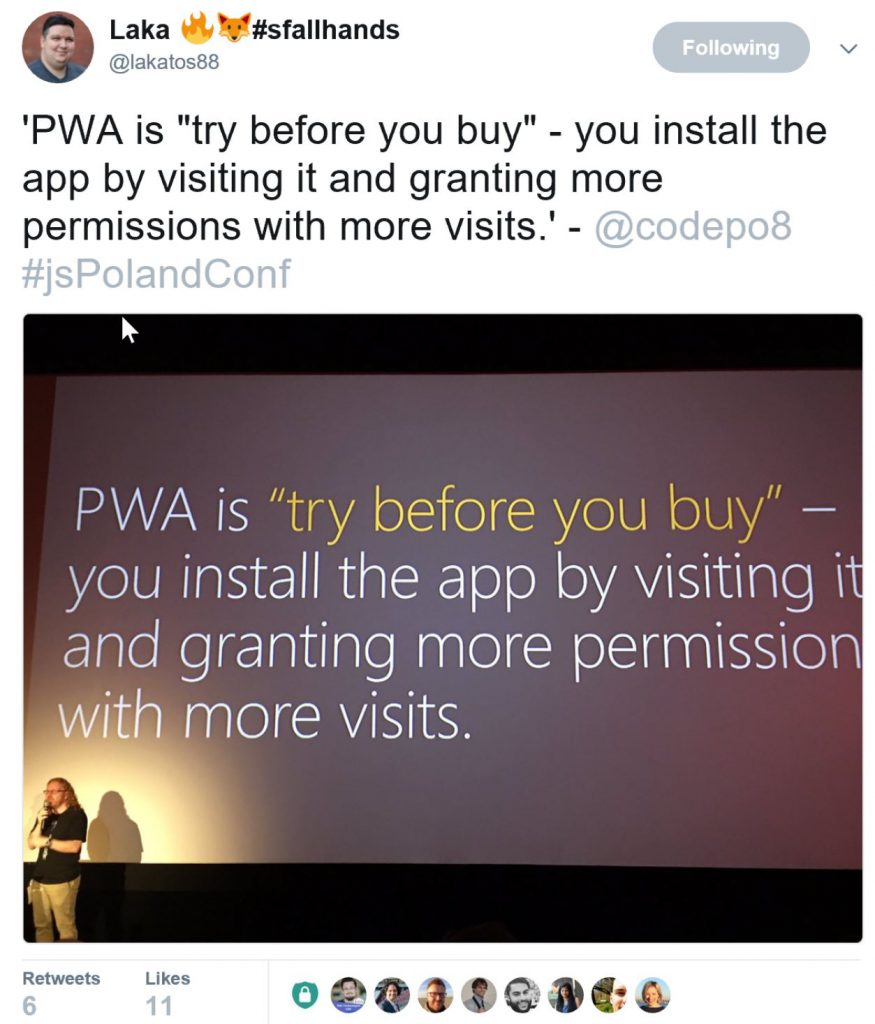
I want people to understand that they are in control. As I said last week in Poland, PWA is proper try before you buy. You go to a URL, you like what you see. With later visits you promote it to get more access, work offline and even give you notifications.
A PWA has to earn that right. And this is where we need kick-ass examples. I have no native Twitter any more, Twitter Lite does the trick and saves me a lot of data and space. I go around showing this to people and I see them kick out native Twitter. That’s what we need.
Every time we promote the web as the cool thing it is we repeat the same points.
- It is easy to publish
- it is available for everyone
- it is not beholden to anyone
- It is independent of platform, form factor and generally inviting.
When you see the web that millions of people use every day the story is very different.
It is that bad that every browser maker has a department of cross-browser compliance. We all approach big companies pointing out how their products break and what can be done to fix them. We even offer developer resources to not rely on that webkit prefix. In almost all cases we get asked what the business benefit of that is.
Sure, we have a lot of small victories, but it is grim to show someone the web these days. In our bubble, things are great and amazing.
How did that happen? We have the technology. We have the knowledge. We have the information out there in hundreds of talks, books and posts. Who do we reach is the question. Who builds this horrible web? Or who builds great stuff at home and gets mostly frustrated at work because things are beyond repair?
When I say that I don’t want a blog as an app I am not saying that you shouldn’t supercharge your blog. I am not forbidding anyone to publish and use technology.
But, I don’t think that is enough. We need commercial successes. We need to beat the marketing of native apps. We need to debunk myths of native convenience by building better, web based, solutions.
We’ve proven the web works well for self-publishing. Now we need to go where people build an iOS and Android app to have an online presence for their company with higher functionality. We need these people to understand that the web is a great way to publish and get users that do things with your product. We think this is common sense, but it isn’t. We have to remind people again about how great the web is. And how much easier it is using web technology.
For this, we need first and foremost find out how to make money on the web on a huge scale. We need to find a way that people pay for content instead of publishers showing a lot of ads as the simpler way. We need to show numbers and successes of commercial, existing products. Google is spending a lot of money on that with PWA roadshows. Every big web company does. I also all work directly with partners to fix their web products across browsers and turn them into PWAs. And there are some great first case studies available. We need more of those.
I want developers not to have to use their spare time and learn new web technologies on their personal projects. I want companies to understand the value of PWA and – most importantly – fix the broken nonsense they have on the web and keep in maintenance mode.
If you think these and other PWA case studies are by chance and because people involved just love the web – think again. A lot of effort goes into convincing companies to do the “very obvious” thing. A lot of cost of time and money is involved. A lot of internal developers put their career on the line to tell their superiors that there is another way instead of delivering what’s wanted. We want this to work, and we need to remind people that quality means effort. Not adding a manifest and a service worker to an existing product that has been in maintenance hell for years.
Jeremy wants a certain world:
I, for one, would prefer a reality where my home screen isn’t filled with the icons of startups and companies that have fulfilled the criteria of the gatekeepers. But a home screen filled with the faces of people who didn’t have to ask anyone’s permission to publish? That’s what I want!
I want more. I want the commercial world and the marketing hype of “online” not to be about native apps and closed stores. I don’t want people to think it is OK to demand an iPhone to access their content. I don’t want companies to waste money trying to show up in an app store when they could easily be found on the web. I think we already have the world Jeremy describes. And – to repeat – I don’t want anyone not to embrace this if they want to or they think it is a good idea.
Nothing necessary to turn your current web product into a PWA is a waste. All steps are beneficial to the health and quality of your product. That is the great part. But it does mean certain quality goals should be met to avoid users with an “app” expectation not getting what they want. We have to discuss these quality goals and right now quite a few companies roll out their ideas. This doesn’t mean we censor the web or lock out people (there are other people working on that outside of companies). It means we don’t want another “HTML5 Apps are a bad experience” on our hands.
I’ve been running this blog for ages. I learned a lot. That’s great. But I don’t want the web to be a thing for people already believing in it. I want everyone to use it instead of silos like app stores – especially commercial companies. We’ve been shirking away from the responsibility of making the enterprise and products people use day to day embrace the web for too long. The current demise of the native/app store model is a great opportunity to do this. I want everyone with the interest and knowledge to be part of this.
I can’t see myself ever having a phone full with the faces of people. This is what the address book is for. The same way my ebook reader (which is my browser) is what I use to read books. I don’t have an app for each author.
I like the concept of having a feed reader to check in bulk what people that inspire me are up to. I like reading aggregators that do the searching for me. And if I want to talk to the people behind those publications I contact them and talk to them. Or – even better – meet them.
An app – to me – is a thing I do something with. This blog is an app for me, but not for others. You can’t edit. I even turned off comments as I spent more time moderating than answering. That’s why it isn’t a PWA. I could turn it into one, but then I would feel that I should publish a lot more once you promoted me to be on your home screen.
So when I talk about personal blogs not being PWAs to me, this is what I mean. Apps to me are things to do things with. If I can’t do anything with it except for reading and sharing I don’t stop you from publishing it as a PWA. But I am not likely to install it. The same way I don’t download the Kim Kardashian app or apps of bands.
This is not about your right to publish. It is about earning the space in the limited environment that is our user’s home screens, docks and desktops. If you’re happy to have that full of friend’s blogs or people you like – great. I’d rather soon see phones in shops that out-of-the-box come with PWAs for people to do things. Not native apps that need a 200MB update the first time you connect and won’t get that upgrade and become a security risk. I want web access to be front and centre on new devices. And to do that, we need to aim higher and do better.