Christian Heilmann

Author Archive

Celebrating 1M installs of Edge DevTools for VS Code

Thursday, September 15th, 2022

The Edge DevTools for Visual Studio Code extension has over 1M downloads, time to recap a bit how it came to be

the extension showing what it does inside visual studio code

When I started my current role in Microsoft one thing that ailed me was that the browser developer tools are great for debugging, but they aren’t changing the original code. It is quickly possible to find out why something doesn’t work and it is convenient to use visual tools to fix the problem but you still need to remember what you changed and repeat those changes in your editor.

One of the engineers on our team showed me an idea he had. As both the browser and the editor (in this case Visual Studio Code) are based on the same platform (Chromium), it would be possible to integrate the convenient debugging experience of the browser developer tools right into the editor and not only change what is shown in the browser but also the source code that generates it.

I immediately latched onto this idea as a great one and after writing quite a few presentations and many an internal meeting we got funding for the product.

Fast forward to now and the DevTools for Visual Studio Code extension just broke the 1M installs mark.

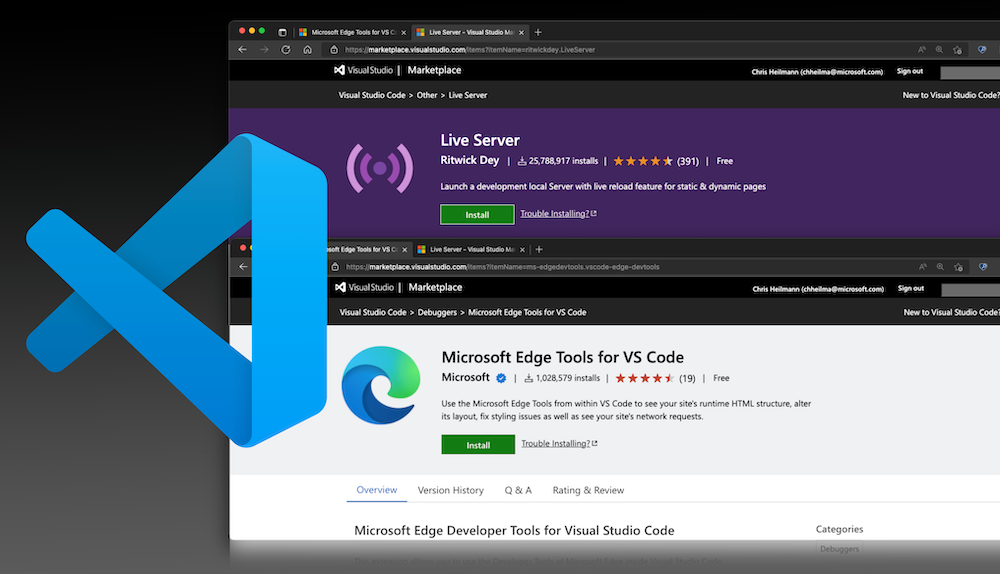
Header of the extension listing showing the amount of installs

We also have around 30,000 daily users and get a lot of great feedback on the GitHub repository.

I want to thank everyone involved in this project from the beginning to now. I am always humbled by how much talent the developer team has and how fast you can iterate on a product when you play fully in the open. I also want to thank the Visual Studio Code and the Visual Studio teams to be great partners to integrate with. It’s been a wild ride and it is great to see people be super excited about your work .

If you haven’t tried the extension yet, here is what it does for you:

  • Highlights issues in your code with explanations what the issue is and how to fix it. This is live – so while you develop your product you get information about what you are doing and what damage it causes.
    Code problems in the document being flagged up and explained
  • Shows your product in a browser preview with emulation options (emulate different devices, modes like dark/light/high contrast) and test some of its accessibiltity.
    browser preview showing the current project in a simulated mobile resolution
  • Syncs changes in the developer tools – like fixing CSS issues live with your source code
    a change in the styles using the visual tool affects the source code
  • Adds a Console for testing JavaScript
    The browser console inside VS Code
  • Adds the Application tool to inspect storage and services running in the background
  • Allows you to inspect the network traffic of your product
  • Allows to set breakpoints in your source code and get the in-context debugger

Whilst all of this gets the web developer in me super excited, the PM in me is also very happy about what it means to the Chromium developer tools project (which are in use in all the browsers based on it, Chrome, Microsot Edge, Brave…) all up:

  • We cleaned up a >10 year old code base to be not a monolithic box in the browser but allowed to use the different tools in the Developer Tools App separately.
  • We upgraded the browser screencast of Chromium to a fully fledged panel inside VS code, that can be moved to anywhere you want and has all the interaction you have in a main browser window when it comes to overlays and showing CSS features.
  • We integrated the functionality of the issues panel into your code to show you live issue reporting including customisability

Many of the learnings we got from releasing this extension can roll back into the developer tools themselves, with the biggest one being a new emulation/responsive web design toolbar in the main browser window .

There is a lot more to be gained from taking the Chromium Developer tools and embedding them in a different context, and I am excited that we managed to do this and reach this landmark. More to come.

Quick tip: embedding YouTube Videos in GitHub pages

Wednesday, September 14th, 2022

A youtube video embedded into a markdown file showing up on GitHub pages

GitHub Pages is a great way to host some of your content online. All you need to do is to write some markdown files and tell GitHub to create it as a page.

The problem is that you can’t just add some HTML into your markdown to – for example – embed a YouTube video. It does work if all you include is the YouTube iframe, but when you work with professional markdown repos, this will be flagged up as an error or security problem.

A workaround that many people use is to embed a linked preview of the video :

If your YouTube URL is https://www.youtube.com/watch?v=JLMbpiywVxQ the important part is the ID after the `v=`, in this case `JLMbpiywVxQ`.

You can then use the following markdown to embed a link to the video with a preview image of it. YouTube automatically creates these preview images.

[![Final video of fixing issues in your code in VS Code]
(https://img.youtube.com/vi/JLMbpiywVxQ/maxresdefault.jpg)]
(https://www.youtube.com/watch?v=JLMbpiywVxQ)

Final video of fixing issues in your code in VS Code

If, however, you want to embed the video in markdown files, you need to do a bit more.

1. Go to the root of your GitHub repo with the markdown files and create a folder called `_includes`.
2. In this folder, create a file called `youtube.html`. Paste this HTML and CSS and save it.

<div class="embed-container">
    <iframe width="640" height="390" 
    src="https://www.youtube.com/embed/{{ include.id }}" 
    frameborder="0" allowfullscreen></iframe>
</div>
<style>
.embed-container {
  position: relative;
  padding-bottom: 56.25%;
  height: 0;
  overflow: hidden;
  max-width: 100%;
}
.embed-container iframe,
.embed-container object,
.embed-container embed {
  position: absolute;
  top: 0;
  left: 0;
  width: 100%;
  height: 100%;
}
</style>

Now you can embed any YouTube video in your markdown files using the following:

{% include youtube.html id="JLMbpiywVxQ" %}

With the ID being the YouTube ID.

You can see this in action and fork the youtube embed demo repository if you don’t want to do it by hand.

New Developer Advocacy Handbook chapter – How to create short and concise technical videos

Tuesday, September 13th, 2022

This weekend I released a new video on the VS Code TikTok and YouTube channel which got some good interaction (53k visits on TikTok, 6k on YouTube).

Here is the VS Code portrait version:

And here’s my original landscape one.

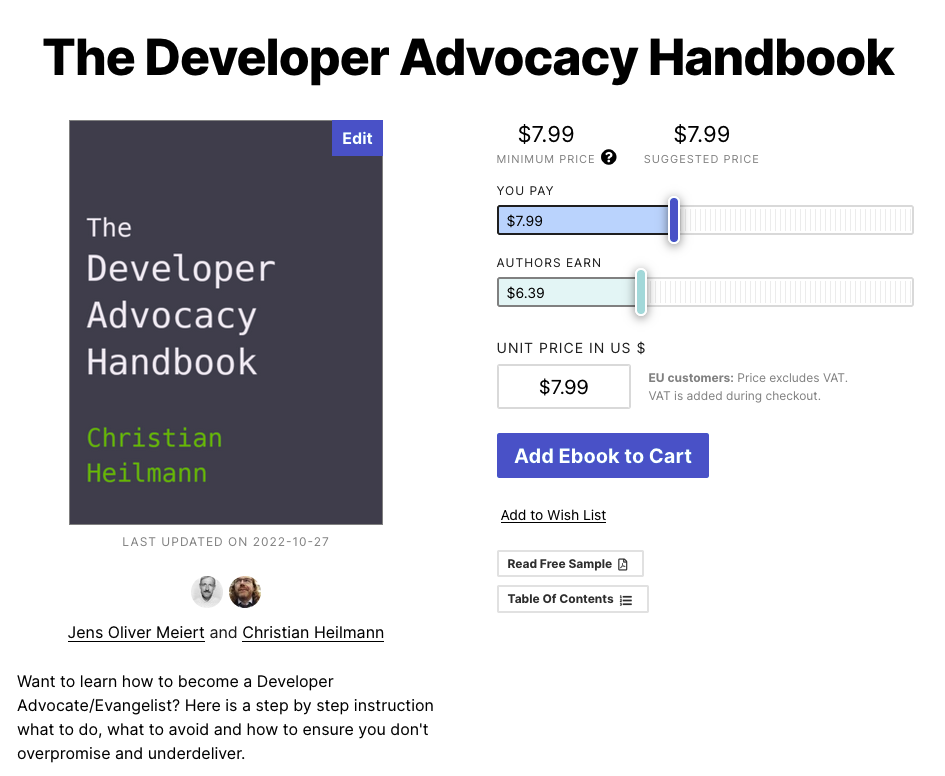
People keep asking how I did those, so I added a new chapter to the Developer Advocacy Handbook explaining the process. Click below to read it there in detail.

Screenshot of the handbook chapter on creating videos

In essence, the process is:

  • Write a concise script
  • Record yourself reading this one
  • Record a screencast showing the things you talk about
  • Speed up, add freeze frames and cut the screencast to match the main video

Automatic issue fixing and filtering in Visual Studio Code

Friday, September 9th, 2022

options how to interact with a reported issue with code in the VS Code editor

Using the Microsoft Edge DevTools for VS Code extension you get live analysis of your code and information about problems with accessibility, compatibiliity, security and performance. One highly requested feature was to automatically fix issues or allow users to never report a certain issue again. This is now part of the extension since version 2.1.1.

Recording showing how to fix an issue in your code automatically

Here’s a 25 second intro to the feature:

Want more or contribute? File an issue on GitHub .

The sum of all knowledge

Monday, August 29th, 2022

Last week my mother died. After we put her urn into the ground next to my father’s we went back to their flat to talk about next steps and dividing up their belongings amongst us three children. One thing I immediately called dibs on were my father’s two books.

Two old books on top of each other on my balcony

Both were printed in 1955 and he purchased them with his first wage as a 14 year old coal miner. One boastingly calls itself “I tell you everything” and the other is a world map and almanac. They represent my father’s desire to educate himself and to travel – something he shared deeply with my mother.

German explanation of the solar system

Over decades, these books stayed my father’s one source of truth for anything historical or related to maths, physics, chemistry, astronomy, biology and – to a sadder degree – grammar and politics.

Overview of technologies in german

But let’s remind ourselves of this amazing purchase. A 14 year old, spending 9 hours a day underground mining coal goes and buys these books to make up for the lack of education he encountered growing up in war-torn Germany.

an old map in one of the books

Fast forward to my story. I had a good education, but access to learning materials beyond those given out by the school in very tattered and often woefully outdated books meant cycling to the library in my village, the next village over or even the city further away. You had to be quick in pre-ordering books you needed or wanted and the library wouldn’t call you when they came in – you had to take a chance. Local calls in Germany weren’t free like they were in the US, so that’s how libraries saved money. I spent quite some time of my youth in the library researching as at home I also shared the room with my sister who had an unfortunate penchant for listening to her Nena record on repeat.

Working in media

I inherited the same thirst for education from my parents but I also skipped university as we couldn’t afford it. So I started working right after finishing my A levels. I had to go to the army – which I refused and spent 15 months working for the Red Cross instead – and upon return I took a chance and applied at the local radio station as part of the news team. I had a knack for computers, having spent quite some time with my Commodore 64, and thus became the expert on the radio stations computer network.

Enter the WWW

This is where the big breakthrough happened: one day we got internet access and I got information a lot faster than any other news outlet in town. Before that, we got faxes twice a day with the national and international headlines.

I knew there and then that the internet is the perfect library and place to gain knowledge. Books can’t be unavailable as you can have as many copies as you want. And you can even save them locally. Often this meant looking through the cache folder of Netscape and moving HTML files to a floppy to take home.

Heck, it was better than any library. You could contact the authors of the things you consumed, you could cross-reference without piling up books, and – best of all – you could edit some of the content and become a publisher yourself. A real read/write web.

The global library is burning

Except, it isn’t any longer. The web we have these days is in a sorry state. On the one hand we have the “social web” firmly in the hand of marketeers, bots and political propaganda. On top of that drowning in memes, reposts and funny things you already read in newsgroups in 1998. On the other hand we have the publisher web after 25 years still not being able to embrace the concept that you can’t control the distribution of your content once it is online. On the social web, knowledge is smothered by agenda and on the publisher web by ads and paywalls and contracts. Ever tried to look up some news from 12 years ago? Back in library days you were able to do that. On news portals, most articles are deleted after a year, and on newspaper web sites you hardly ever get access to the archives – even with a subscription.

Let’s keep the web library open and in great shape

I still want the web to be what these books meant for my father: the sum of all knowledge. The best humans can collect and via peer review and quality control archive for the next generation to come. The platform works, the idea is solid.

This is why I dedicated my working career to the web. I worked as a web developer on huge projects and portals, I worked on browsers, standards and CMS, and I now work on the browser that comes out of the box with any Windows machine (working on a Mac most of the time). I’ve written and contributed to 10 books, I’ve been tech editor for quite a few, wrote for dozens online and paper magazines and published this blog since 2005 – without ads, free of charge. I’m a freelance writer for Golem, a big German IT portal and a principal product manager in Microsoft working on tooling to enable people to do more on the web.

I don’t think everybody should do this. But I think you can do your part. Use snopes.com to check if the shocking thing you just read is real. Dare to post something with substance – even if it isn’t perfect. Point out issues of things you read and liked to the author. Don’t just consume, remember – for now – we do have access to an unfiltered web full of amazing content and things to learn. So let’s keep this “I tell you everything” in good condition and let’s not surrender it to the whims of political trench fights, blatant consumerism and time and soul stealing mediocrity.