Innovating with Hackdays – a talk at ITV
Monday, August 8th, 2011This morning I was invited to the ITV offices in London, England to give a bit of information about hackdays, running them and participating in them. ITV are planning a big internal hack day and wanted to know what mistakes to avoid.
The slides are available on Slideshare:
Notes:
What makes developers happy?
- Delivering something
- Getting recognition for your work
- Solving problems
- Learning something new
- Finding ways to improve things
Our dis-comfort zone and how it holds us back
All of this is pretty hard to do in our day-to-day work as we are caught in a cycle of delivery that takes up all of our time. Hardly any company leaves free time for their developers to use as they please and it is hard to make that measurable. It is also very hard to innovate when you are very close to the subject matter as you tend to see more problems to fix than opportunities to extend existing products. We sometimes can’t see the wood for the trees.
Hackdays are an opportunity to leave our comfort (or dis-comfort) zone – for 24 hours we can leave the day-to-day grind behind and go nuts playing with processes, systems and technologies.
Hackdays mean you need to focus and you can reach out
- Take 24 hours to build something new – limiting yourself means you need to focus on the bare necessities and do the most important things first
- Disregard all the protocols you have in delivery – this is your chance to deliver something without worrying about the paperwork
- Collaborate with people you haven’t worked with – as everybody is out to play for the day this is a great chance to get to know each other and learn about the pains of other departments
- Deliver a working prototype and explain what you want to achieve with it – let the code and the design and the work talk for you
- Prepare a damn good 60 second pitch – a skill that you will find makes meetings easier for you later on
Why take part in a hack day?
A big mistake people make is to think that hack days are there for the company and for your boss to test you and/or shine with what you are producing. If that is the case, then your company is doing them wrong. First and foremost hackdays are for you:
- Show off what you are interested in – no matter how geeky
- Learn something new – is there a technology you always wanted to play with?
- Get out of your shell – partner with people with complimentary skills and give a great pitch.
- Release something on your terms and without waiting!
- Show that if your manager is not breathing down your neck you can release awesome in no timw
Scratch your own itch
First and foremost you should always find something to hack on that you are passionate about. Scratch your own itch – don’t try to impress others by hacking on something cool or currently hot for the company. If you don’t believe in it, your pitch will be bad and you will feel like a phoney.
The awesome that is hackday can leak into day-to-day operations
Sometimes the outcome of a hackday can affect day to day operations in a very beneficial way:
- Write a tool to make a day-to-day process more efficient
- Show that by using a certain tool or technology you can deliver something very quickly
- Make the first step to learn that skill you always wanted to have but always pushed further out
- Show that your department can innovate and deliver
- Join a community outside the company
Deliver, don’t plan and talk
Hackdays are all about the delivery – we can (and should) talk about the hacks once we are done.
- Don’t bother building the best thing ever
- Concentrate on one thing and deliver a working prototype
- Steal, borrow, cheat… whatever it takes, get the message across
- Start something – make the code available
- If the hack works only on your machine, also create a screencast (http://screenr.com rocks for that!)
Use whatever tool you need
Whatever makes you a good deliverer, use that. You have 24 hours and we want to see things working (at least as a prototype).
- Open technologies make it easy to build prototypes (HTML, CSS, JavaScript)
- Use libraries (jQuery, Google Visualisation libraries, d3.js, raphael.js…)
- Use APIs for data and conversion (programmableweb.com)
- Find APIs to do time consuming jobs for you (vid.ly for video conversion, YQL for data mashing)
The more you can re-use and connect with each other, the less you have to write (and later on document) yourself. Simple, really.
Prepare your pitch/delivery
When it comes to delivering the pitch of your hack there is no time for foreplay. Go straight for the jugular:
- Show what your hack does
- Explain the effect this has – why is it a cool hack?
- Give ideas where this can go and how the company could benefit from it
What about after the hack day?
Once all hacks are shown, the voting has been done and the winners announced, all the pizza eaten and all coffee and drinks consumed it is time to reap the rewards of the hackday and use what has been shown for good. For this we need you to prepare a bit.
- Have your hack as a package for people to show around the company (screencast, screenshots, working code, 3 sentence pitch). This allows managers to show your hack to product managers and get it into production. If your hack is a non-working link, that can’t be done. So move from localhost to somewhere the world can see what you did.
- Keep hacking on it (freetime or ask your boss to get some extra time)
- Demand follow-up from your company! Keep pestering people for feedback and statuses on what happened to the cool hacks you saw. This is not for a day – innovation needs support
What I want from a hackday in a TV company
As you are all about the moving pictures I’d love to see some hacking with open video and standards. All the stuff I will cover here is documented and can be amended at http://developer.mozilla.org.
We lately had a competition about open video and there were some really cool entries you can look at and you can download the source codes as inspiration:
- The video effects demo shows a scene from Jurassic Park and changes the look and feel of the video container itself according to what is happening on the screen
- The scene detection demo recognises when the movie changes drastically and creates screenshots when it happens
- The Add Track demo shows how a subtitling interface can look like in HTML5
- The Facial recognition and analytics demo allows annotation of videos by detecting people in them
Furthermore there is a lot of documentation on the subject available:
- I gave a guest lecture at MIT on multimedia and the web with lots of examples and links
- This interview with John Foliot of Stanford university has a lot of great ideas on video and accessibility and what still needs to be done
- Popcorn.js is a JavaScript framework that makes it easy to connect multimedia and in-page content. A great use case example is the Minnesota public radio site connecting audio and a transcript for navigation. If you don’t want to code, popcorn also has an app interface called Butter
- universalsubtitles.org is a subtitling and translation solution for videos – simply add the JavaScript to the page with the video and the rest happens automatically
- Audio sync is another demo of connecting transcripts and audio
- Both Mozilla and Chrome now also feature Audio APIs to deep-dive into the sound files on a byte level. If you have that much control you can build awesome things as the fully functional DJ deck using web technologies shows.
- If you want to access the camera or the microphone of a computer in your hack, check out Mozilla Rainbow which features a simple API to do so

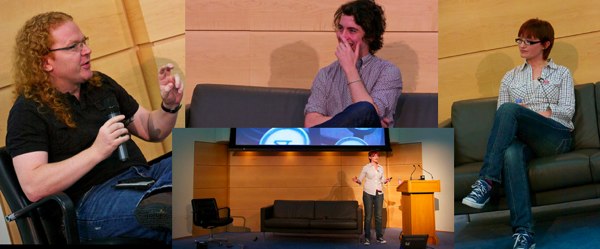 Original photos by


