Pestered by my colleague Jason Weathersby (“you should have a share button on your blog, I don’t want to copy and paste the title and the URL”) I just added a “share on Twitter” button at the end of all my posts here on the blog. I looked at a few plugins and the official buttons and was not impressed as they all meant a lot of external JS and CSS and HTTP requests. That is not needed. So here is a Twitter Share button without any extra resources from the outside.
Speaking on stage and in meetings is all about doing it and repeating it until you are more confident and good at it. Yes, you can rehearse the one talk to rule them all and repeatedly deliver it but I promise it will be much more rewarding to you and your audiences to mix it up and do different things for different audiences.
Watching your own work is painful but excellent if you want to get better. You can be very critical about yourself without being hurtful – as others would be if they said the same things you say in your head. When watching some of my talks I found a few traps I fall into that I want to avoid in the future to get better. And here I listed five of them that a lot of speakers fall into without knowing the effects this may have on the talk overall and the audience.
The “little bit extra” trap
I fall for this a lot (and I can point it out in some of my talks and cringe when I see the videos): you’ve written a nice talk, with a good narrative structure and then you remember that one other thing that is funny, interesting, or current and you add it in and make it somehow work. In my case I do that a lot off the cuff on stage. This is actually for you, and not for the audience. For them it might be a quick “ha-ha” or “ah-hah!” moment but all in all distracts from the overall message. Whenever you feel the need to add yet another thing that might need some persuasion to fit in the overall picture, don’t. Instead re-evaluate what you have, maybe change the order of your examples a bit, and pace yourself more on stage.
Three things, delivered with conviction and passion and explained well are better than ten things for the audience to pick and mix. More likely they’ll have forgotten the second one by the time you reach the seventh.
The “let me tell you about myself” trap
Introducing yourself is important, both in “real life” communication and on stage. You should however consider the context. At an unconference, where nobody knows who speaks where and when, having a slide telling people who you are and how to contact you is incredibly important and a good start for a career as a presenter. At a conference and when you are already known, less so. First of all, every conference has a speaker bio on the conference page and in the printouts attendees get. If really nobody reads them, why do we bother adding them? Secondly, most conferences will have an MC who introduces speakers and talks about housekeeping and such. Talk to the MC instead to introduce you properly and you can skip the “here’s me, here’s where I work, here’s where I am from, here is what I did in the past” and use the short time you have on stage for something the audience benefits from right now instead.
The “I must show, not explain!” trap
This is a tricky one, as – especially in the tech world – live demos are very successful with audiences and people are incredibly excited to see people they look up do showing live coding magic on stage. If that is what you want to do, also be aware that at this moment you are not speaking at a conference. Instead you are performing.
This can be done amazingly well – Seb Lee-Delisle being someone who immediately springs to mind. But it can also go horribly wrong, where you see someone spending most of their talk covering “waiting for wireless to connect” or “I need to start the server” or “oh, that crashed, let’s try that again!”. Yes, live demos are amazingly impressive, but we should also question how much more than just a show they are for the audience. How much will be repeatable? Probably not much. There is nothing wrong with showing a screencast of a perfectly working example and narrate over it. There is also nothing wrong about explaining the “why” instead of the “how” from time to time. You are a speaker, not necessarily a performer.
It is very strange, actually. A lot of people will say they love speakers do live coding, as that means they are not sales guys just promising things. On the other hand I have seen far too many “product walkthroughs” that looked liked live code, but have been scripted and in some cases even simulated. Suspension of Disbelief works in movies and on stage – any stage.
The “just look at this video with me” trap
Videos are cool, and a very simple way to convey a lot of information in a very short amount of time. They achieve that by being very demanding to the person watching them – all your senses (except for touch, but we are working on that) are catered to. This also means that showing a video with sound on will steal the audience from you. You become a spectator with them and it needs quite some skill to reel them back in. Think about that. Starting or ending with a video is easier and less of a disruption but seeing that video can always be an issue with external projectors, you might just want to give it a miss and show a screenshot of the video instead with its URL and tell people to watch it in their own time.
The “code, code, glorious code” trap
Showing code on stage makes it a much more technical talk than not showing code. But showing unreadable code or overwhelming people with it doesn’t make it technical talk – it makes it an exercise in frustration. Try to keep your code examples short and sweet. In contrast to articles where completeness of code samples is incredibly important – as people copy and paste them verbatim – nobody is going to copy your codes from the slides. It is a bit of technical info and needs your narration to make it understandable.
Five or six lines should be enough – make sure to use colour coding and have a nice, big, readable font. Line numbers are also very useful (even when it is only five lines). A cute little idea when just explaining that code is what you cover right now is to use instacode which gives you Instagram style filtered screenshots of code.
Just a reminder, nothing to be afraid of
None of these are really show-stoppers and it is OK to have them, but being aware of the effects they might have can never hurt. Now go out there and talk!
Posted in General | Comments Off on Five presentation traps to avoid in technical talks
WebVisions is an interesting series of events in the US and Europe. The audience is incredibly creative and mixed and the workshops range from the traditional web tech topics to robotics to hacking for good and up to getting kids to build their first machines.
This year I got invited to give the closing talk of the Barcelona instance of WebVisions and I went all out on that one. Instead of giving a detailed technical talk I took the opportunity to remind ourselves of the importance of a web for everyone and how we fail at delivering that old dream of its inventors.
What happened? Were the musicians just terrible? Yes, but also, no. The second version is by the Portsmouth Sinfonia, a classical ensemble put together by either people who did not know how to play, but also by people who are gifted musicians, but weren’t allowed to play the instrument they know. It was a tongue-in-cheek experiment to see if musical genius is something that is given or can get taught to anyone with the right amount of effort.
The horrid, cacophonous outcome of this shows one thing – the wrong instruments in the hands of the right experts will not yield good results. And this is the vibe I am getting a lot when people speak about “the mobile web”. When smartphones came about everybody got incredibly excited: web developers saw a whole new market opening and new, interesting challenges coming towards them and native developers out of a sudden were asked to build things with web technology (this includes in my book Flash developers, who out of a sudden were asked to “do HTML5 as this works on iPhone”). The new form factor of smartphones brought up some new challenges for developers, who, until then, were used to catering to desktop users on fast, stable connections with computers that were in a certain range of resolutions. Out of a sudden, we found ourselves with new challenges:
Unknown, smaller screen size
New ways of interaction – touch, voice
Flaky, slow connections
Limited data plans
Less patient end users
Or so we told ourselves and people got very excited and worried about all these “new” things. We threw out a lot of truisms like “users on the phone are always busy and want a few big buttons as the interface” and started to consider locking our solutions down to one phone on one platform the only solution to delivering “exciting experiences”. If you took your job as a web developer serious though, then none of this should be new to you. We never were able to tell what the end user has at her disposal to consume what we put on the web and that is the beauty of it!
When Tim Berners-Lee came up with the idea of the web, the concept of what hardware and in what resolution or what connectivity it is consumed in was never, ever included. It is a system to deliver content and get it consumed by other computers. Or, as stated in the W3C Accessibility guidelines:
The Web is fundamentally designed to work for all people, whatever their hardware, software, language, culture, location, or physical or mental ability.
In other words: fiercely flexible is what the web should be. And the advent of smartphones and mobile computing consuming web content rather than just email and text messages brought this original idea more than ever back into the spotlight.
And instead of embracing it and finally giving in and saying “well, we have no clue what people use, so let’s use software to do what it does best – test and then adapt” we overload users on the desktop with lots and lots of widgets and an avalanche of content and we limit the mobile interfaces to the bare minimum, in many cases not even in a working fashion. The current mobile web is a failure, so much that clever marketers manage to sell to many companies the idea that asking users to “download the app” when they come to the site using a mobile device is the best choice. It reminds me of popup windows and Flash tunnels – both of which, luckily, are hardly ever used any longer.
Which is weird and disheartening seeing just how blessed we are these days with great tools to learn our trade. There are dozens of online course companies out there – many of them free and even then very high quality. Our browsers have amazing debugging tools and there is a large amount of collaborative editing tools out there where you can try and debug together with other people.
How is it we are losing ground? How is it that webstandards based interfaces are such a disappointment? Well, there are a few reasons:
First, we are too busy fixing things that are not a problem yet. The whole web world is abuzz trying to find solutions for the “retina problem”. We have a few very shiny, very cool devices that need high resolution images to look good. We also have an infrastructure that doesn’t support that much image data to be transferred in time. So we bash our heads together trying to solve that problem. Why? Why not ask the companies who break the web with their proprietary hardware and secret roadmaps to find a way to fix it in their hardware? Why should it be upon us as developers to reverse engineer and hack around issues that are man-made?
The very frustrating part about this is that we are solving a problem of a small minority of people. Granted, the richest ones and the ones that consume the most. But the web is more, and we should be thinking about tapping into the group of those that are not on the web right now, but have demands and needs that could be fulfilled by it.
Secondly a big problem that we have is reminiscent of the Portsmouth Sinfonia: we have a lot of developers doing design and designers doing development. Either because they are asked to, or because they are deluded enough that they think they can do everything or because our project plans are not catered for allowing specialists to do what they do best but instead to roll out the product as quickly as possible.
Almost weekly there is some rant by developers that CSS is too hard, not logical enough and needs replacement. Or designers answering “just use a jQuery plugin” for any problem that comes up in web development rather than finding a much simpler, more scalable and easier to understand JavaScript solution.
Maybe instead of trying to replace something we don’t get along with we find a person who loves doing it and partner with them? If I hire a plasterer to fix my ceiling I don’t expect him also to check out the plumbing of my house or build me a nice cupboard. Instead of ranting and calling a technology inapplicable we should leave it to other experts to do that part of the job for us and deliver the product with us.
All in all, this is just laziness or unwillingness to learn something new. We keep to our small worlds and see everything as a nail as we have one hammer at our disposal – not realising that in many cases the nail turns out to be a thumb once we have a go at it. A developer giving other developers design advice on Stackoverflow telling them to “use a layout table, as CSS isn’t ready for this” or a designer telling other designers to “just use this library” without understanding what it does under the hood is stagnation and fleeing into quick solution land where everything can be healed by applying a band-aid.
One big thing is people claiming that they have no talent for programming or others for interface design. One person that told this the right way is Bob Ross:
Talent is a pursued interest. In other words, anything that you are willing to practice, you can do.
Practice makes perfect, and you can only get better by learning from people who know the thing you want to learn. That is why the most important thing we need to do as creators of the web now is to collaborate and learn from another.
We are experts and experts use expert tools and talk to other experts. They do not just go and buy the first thing that promises a fast solution. That’s what frauds do. If we don’t want to be frauds, we should stop doing a few things:
Looking for technical solutions on Google. This is what underpaid helpdesk people do. “Any answer will do”
“Use this, it will solve all your problems” is nonsense used in advertising
Finding out the “how” doesn’t give you anything if it doesn’t answer the “why” at the same time.
All of these lead not to solutions and products, they lead to stop-gap solutions. And as we are normally not on the same project for a long time following these principles means we fill up the web with quick hacks and stop-gap solutions.
Instead we should tap into the community when we have a problem:
Write a demo of your problem and post it on JSFiddle, JSBin, Dabblet, Codepen or whatever has collaborative coding.
Go on Twitter/Google+/Facebook and ask people
Let’s use #cssissue or #jsissue as hashtags? That’s what the cool kids use!
Get fixes and share your learnings with the community
In other words: we should talk more. The web became what it was by collaboration, sharing and open discussion of problems and solutions. If we make these work around code and tangible examples we can avoid a lot of nonsensical, dogmatic discussions and “meh, just use $x” answers.
We forgot how to share knowledge, as we are stuck in a rat-race about innovating to “keep up with native”.
The question is though, what is the future of the web? I don’t know, but I feel very deeply that it will not be about a certain hardware. I also know deep down that it will not be about one browser. I also know that there is no such thing as an SDK or an IDE for the web (something native developers keep asking for when they start building web apps). And I know for sure that it is not achievable when mainstream media and governments keep trying to tell us that the web needs to be controlled to avoid people getting content they shouldn’t get. That last ship has sailed recently with – ironically – the release of a certain powerpoint presentation.
Is it trying to give users the same experience native solutions do? I don’t think so – at all. I find apps to be a step back and a step into a direction of controlled consumption rather than distributed discovery and consumption. And it hurts me to talk to new developers asking me where they can get a certain hardware before they can build their first web app. No, you do not need the hardware to build an app – you need the knowledge and the tools and both are available in the form of standards and freely available information and editors. The latter will sooner or later simply be part of the browser.
It hurts me to see that developers start thinking they need to “pay to play”. This is a horrible step backwards to me. The web is there for anyone to become a publisher. Closed environments work very much against that idea.
It is not surprising that sooner or later people would try to rein the web in and make it easier to sell and digest. This is how selling always worked and it is actually based on a principle defined in 1955 by Victor Lebow in an article in the Journal of Retailing:
Our enormously productive economy … demands that we make consumption our way of life, that we convert the buying and use of goods into rituals. That we seek our spiritual satisfaction, our ego satisfaction, in consumption … we need things consumed, burned up, replaced and discarded at an ever-accelerating rate.
In other words, things need to break. The phone has to die, so people buy a new one. That doesn’t work with intangible things like software and with things that are distributed and copied as soon as they become available. Which is why it needs even more to make people consume more. Clifford Brooks-Stevens defined the priniciple to make that happen in 1954 already, that of planned obsolescence:
Planned style obsolescence occurs when marketers change the styling of products so customers will purchase products more frequently. The style changes are designed to make owners of the old model feel out of date.
Do end users really need Retina displays? Or is it a wish, is it a need caused by damn good advertising and giving them a feeling of “not belonging to the hip people” when they don’t have it? As early as 1960 the concept of planned obsolescence was critiqued. My favourite quote is by Vance Packard in “The Waste Makers“:
“The systematic attempt of business to make us wasteful, debt-ridden, permanently discontented individuals”.
I am afraid that this dark prediction is coming true. Yes, Moore’s Law is in full effect and things get faster, smaller and cheaper all the time but not everybody who buys an iPhone just to go online can really afford it. And whatever new and cool we buy, we are annoyed with a few weeks later and consider it outdated.
How can we break this cycle? How can we bring the original ideas of the web to the mobile space, rather than the self-destructive cycle of perishable and – by design – soon obsolete products?
I am very happy to be part of one of the anti-movements of this: Firefox OS. FirefoxOS is a completely open operating system, built on web standards and available for download. It is not there to kill iOS or Android. It is there to bring web connectivity to the people who do not have it yet and who could never afford to be part of the race for new, faster, higher-resolutioned and shinier every half year. It has a few unique features:
It is targeted at new, emerging markets – true, the first country FirefoxOS phones are available right now is Spain, but that was a decision by our partner Telefonica. In the long run Firefox OS is going where the other players don’t bother to go – yet. If they go later on and offer affordable hardware, we as Mozilla have reached the goal we set ourselves: opening the mobile space
It runs on very affordable hardware
There is no credit card needed – apps can be bought on the phone bill or via prepaid cards (this is a big obstacle for people)
It is web technologies through and through – the OS and Apps are HTML5
We have 21 mobile partners and 6 hardware partners
Apps for the OS can come from the marketplace – much like any other mobile platform – but you can also easily make them installable from the web with a simple JS API call. A web page can become an app just by defining a manifest file.
The really disruptive idea, however, is that Firefox OS turns the “find app, install app, use app” on its head. Instead of having to find an app by name in a marketplace, the search functionality of the OS allows you to find applications by entering a search term, like a band name, a movie name or anything else. After the system found an applicable app in the marketplace or on the web it shows you its icon. Clicking the icon sends the search term to the app and you immediately get what you came for. No need to enter the data again or go through an install process. If you like the app, you can long-tap it and install it. Your HTML5 mobile-optimised web sites become the ad for your app. You can see it all in the following video:
All in all, Firefox OS promises web developers a few things:
A whole new audience
HTML5 without the lock-out
Your web site is your ad!
Minimal extra work, it works across platforms
You don’t need to build apps for Firefox OS – you build them for the web and Firefox OS gives you the most APIs to play with and full access to the hardware.
All in all, we need makers of the web to unite and to ensure that what we know goes to the next generation. If we do not fight this fight right now, the web as we know it will play a second role to closed systems. Those will fade away – as they always do – but, to me, it seems like a big waste to spend lots of money and effort when we already have something that works. You can innovate faster and better in a closed space – no doubt about that – but being flexible makes you succeed in the longer run and reach people you don’t even know yet and who are hungry to get something new.
Posted in General | Comments Off on Make space for the next users of the web – Webvisions Barcelona 2013
Forms are incredibly important for the web. People enter data into them and the data goes to a server (via HTTP and a page reload, into a frame, or via XHR).
Entering forms is annoying and frustrating as in many cases you need to look up data elsewhere (your credit card number, itinerary numbers…). This is why your main goal should be to create a working form that needs the least amount of information labeled in an understandable fashion. The look of the form is less important than that – this pleases us and our clients but a pretty form that isn’t understandable is not good for your users
A form that points nowhere is not a form. Have an action attribute that points to a server-side script and a submit button to enable sending the form by hitting enter. If and when there is a JS error, people can still send the data which is what you want.
Label elements are incredibly important. They tell assistive technology what a certain input element is and they allow users to click the label instead of clicking on the small checkbox. This is very important on touch devices (ever tried to check-in at the British Airways boarding pass on your phone? The checkbox is under a link. Guess what I click in 99% of the cases). There are two ways to connect input elements and labels:
You can just embed the input in the label:
<label>Your web site
<inputplaceholder="http://example.com"type="url"></label>
<label>Your web site
<input placeholder="http://example.com"
type="url">
</label>
Every input element needs a label (arguably the submit button doesn’t – if you have an action forms can be sent by hitting enter), this can be annoying with radio boxes, but you want them to be understandable, don’t you? Also, adding a label gives you a handle to create elements with CSS using ::before and ::after. As input elements are replaced elements that doesn’t work on them.
Labels without for attributes or input elements in them are pointless.
If you replace input element with your own styled elements (using image replacement techniques) think of the following:
What happens when the image/icon font can’t be loaded?
How does it look when you zoom into the page?
Is there enough contrast to the background and is it obvious that this is an input element?
It is very easy to replace forms with “nicer” things. It is also too easy to block out a lot of users when you do.
Posted in General | Comments Off on Before you try to “fix” or “improve” forms on the web…
FirefoxOS has been my main focus over quite a period of time now. I worked with the system, I helped developers port their apps to it and I spend hours and hours writing about it, making demos and talking to the press and anyone who’d stand still long enough (or sit on a plane next to me). Today I got my reward with the FirefoxOS movement going from “Idea” via “Prototype” to “Developer Preview” and now “Launch”.
I’ve said this many times before, but let me now here repeat the things that really get me excited like a 5 year old on sugar rush about Firefox OS:
Firefox OS kills the idea of mobile web connectivity only being for the rich in the western world. Yes, for us in the US or the UK having a new shiny phone every half year is not an issue as companies are killing each other trying to underbid the price and offers of the others. But a usable Android that is not generations behind and hard-wired to a terrible stock browser or an iPhone is just not affordable to everyone. Even worse, if you have no credit card you couldn’t even buy apps for them. This is unfair, elitist and plainly against anything the web stands for. FirefoxOS is affordable, and apps can be bought on prepay or on your phone bill and the OS is the browser which means updates are easy
FirefoxOS does not assume a fast, stable and always available connection. When traveling I start hating my Android phone which I love to bits otherwise. Having dozens of megabyte updates over roaming is out of the question and neither is using flaky and slow wireless connections. Firefox OS has no native apps – all of them, including the system apps are written in HTML, CSS and JavaScript. Thus they are much smaller and can have atomic updates instead of having to be replaced as a unit every single time.
Firefox OS is the web in your pocket. It is Firefox and nothing else (other than a Linux core to access the hardware). Thus I will not be told to “download the native app” when I go to web sites that are perfectly fine to use.
Firefox OS is the platform HTML5 deserves For developers, our HTML5 solutions are finally first-class citizens. We are not shoved into a slower web view and told we can not access the hardware.
Firefox OS apps are web distributed apps. Users can go to the marketplace and find our apps by hand or via review or they could search for a certain song, movie, football team and dish and find our app that way. App discovery is as simple as using the web and finding web sites. Instead of having to pay as a developer and be at the mercy of the T&C of closed marketplaces I can publish a Firefox OS app by adding a button and calling the open web apps API. That way my current web site is the ad for my app and all my visitors potential app users.
All of this is obvious to me as a geek but doesn’t mean anything if we don’t get devices in the hands of end users. And this is what happens now – big time! Alcatel, ZTE, Telefonica, Deutsche Telekom, Spain and Poland. The fox really is out of the bag now. And oh how it will roam and run into many other directions. Be part of this, as a web developer, it is the most rewarding platform that will not change from under you at the whim of company goals or shareholder demands.
Posted in General | Comments Off on The Fox is out of the bag #FirefoxOS

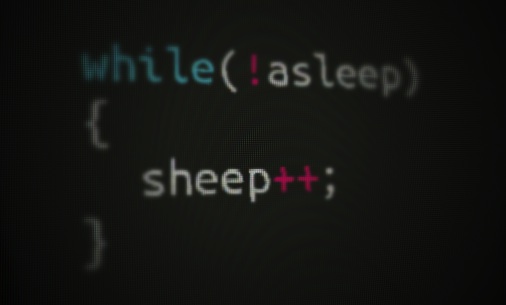 Showing code on stage makes it a much more technical talk than not showing code. But showing unreadable code or overwhelming people with it doesn’t make it technical talk – it makes it an exercise in frustration. Try to keep your code examples short and sweet. In contrast to articles where completeness of code samples is incredibly important – as people copy and paste them verbatim – nobody is going to copy your codes from the slides. It is a bit of technical info and needs your narration to make it understandable.
 FirefoxOS has been my main focus over quite a period of time now. I worked with the system, I helped developers port their apps to it and I spend hours and hours writing about it, making demos and talking to the press and anyone who’d stand still long enough (or sit on a plane next to me). Today I got my reward with the FirefoxOS movement going from “Idea” via “Prototype” to “Developer Preview” and now “Launch”.