These are the notes of my talk at SmartWebConf in Romania. Part 1 covered how Impostor Syndrome cripples us in using what we hear about at conferences. It also covered how our training and onboarding focuses on coding. And how it lacks in social skills and individuality. This post talks about the current state of affairs. We have a lot of great stuff to play with but instead of using it we always chase the next.
This is part 2 of 3.
Lunch eaten by native: news at 11
When reading about the state of the web there is no lack of doom and gloom posts. Native development is often quoted as “eating our lunch”. Native-only interaction models are sold to us as things “people use these days”. Many of them are dependent on hardware or protected by patents. But they look amazing and in comparison the web seems to fall behind.
The web doesn’t need to compete everywhere
This is true, but it also not surprising. Flash showed many things that are possible that HTML/CSS/JS couldn’t do. Most of these were interesting experiments. They looked like a grand idea at the time. And they went away without an outcry of users. What a native environment have and what we do on the web is a comparison the web can’t win. And it shouldn’t try to.
The web per definition is independent of hardware and interaction model. Native environments aren’t – on the contrary. Success on native is about strict control. You control the interaction, the distribution and what the user can and can’t see. You can lock out users and not let them get to the next level. Unless they pay for it or buy the next version of your app or OS. The web is a medium that puts the user in control. Native apps and environments do not. They give users an easy to digest experience. An experience controlled by commercial ideas and company goals. Yes, the experience is beautiful in a lot of cases. But all you get is a perishable good. The maintainer of the app controls what stays in older versions and when you have to pay the next version. The maintainers of the OS dictate what an app can and can not do. Any app can close down and take your data with it. This is much harder on the web as data gets archived and distributed.
The web’s not cool anymore – and that’s OK
Evolution happens and we are seeing this right now. Browsers on desktop machines are not the end-all of human-computer interaction. That is one way of consuming and contributing to the web. The web is ubiquitous now. That means it is not as exciting for people as it was for us when we discovered and formed it. It is plumbing. How much do you know about the electricity and water grid that feeds your house? You never cared to learn about this – and this is exactly how people feel about the web now.
This doesn’t mean the web is dead – it just means it is something people use. So our job should be to make that experience as easy as possible. We need to provide a good service people can trust and rely on. Our aim should be reliability, not flights of fancy.
It is interesting to go back to the promises HTML5 gave us. Back when it was the big hype and replacement for Flash/Flex. When you do this, you’ll find a lot of great things that we have now without realising them. We complained when they didn’t work and now that we have them – nobody seems to use them.
Re-visiting forms
Take forms for example. You can see the demos I’m about to show here on GitHub.
When it comes down to it, most “apps” in their basic form are just this: forms. You enter data, you get data back. Games are the exception to this, but they are only a small part of what we use the web for.
When I started as a web developer forms meant you entered some data. Then you submitted the form and you got an error message telling you what fields you forgot and what you did wrong.
<form action="/cgi-bin/formmail.pl">
  <ul class="error">
    <li>There were some errors:
      <ul>
        <li><a href="#name">Name is required</a></li>
        <li><a href="#birthday">Birthday needs to
          be in the format of DD/MM/YYYY</a></li>
        <li><a href="#phone">Phone can't have
          any characters but 0-9</a></li>
        <li><a href="#age">Age needs to be
          a number</a></li>
      </ul>
    </li>
  </ul>
  <p><label for="name">Contact Name *</label>
     <input type="text" id="name" name="name"></p>
  <p><label for="bday">Birthday</label>
     <input type="text" id="bday" name="bday"></p>
  <p><label for="lcolour">Label Colour</label>
     <input type="text" id="lcolour" name="lcolour"></p>
  <p><label for="phone">Phone</label>
     <input type="text" id="phone" name="phone"></p>
  <p><label for="age">Age</label>
     <input type="text" id="age" name="age"></p>
  <p class="sendoff">
    <input type="submit" value="add to contacts">
  </p>
</form> |
<form action="/cgi-bin/formmail.pl">
<ul class="error">
<li>There were some errors:
<ul>
<li><a href="#name">Name is required</a></li>
<li><a href="#birthday">Birthday needs to
be in the format of DD/MM/YYYY</a></li>
<li><a href="#phone">Phone can't have
any characters but 0-9</a></li>
<li><a href="#age">Age needs to be
a number</a></li>
</ul>
</li>
</ul>
<p><label for="name">Contact Name *</label>
<input type="text" id="name" name="name"></p>
<p><label for="bday">Birthday</label>
<input type="text" id="bday" name="bday"></p>
<p><label for="lcolour">Label Colour</label>
<input type="text" id="lcolour" name="lcolour"></p>
<p><label for="phone">Phone</label>
<input type="text" id="phone" name="phone"></p>
<p><label for="age">Age</label>
<input type="text" id="age" name="age"></p>
<p class="sendoff">
<input type="submit" value="add to contacts">
</p>
</form>
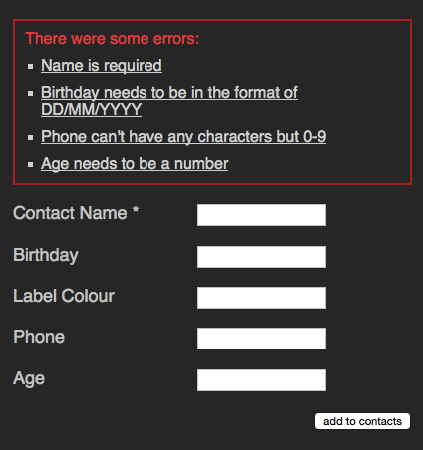
This doesn’t look much, but let’s just remember a few things here:
- Using labels we make this form available to all kind of users independent of ability
- You create a larger hit target for mobile users. A radio button with a label next to it means users can tap the word instead of trying to hit the small round interface element.
- As you use IDs to link labels and elements (unless you nest one in the other), you also have a free target to link to in your error links
- With a submit button you enable user to either hit the button or press enter to send the form. If you use your keyboard, that’s a pretty natural way of ending the annoying data entry part.
Nothing ground-breaking, I admit, but a lot of useful functionality. Functionality you’d have to simulate if you did it all with SPANs and DIVs. And all this without a single line of JavaScript.
Enter JavaScript
Then we got JavaScript. This enabled us to create higher fidelity forms. Forms that tell the user when something went wrong before submitting. No more uneccesary page reloads. We started to build richer interaction models like forms with optional fields depending on the content of others. In my 2006 book Beginning JavaScript with DOM Scripting in Ajax I had a whole chapter dedicated to forms (code examples are here). All of these enhancements had the problem that when JavaScript for some reason or another didn’t work, the form still was happily submitting data to the server. That meant and still means that you have to validate on the server in addition to relying on client-side validation. Client side validation is a nice-to-have, not a security measure.
Enter HTML5 and browser convenience features
HTML5 supercharged forms. One amazing thing is the required attribute we can put on any form field to make it mandatory and stop the form from submitting. We can define patterns for validation and we have higher fidelity form types that render as use-case specific widgets. If a browser doesn’t support those, all the end user gets is an input field. No harm done, as they can just type the content.
In addition to this, browsers added conveniences for users. Browsers remember content for aptly named and typed input elements so you don’t have to type in your telephone number repeatedly. This gives us quite an incredible user experience. A feature we fail to value as it appears so obvious.
Take this example.
<form action="/cgi-bin/formmail.pl">
  <p><label for="name">Contact Name *</label>
     <input type="text" required id="name" name="name"></p>
  <p><label for="bday">Birthday</label>
     <input type="date" id="bday" name="bday"
     placeholder="DD/MM/YYYY"></p>
  <p><label for="lcolour">Label Colour</label>
     <input type="color" id="lcolour" name="lcolour"></p>
  <p><label for="phone">Phone</label>
     <input type="tel" id="phone" name="phone"></p>
  <p><label for="age">Age</label>
     <input type="number" id="age" name="age"></p>
  <p class="sendoff">
    <input type="submit" value="add to contacts">
  </p>
</form> |
<form action="/cgi-bin/formmail.pl">
<p><label for="name">Contact Name *</label>
<input type="text" required id="name" name="name"></p>
<p><label for="bday">Birthday</label>
<input type="date" id="bday" name="bday"
placeholder="DD/MM/YYYY"></p>
<p><label for="lcolour">Label Colour</label>
<input type="color" id="lcolour" name="lcolour"></p>
<p><label for="phone">Phone</label>
<input type="tel" id="phone" name="phone"></p>
<p><label for="age">Age</label>
<input type="number" id="age" name="age"></p>
<p class="sendoff">
<input type="submit" value="add to contacts">
</p>
</form>
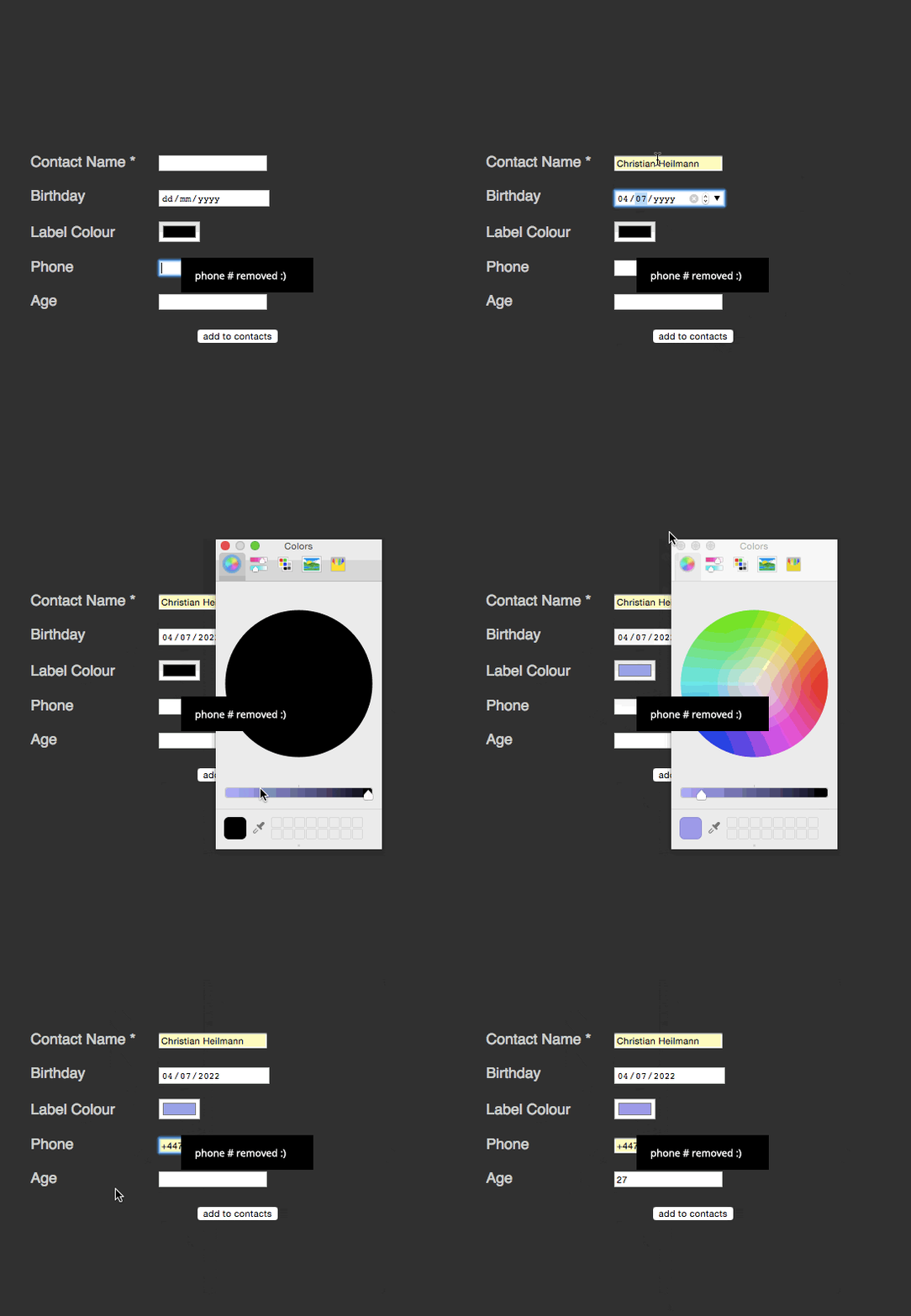
There’s a lot of cool stuff happening here:
- I can’t send the form without entering a contact name. This is what the
required attribute does. No JavaScript needed here. You even can rename the error message or intercept it.
- The birthday
date field has a placeholder telling the user what format is expected. You can type a date in or use the arrows up and down to enter it. The form automatically realises that there is no 13th month and that some months have less than 31 days. Other browsers even give you a full calendar popup.
- The colour picker is just that – a visual, high-fidelity colour picker (yes, I keep typing this “wrong”)
- The
tel and number types do not only limit the allowed characters to use, but also switch to the appropriate on-screen keyboards on mobile devices.
- Any erroneous field gets a red border around it – I can’t even remember how many times I had to code this in JavaScript. This is even style-able with a selector.
That’s a lot of great interaction we get for free. What about cutting down on the display of data to make the best of limited space we have?
Originally, this is what we had select boxes for, which render well, but are not fun to use. As someone living in England and having to wonder if it is “England”, “Great Britain” or “United Kingdom” in a massive list of countries, I know exactly how that feels. Especially on small devices on touch/stylus devices they can be very annoying.
<form action="/cgi-bin/formmail.pl">
<p>
  <label for="lang">Language</label>
  <select id="lang" name="lang">
    <option>arabic</option>
    <option>bulgarian</option>
    <option>catalan</option>
    […]
    <option>kinyarwanda</option>
    <option>wolof</option>
    <option>dari</option>
    <option>scottish_gaelic</option>
  </select>
</p>
<p class="sendoff">
  <input type="submit" value="add to contacts">
</p>
</form> |
<form action="/cgi-bin/formmail.pl">
<p>
<label for="lang">Language</label>
<select id="lang" name="lang">
<option>arabic</option>
<option>bulgarian</option>
<option>catalan</option>
[…]
<option>kinyarwanda</option>
<option>wolof</option>
<option>dari</option>
<option>scottish_gaelic</option>
</select>
</p>
<p class="sendoff">
<input type="submit" value="add to contacts">
</p>
</form>
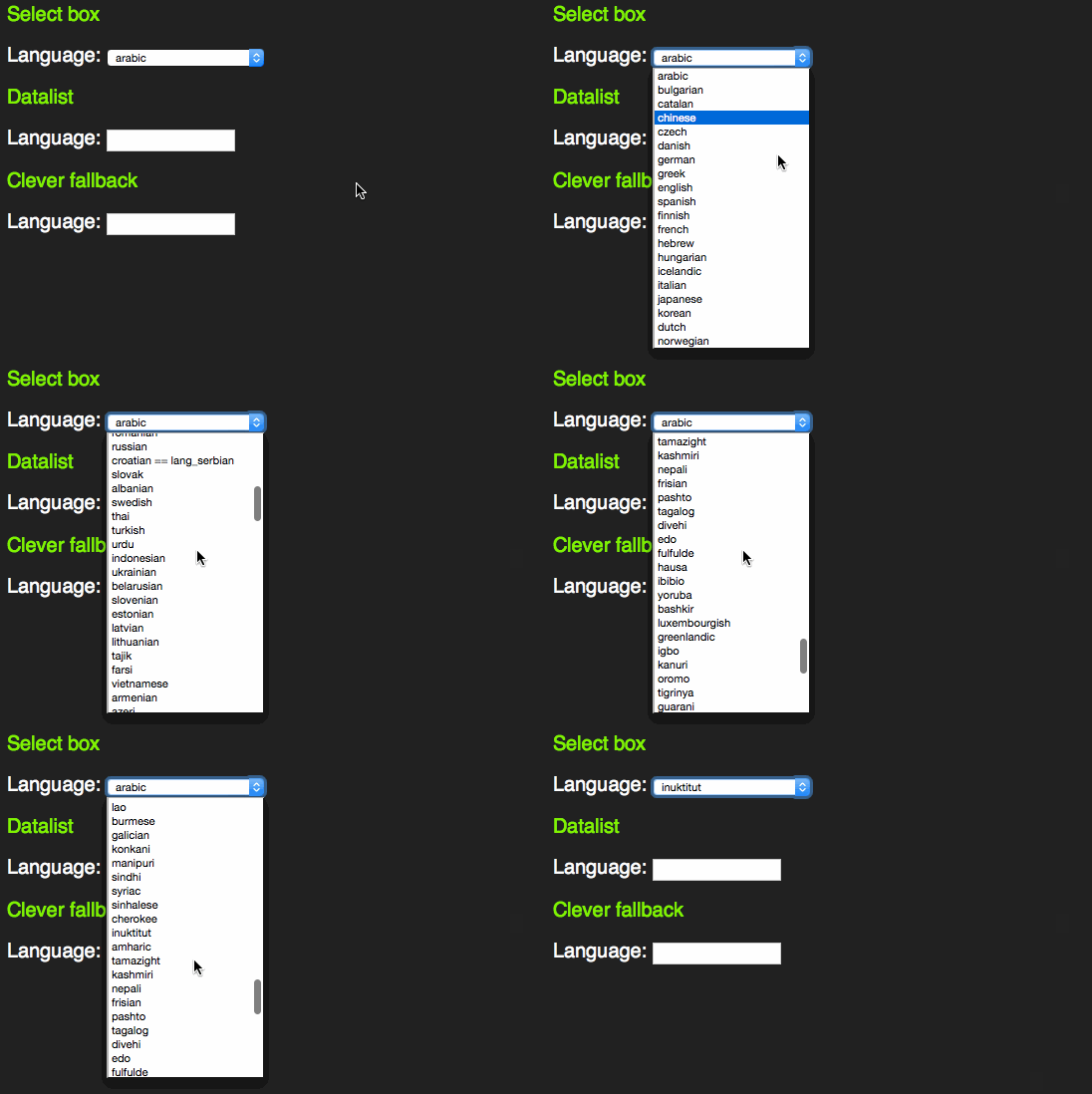
However, as someone who uses the keyboard to navigate through forms, I learned early enough that these days select boxes have become more intelligent. Instead of having to scroll through them by clicking the tiny arrows or using the arrow keys you can start typing the first letter of the option you want to choose. That way you can select much faster.
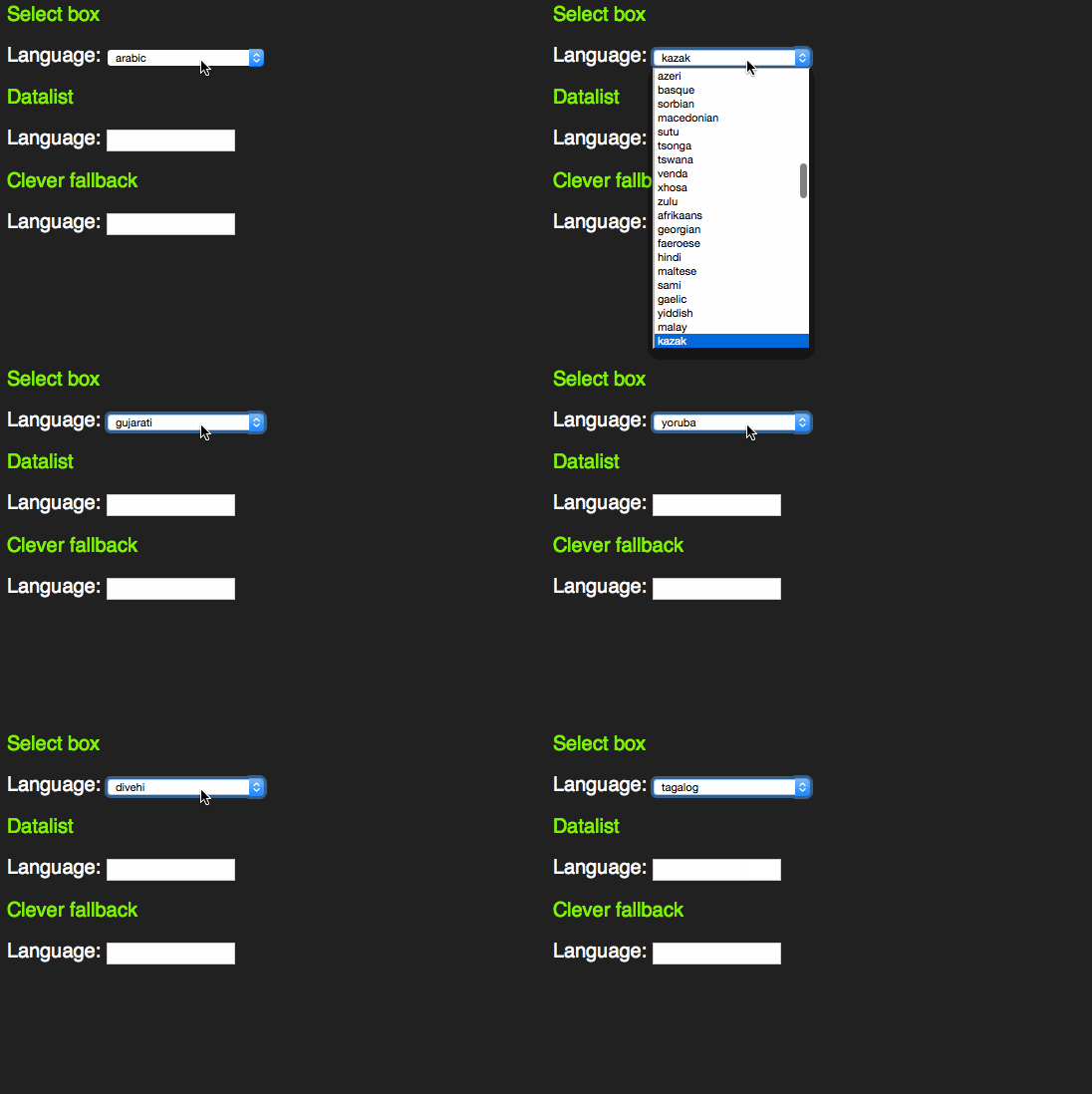
This only works with words beginning with the letter sequence you type. A proper autocomplete should also match character sequences in the middle of an option. For this, HTML5 has a new element called datalist.
<form action="/cgi-bin/formmail.pl">
  <p>
    <label for="lang">Language</label>
    <input type="text" name="lang" id="lang" list="languages">
    <datalist id="languages">
      <option>arabic</option>
      <option>bulgarian</option>
      <option>catalan</option>
      […]
      <option>kinyarwanda</option>
      <option>wolof</option>
      <option>dari</option>
      <option>scottish_gaelic</option>
    </datalist>
  </p>
  <p class="sendoff">
    <input type="submit" value="add to contacts">
  </p>
</form> |
<form action="/cgi-bin/formmail.pl">
<p>
<label for="lang">Language</label>
<input type="text" name="lang" id="lang" list="languages">
<datalist id="languages">
<option>arabic</option>
<option>bulgarian</option>
<option>catalan</option>
[…]
<option>kinyarwanda</option>
<option>wolof</option>
<option>dari</option>
<option>scottish_gaelic</option>
</datalist>
</p>
<p class="sendoff">
<input type="submit" value="add to contacts">
</p>
</form>
This one extends an input element with a list attribute and works like you expect it to:
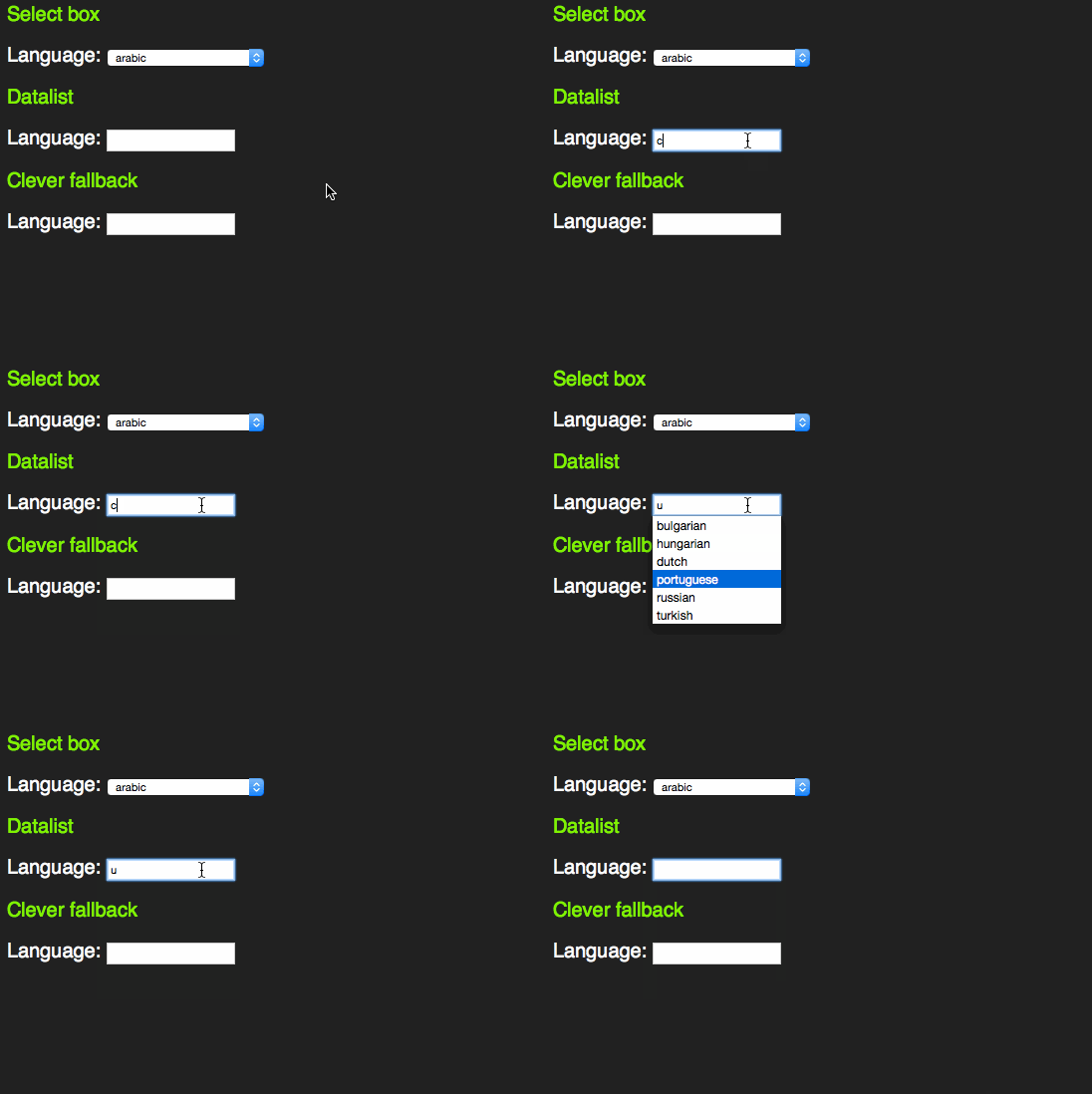
There is an interesting concept here. Instead of making the select box have the same feature and roll it up into a combo box that exists in other UI libraries, the working group of HTML5 chose to enhance an input element. This is consistent with the other new input types.
However, it feels odd that for browsers that don’t support the datalist element all this content in the page would be useless. Jeremy Keith thought the same and came up with a pattern that allows for a select element in older browsers and a datalist in newer ones:
<form action="/cgi-bin/formmail.pl">
  <p>
    <label for="lang">Language</label>
    <datalist id="languages">
    <select name="lang">
        <option>arabic</option>
        <option>bulgarian</option>
        <option>catalan</option>
        […]
        <option>kinyarwanda</option>
        <option>wolof</option>
        <option>dari</option>
        <option>scottish_gaelic</option>
      </select>
    </datalist>
    <div>or specify: </div>
    <input type="text" name="lang" id="lang" list="languages">
  </p>
  <p class="sendoff">
    <input type="submit" value="add to contacts">
  </p>
</form> |
<form action="/cgi-bin/formmail.pl">
<p>
<label for="lang">Language</label>
<datalist id="languages">
<select name="lang">
<option>arabic</option>
<option>bulgarian</option>
<option>catalan</option>
[…]
<option>kinyarwanda</option>
<option>wolof</option>
<option>dari</option>
<option>scottish_gaelic</option>
</select>
</datalist>
<div>or specify: </div>
<input type="text" name="lang" id="lang" list="languages">
</p>
<p class="sendoff">
<input type="submit" value="add to contacts">
</p>
</form>
This works as a datalist in HTML5 compliant browsers.
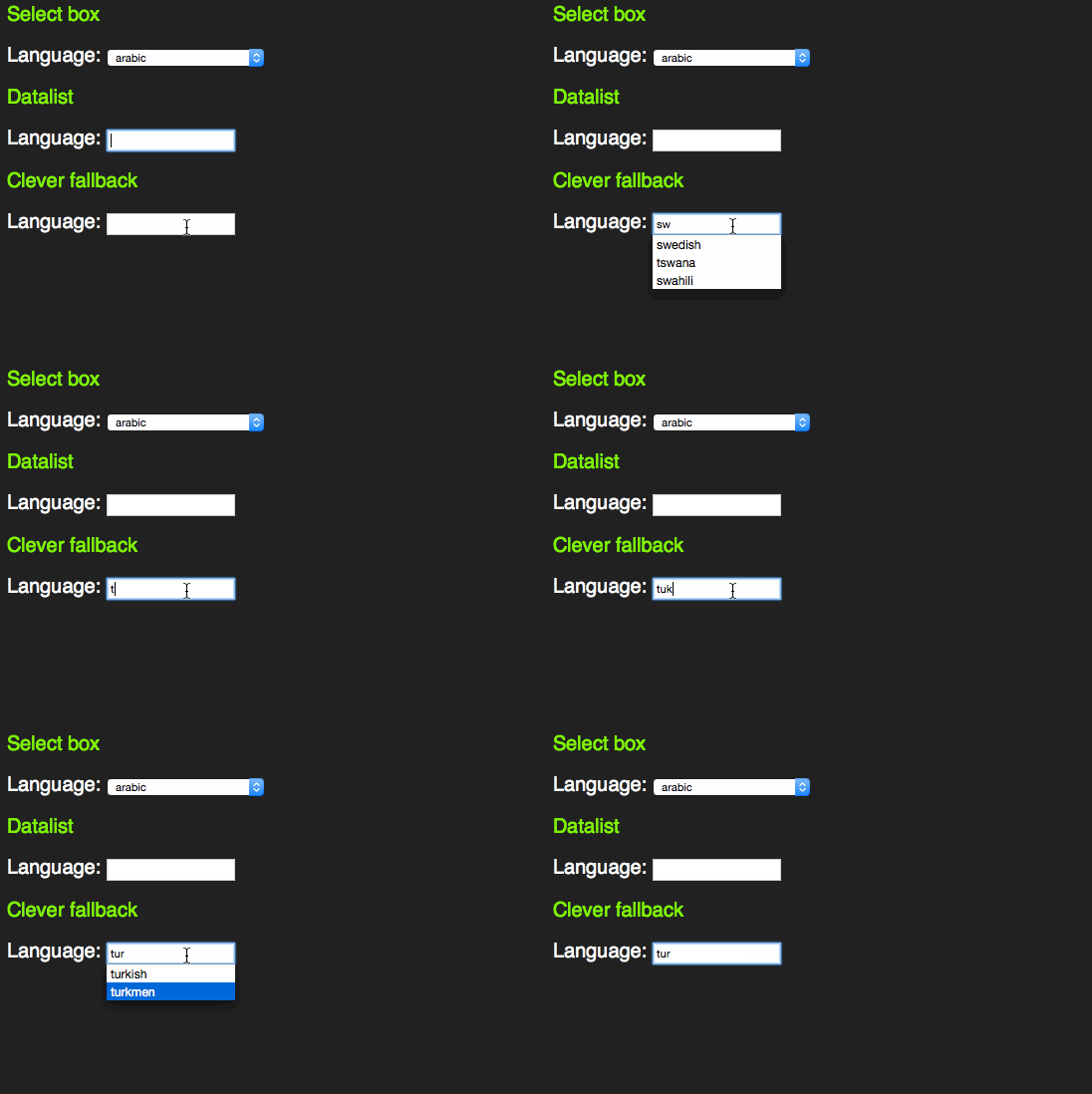
In older browsers, you get a sensible fallback, re-using all the option elements that are in the document.
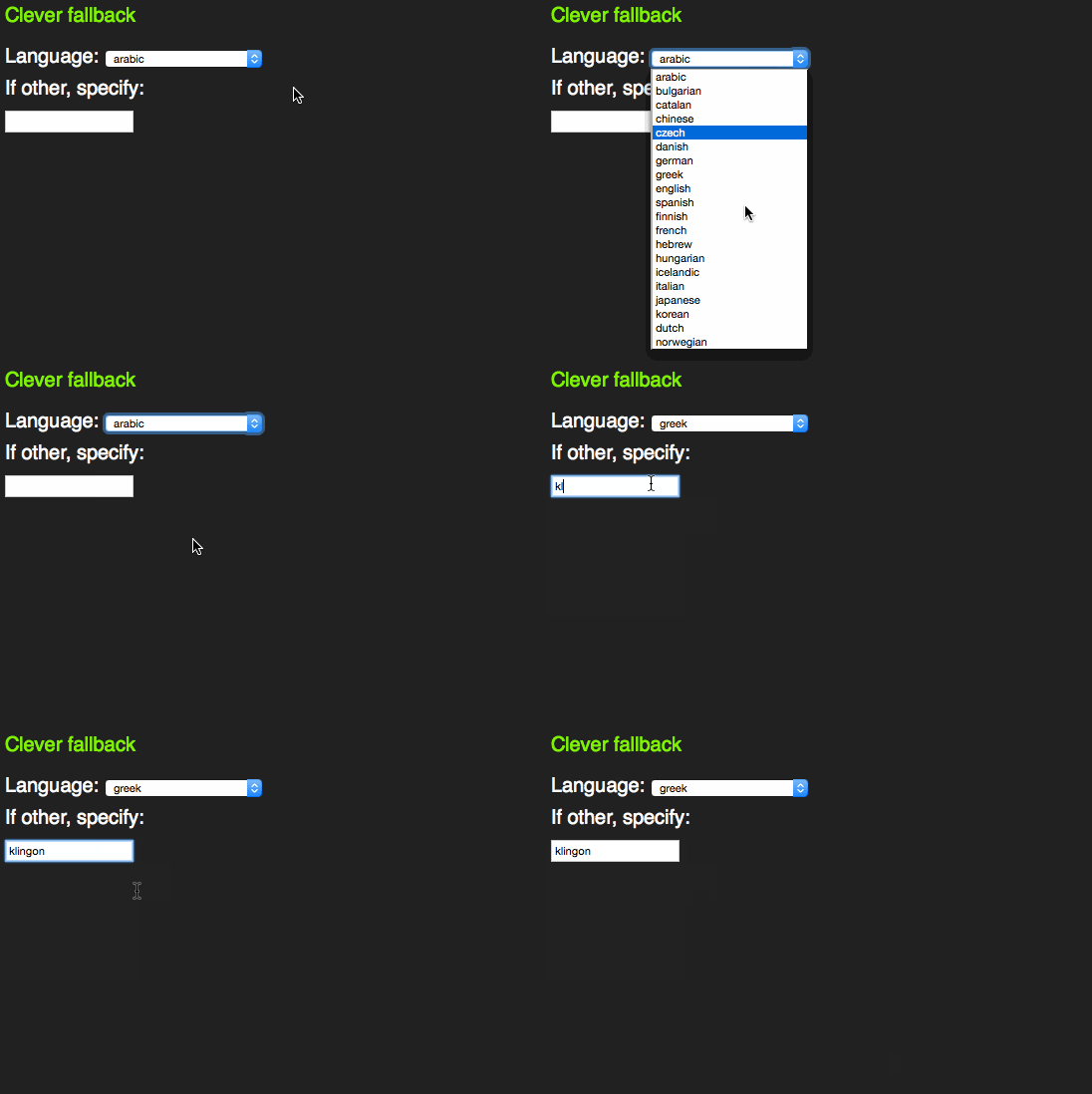
This is not witchcraft, but is based on a firm understanding of how HTML and CSS work. Both these are fault tolerant. This means if a mistake happens, it gets skipped and the rest of the document or style sheet keeps getting applied.
In this case, older browsers don’t know what a datalist is. All they see is a select box and an input element as browsers render content of unknown elements. The unknown list attribute on the input element isn’t understood, so the browser skips that, too.
HTML5 browsers see a datalist element. Per standard, all this can include are option elements. That’s why neither the select, nor the input and the text above it get rendered. They are not valid, so the browser removes them. Everybody wins.
A craving for control
Browsers and the standards they implement are full of clever and beautiful things like that these days. And we’ve loudly and angrily demanded to have them when they got defined. We tested, we complained, we showed what needed to be done to make the tomorrow work today and then we forgot about it. And we moved on to chase the next innovation.
How come that repeatedly happens? Why don’t we at some point stop and see how much great toys we have to play with? It is pretty simple: control.
We love to be in control and we like to call the shots. That’s why we continuously try to style form elements and create our own sliders, scroll bars and dropdown boxes. That’s why we use non-support by a few outdated browsers of a standard as an excuse to discard it completely and write a JavaScript solution instead. We don’t have time to wait for browsers to get their act together, so it is up to us to save the day. Well, no, it isn’t.
Just because you can do everything with JavaScript, doesn’t mean that you should do it. We invented HTML5 as the successor and replacement of XHTML as it had one flaw: a single wrong encoding or nesting of elements and the document wouldn’t render. End users would be punished for our mistakes. That’s why HTML5 is fault tolerant.
JavaScript is not. Any mistake that happens means the end user looks at an endless spinner or an empty page. This isn’t innovation, this is building on a flaky foundation. And whilst we do that, we forgot to re-visit the foundation we have in browsers and standards support. This is a good time to do that. You’d be surprised how many cool things you’ll find you only thought possible by using a JavaScript UI framework.
But more on that in part 3 of this post.