Christian Heilmann

Author Archive

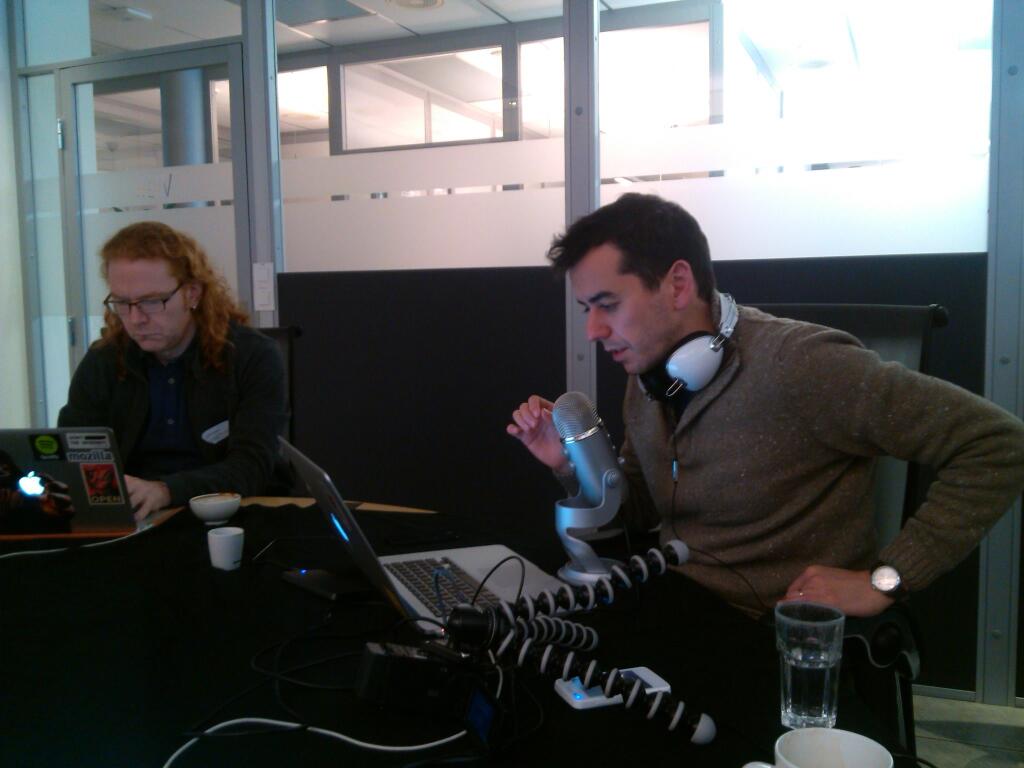
Three geeks and a microphone – recording screencasts with Telenor in Oslo, Norway

Tuesday, February 4th, 2014

Beginning of last week I spent three days in Oslo, Norway, with Jan Jongboom (@janjongboom) and Sergi Mansilla (@sergimansilla) of Telenor Digital recording screencasts for an upcoming series on Firefox OS aimed at developers in Asia. These will be dubbed and localised, which is not only super exciting, but also very powerful.

sergi and chris

Here’s a quick recap how we managed to create ten different screencasts and six intro/outro videos in two and a half days. It was taxing, it was tiring, but it was also amazing. Many factors played a role, but probably the most important one was a Scandinavian “hands-off” attitude by the video production crew and PR and trusting in the abilities of people involved.

Preparation

Before meeting to record, we shared a Google Doc and created an outline of all the different things we want to cover in the screencast series with scripts for each section. These didn’t have to be detailed scripts as we all knew what we are doing. Just “show app xyz in the emulator, connect phone, push to it” – this sort of thing.

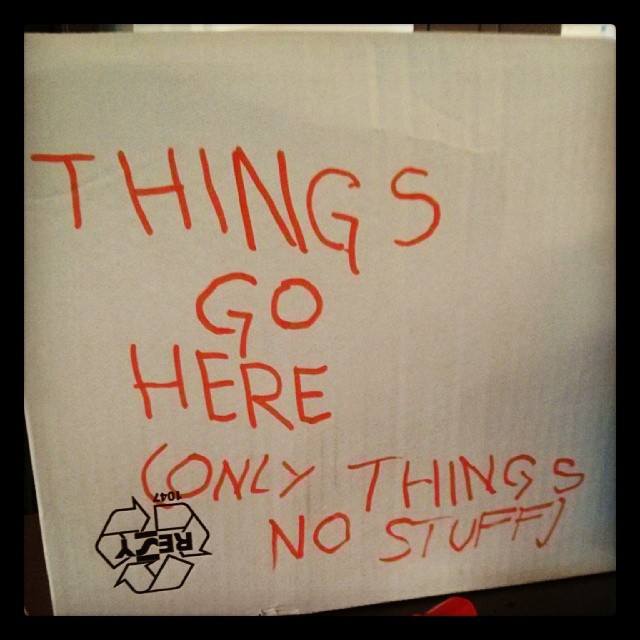
things go here, only things, not stuff

Heads up: I’ve recorded other screencasts that had very defined scripts like “go to the input box, enter ‘fiddlesticks’ and press the button labeled ‘submit’, explain the viewer that this sends the form to the server”. These can work and are important if the person recording is not familiar with the matter or the script needs review by 8 managers and 5 random people from the legal department. We were lucky to have a much more freedom as these screencasts were meant by developers for developers.

We agreed what to show and wrote the code, sharing it on GitHub.

This is immensely important: the code needs to work and be done. You can of course fake to write it live in the screencast using the AppleScript by William Bamberg and me or Stuart Langridge’s Sublime Text plugin. You will not have any time to re-code much (I did clean a few things up) and you will lose time with technical issues as it is (we lost an hour to an appcache problem and another with some problems with the Marketplace submission process). This is not the time to be a coder ninja – this is the time to be an educator, so make sure your stuff works, is documented and understandable before hitting the record button.

Technical set-up

All in all our setup was simple:

  1. A dedicated room that is sound-proof-ish with a large table. Adding a thick black tablecloth to it prevented both unintended “knock” sounds on the recording and made for a good background for recording the mobile device
  2. A good USB microphone that can be easily handed over from presenter to presenter (we used a Yeti).
  3. Three computers, one being the dedicated recording machine, the others for writing and editing. The main machine was a Retina MBP, as you can never have too high a resolution of your original material (downsampling is easy, blowing up video makes it blurry). It is also important to have one machine to record on as this means all the editor settings and the look of the Desktop is the same in all videos. It also means that only one of us had to clean up their machine and start a whole new, clean profile without embarassing autocompletes and history entries (we chose Sergi’s – he is by far the most grown-up and organised amongst us).
  4. An external HD (500GB, USB3) to store all the videos and transfer large files from one computer to another
  5. Screenflow to record and edit the screencasts
  6. A small HD video camera with a Gorilla Tripod to record on-device actions that needs to show hands

Recording and editing

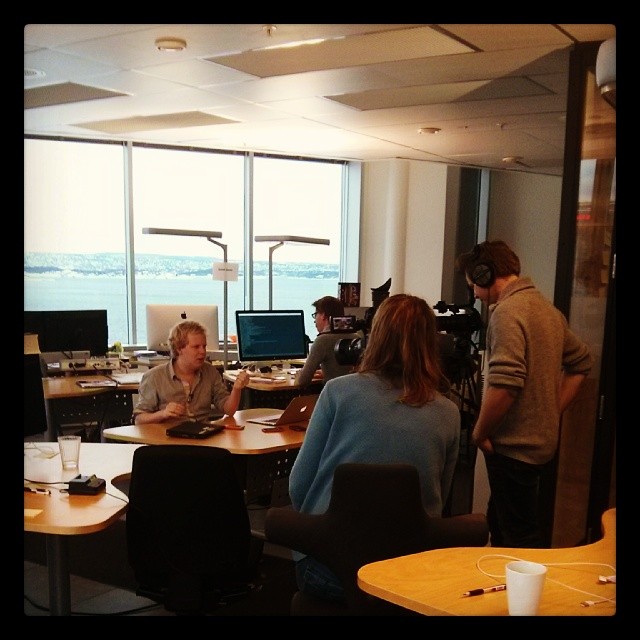
Once all was set up, we divvied up the different screencasts amongst us and got started recording them. We spent the first two days only recording screencasts and left the “talking heads” video shoots for the last day. That way we could work without having to have the film crew around which is a good thing as they tend to be paid by the hour.

jan recording video

People have different ways of working and it is important to allow them to apply their strengths if you want to create a lot in a short amount of time. Us three, for example, learned that I am most comfortable when I speak and show what happens in the screencast at the same time (a running commentary of my own actions). I am not happy reading from a script, as I did that as a job for far too long before escaping to the web (I worked as a radio newscaster).

Both Jan and Sergi struggled with showing and explaining at the same time and thus got much more effective when recording the screencast without audio, then writing a script and re-recording a video of the screencast and narrating the script over it.

The great thing about Jan and Sergi’s MO is that it allows for asynchronous creation of content: when recording and doing the live coding any distraction in the room is tricky to work with and you need to use the one machine to record. When de-coupling the recording of the audio, the editing of the screencasts and the writing of the scripts you can silently sit in the room and edit or write while the others are recording. The thick table-cloth and the quality of the microphone made sure you couldn’t hear any typing in the background. Swearing, yes, but that could and was cut.

The way we recorded worked the following way:

  1. We recorded the screencast according to the script, one person recording and another making sure there are no issues with the recording (for example “learn Indian” as a To-Do List item in an app could be offensive, as there is no “one” Indian language). Make sure to leave some breaks in the screencast to allow for more detailed narration.
  2. The person who recorded then can go and look at the screencast on another computer and write the script of it.
  3. Meanwhile the other two can record the next section
  4. Each script then got another peer review to edit for flow (active vs. passive language, adding the “what is in it for me” messaging, shortening of sentences and many other tricks – if you are interested I can do an own post about that)
  5. Once the script is done, the presenter goes back to the main computer and records a screencast speaking over the old recording, taking breaks to cough and assemble thoughts as needed without endangering the quality of the recording – all you need to do is to stop the video part of it. You even don’t need to worry about the size of the video and you can resize Screenflow and have a text editor with your script side-by-side.

It is important to keep the recording going. Stopping every time you mess up and starting from scratch only increases the frustration. The same rules apply that apply on stage: you can mess up – just admit it, take a very short break and move on. You can always edit, and it is easier to cut out a single “shit!” than to have to make a very annoyed sounding start of a screencast palpable for viewers.

Editing

The final production of the videos will be done by the professional editing team, but, as they are paid by the hour and because of the way we already used Screenflow to record and separated audio and video we could do a lot of the editing ourselves, cutting the “uhms” and “errs” and heavy breathing and adding still images over longer parts of narration. Screenflow makes this super easy by hitting “t” at the place you want to split the audio or video streams and moving the chunks around.

Next steps

Currently the videos are in production and will be dubbed and we’re putting together the landing page on the Wiki where they will reside. We also clean up our outline and script to be the descriptions of the videos. Thus, nothing was wasted.

Before you go on a righteous rant about professional screencasting…

We are very much aware that professional screencasting and recording looks different and by no means we want to say that it should always be that easy. Professional learning materials need much more planning and more meticulous execution and you should pay people who do that well what they deserve – a lot.
However, for three geeks and a microphone, we’ve done quite well and this might inspire others to do the same.

Why “just use Adblock” should never be a professional answer

Sunday, February 2nd, 2014

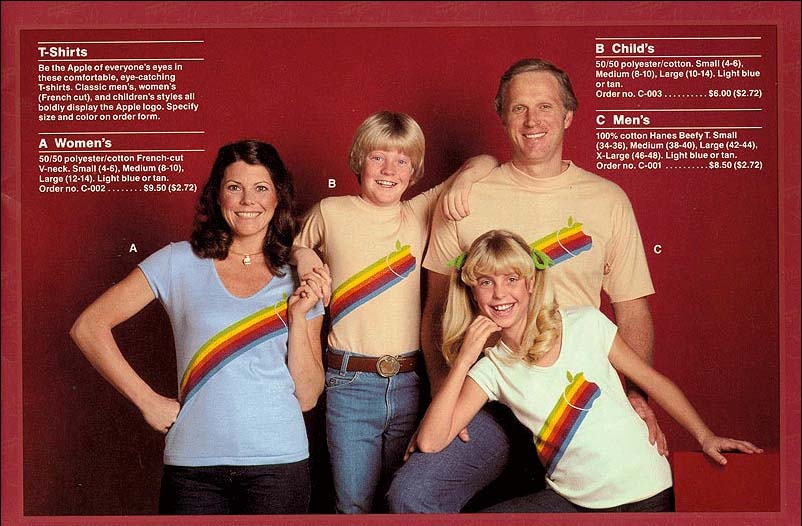
1983 Apple T-Shirt Ad showing a Stylin' "Apple Family"

Ahh, ads. The turd in the punchbowl of the internet party. Slow, annoying things full of dark interaction patterns and security issues. Good thing they are only for the gullible and not really our issue as we are clever; we use browsers that blocked popups for years and we use an ad blocker!

Firefox preventing hundreds of popups

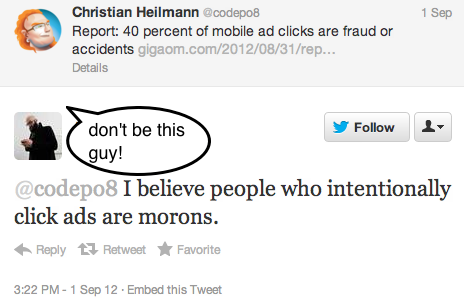
Hang on a second. Whether we like it or not, ads are what makes the current internet work. They are what ensures the “free” we crave and benefit from, and if you dig deep enough you will find that nobody working in web development or design is not in one way or another paid by income stemming from ad sales on the web. Thus, us pretending that ads are for other people is sheer arrogance. I’ve had discussions about this a few times and so far the pinnacle to me still was an answer I got on Twitter to posting an article that 40 percent of mobile ad clicks are fraud or accidents:

offensive tweet about ad clicking people

I believe people who intentionally click ads are morons

Don’t get me wrong: ads as a whole are terrible. In many cases they have the grace of a drunk guy kicking you in the shin before asking you to buy him a beer. They are very much to blame for our users being conditioned to things behaving in weird ways on the web, thus opening the door for the bad guys to phish and clickjack them. Ads may also be the thing that drives many of our users to preferring apps instead. Which is kind of ironic as an app in many cases is a mixture of a bit of highly catered functionality wrapped in an interactive ad.

We’re blocking our own future

So what does that make us? Not the intelligent people who know how to game the system, but people not owning the platform we work for and are reliant on. As people in the know, it should be our job to ensure ads we publish or include in our project are not counterproductive to the optimisation efforts we put into our work. We also should have a stake in the kind of ads that are being displayed, making sure they don’t soil the messages we try to convey with our content.

A lack of empathy and a lie to ourselves

This is uncomfortable, it is extra work and it feels like we are depriving ourselves of an expert shortcut. The problem with blocking ads ourselves is though that we are not experiencing what our end users experience. We get the first class treatment of the web with comfortable computers and less interruptions whilst our users are stuck in a low cost carrier where they get asked every few seconds if they don’t want to buy something and pay extra if they forgot to bring the printout of their ticket.

By blocking all the ads and advocating for “clever web users” to do the same we perpetuate a model of only the most aggressive and horrible ads to get through. We treat each ad the same, the “find sexy singles in your IP range” and the actual useful ones: we just block them all. Yes, I’ve had some deals by clicking an ad. Yes, I found things I really use and am happy to have now by clicking an ad. I could have never done that with an ad blocker. What it does though is cut into the views of ads and thus force ad companies to play dirty to get the figures they are used to and use to negotiate payments to the people who display their ads. In essence, we are creating the terrible ads we hate as we don’t allow the good ones to even show up. It’s like stopping people swearing by not allowing anyone to speak. Or trying to block adult content by filtering for the word “sex”.

The current ad model is too comfortable and can be gamed

You could say that people who expect everything to be free don’t deserve better. This would hold water if the paid experiences of the web without ads were better or even available. In many cases, they are not. You can not pay for Facebook to get rid of ads. Many providers are so comfortable in the horrible model of “plaster everything with ads and create as much traffic as possible” that trying a subscription model instead bears too much danger and extra effort in comparison.

A sign of this is the horrible viral bullshit world we live in right now. Creators of original content are not the ones who make the most money with it; instead it is the ones who put it in “this kid did one weird trick, the result will amaze you” headlined posts with lots of ads and social media sharing buttons. This is killing the web. We allowed the most important invention for publishing since the printing press brought literacy to the masses to become a glossy lifestyle magazine that spies on its readers.

It should be up to us to show better ways, to create more engaging interfaces, to play with the technology and break conventions. It is sad to see that all we have to show for about 16 years of web innovation is that we keep some parts of our designs blank where other people can paste in ads using code we don’t even know or trust or care to understand. This isn’t innovative; this is lazy.

There’s more to come here and some great stuff brewing in Mozilla Labs. It is time to be grown-up about this: ads happen, let’s make them worth-while for everyone involved.

Quick Hack: The Mozilla Monument Name Finder

Thursday, January 30th, 2014

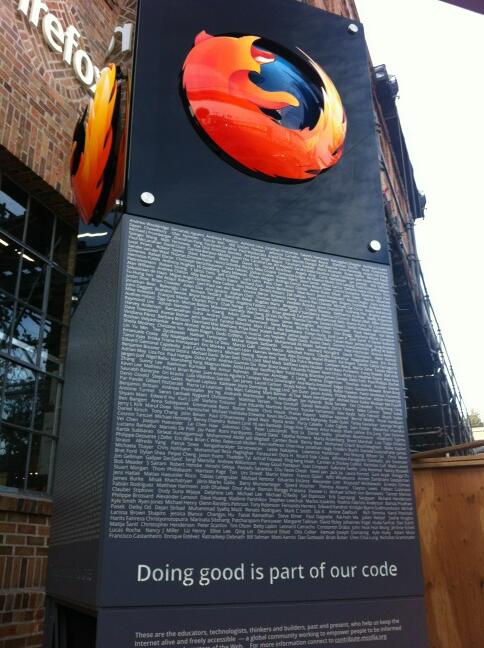
Outside the Mozilla office in San Francisco stands a beautiful monument thanking all the people who did work with Mozilla to keep the web open, secure, inviting and beautiful.

mozmonument

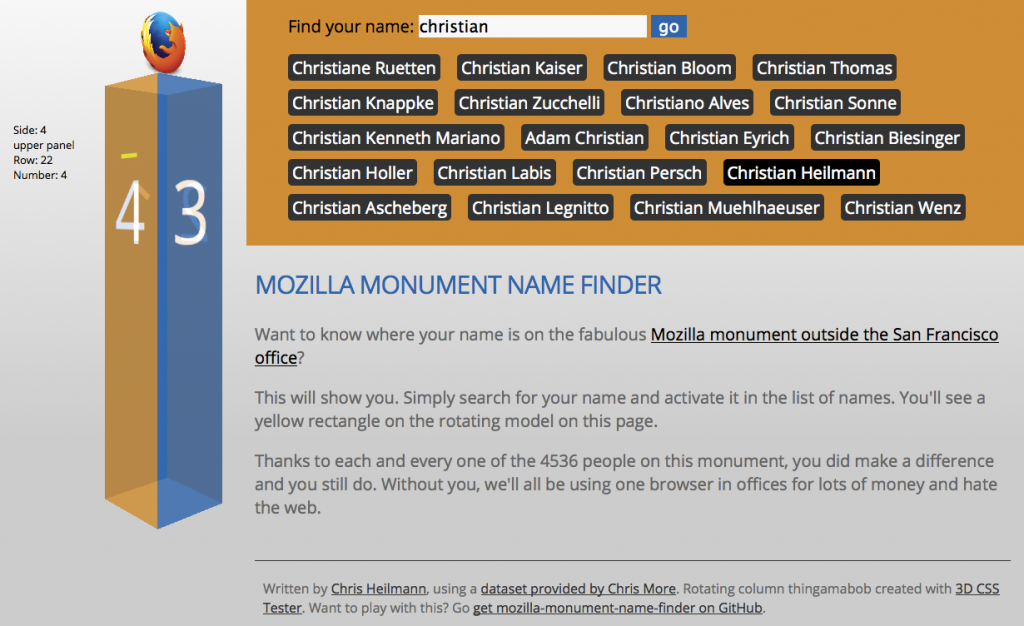
Overall, this is 4536 names on four sides with two panels, which means your name might be hard to find. Fret not, for Chris More released a dataset with the names and their locations on the document. Using this dataset and some CSS 3D transformations, I am now happy to give you the Mozilla Monument Name Finder.

monument-name-finder

You can see how it works in this screencast.

If you want to see the real images, here is another hack using the original images!

Again, a huge thanks to all the people who helped Mozilla become what it is! Here’s to you!

Great Tech History: The digital examiner – electronic newspaper from 1981

Monday, January 27th, 2014

Imagine, if you will, sitting down to your morning coffee, turning on your home computer to read today’s newspaper.

This amazing news item from 1981 talks about an experiment of the San Francisco Examiner and other newspapers trying to offer their content in a digital format using a mainframe computer and a telephone connection:

Wired covered this gem in detail and had some interesting details around it.

What excites me most is the purity of the idea back then as mentioned in the interview:

This is an experiment, we’re trying to figure out what it is going to mean for us as editors and reporters and what it means to the home user. And we’re not in it to make money, we’re probably not going to lose a lot, but we aren’t gonna make much either.

The newspaper men tried to reach the two to three-thousand home computers owners back then printing full-page ads and got over 500 subscribers who “sent in coupons”.

The next big thing to me in here is the reaction of the subscriber – a man who waited two hours for the transfer of the newspaper text content at $5/hour call rate. He very much understood the implication that this means you can keep a copy of the paper for yourself and that you can only keep what you need without having to get it all and discard parts of it.

Isn’t it a shame that this amazing gift of publication and distribution and archiving by users of our services is now going back to closed ideas like paywalls and apps?

Endangered species of the web: the image

Thursday, January 23rd, 2014

Once the Web was a thriving ecosystem of happily evolving, beautiful creatures. Like with any environment, sooner or later man will step in and kill a lot of things – actively or by accident – and diminish the diversity and health of said ecosystem. In this series we will look at some of the strange animals that make up the Web as we know it, re-introduce them and show how you can do your part to make sure they don’t die out.

Today we are looking at an amazingly popular pet animal that is more than often treated not the way it is meant to be treated: the image.

JAXPORT Gallery: Artist Keith Doles

Show me your colours

Images are what made the web pop. Ever since the first browser started supporting them, we had a web that was interesting to publishers beyond the academic community. Show me, don’t tell me, and all that. At the start, things were pretty clear cut:

When Marc Andreesen proposed the IMG tag in 1993 he defined it as thus:

This names a bitmap or pixmap file for the browser to attempt to pull over the network and interpret as an image, to be embedded in the text at the point of the tag’s occurrence.

He also defined what should be done when the image can not be loaded (and also mentioned now very obscure image formats as ones that could be used):

Browsers should be afforded flexibility as to which image formats they support. Xbm and Xpm are good ones to support, for example. If a browser cannot interpret a given format, it can do whatever it wants instead (X Mosaic will pop up a default bitmap as a placeholder).

Simply put, this is what you needed to do in order to add an image of a canyon to the document:

<img src="canyon.png">

This was when things got wrong: what happens when the image could not be loaded or shown? Show a placeholder. But the placeholder has no meaning, right? All you tell is the end user that something went wrong. Not what the meaning of the image was.

The Object element came later and already explained a few of the shortcomings of the original idea:

Previous versions of HTML allowed authors to include images (via IMG) and applets (via APPLET). These elements have several limitations:

  • They fail to solve the more general problem of how to include new and future media types.
  • The APPLET element only works with Java-based applets. This element is deprecated in favor of OBJECT.
  • They pose accessibility problems.

<object data="canyon.png" type="image/png">
This is a <em>closeup</em> of the Grand Canyon.
</object>

The big thing here is that this could be extended to all kind of embeddable media – music, video, applets and whatever might come next. Instead, we got the IMG tag, and then we got the video element, the audio element and the iframe element – each delivering a highly defined subset of what the generic object element could have done.

Despite the shortcomings of the humble img, it has a few amazing attributes that can work for you:

  • alt – the alternative text to give a user agent when the image can not be displayed, which could mean it could not be loaded or that it couldn’t be decoded
  • longdesc – a linked document to explain in much wordier fashion what the image describes. This could be for example a longer description of the data and the findings in the data relationships of a chart. Never heard of that one? Join the club!
  • name – the name of the image used for scripting (only added for backwards compatibility)
  • height and width – to resize images to a certain size or to tell the browser what the size is instead of it having to read that from the image metadata
  • usemap and ismap for client side image maps (those were all the rage before we had CSS and could stack elements on top of another)

In addition to that there is always the title attribute, which can be added to almost anything.

As an image is pointing to an external resource, it also allows you to do a lot with JavaScript. You can detect if it was loaded by subscribing to a load event handler and react if there was a problem by subscribing to its error handler. This gives you quite granular control over what is going on.

Hurting images: misuse of alt and title

Things got weird when people didn’t use images they way they are meant to because of how they display in browsers. The alt attribute (no, there is no such thing as an alt tag) doesn’t get the information it should contain, instead the title attribute gets a lot of information as it is visible when the user hovers over the element.

A great example how to make the image happy is XKCD. Their makers give the image sensible alternative text in the alt attribute and add extra information in the title. They use the title as a sort of “easter egg”, which is totally fine, and works well for them:

Automation

<img src="http://imgs.xkcd.com/comics/automation.png" 
title="'Automating' comes from the roots 'auto-' 
meaning 'self-', and 'mating', meaning 'screwing'." 
alt="Automation">

Of course, to be totally accessible, this image should have a longdesc attribute pointing to a textual representation of the image’s message. This could also be the alternative text, but might be a bit long as there is not only a text displayed in the image to be explained, but also its implications and nuances. If that needs to be done, you could also use a FIGURE and FIGCAPTION construct. HTML5Doctor has an amazingly detailed, yet easy to understand post on those.

Back to alt and title: title should always be treated as a “nice to have” and can not be relied on to ever be accessible to the end user. Alt, on the other hand, is absolutely and utterly needed. If the image for one reason or another can not be displayed (which is totally possible) it is what the user gets. In Firefox and Chrome, for example, instead of the image you only get the text displayed in the browser:

Merry hedgehogs frolicking in the moonlight

Alternative text is most important for non-sighted users, as screenreaders will announce that text in their stead. If there is no alternative text specified, assistive technology might fall back to reading out the file name, which could be an exercise in annoyance and futility in equal measures.

Images getting a bad reputation: performance

Images lately got a bit of a bad reputation, as they’ve been singled out as a huge source of performance issues with web pages. This is true: the more images you use in your document, the more HTTP negotiation has to happen and the more external files have to be loaded, decoded and displayed. The first big solution came as early as 2004, when Dave Shea coined the term and explained the techniques behind “Image Sprites”. Image sprites were the fabulous idea of using a single image with all the images on the page in one document. Thus, you only load and decode one image and crop and position it visually with CSS in all the different places you need it. The drawback of this technique as described by Dave is that you have no textual fallback – no alt attribute – but that can be remedied as I explained in a comment on the original article using image replacement techniques.

Other problems that occurred in the past (and maybe even now) are that images seem to do a bad job when used in mobile devices. The mobile version of Flickr, for example, used to be much slower when using img elements instead of background images on DIVs, as decribed in the “Creating Responsive HTML5 Touch Interfaces” talk from 2 years ago.

Throwing images out and moving it all to CSS

Nowadays, we can do magic in CSS. We really can. Gradients, drop shadows, rounded corners, background sizing, all the good things we have make creating images for purely artistic parts of our designs (“screen furniture”) utterly unnecessary and give us much more flexibility. A gradient in CSS can clearly resize to any element, a gradient in PNG or JPG would wash out or pixel out.

No argument there. However, lately a lot of showcases use CSS to paint, which, if only a visual aid, is totally fine. Images that are semantically valuable though should not be achieved that way but instead should be an img, for the reasons mentioned before – you can create a textual fallback that will be shown when things go wrong and you can even react when the image was unable to load or decode (using the load and error handlers). Neither is possible in CSS, all you can do is hope that everything is alright. Most browsers will be OK hiding a text in an element you use CSS to style, but not all are able to render the final visual construct you create with lots of CSS instructions. Thus, if things go wrong, you give the user nothing instead of a text to understand.

In other words: while it is possible to create a MacBook using only CSS from one element, you have no idea if it displays correctly. If it is a nice-to-have, all fine. If that MacBook were the logo of your company or a chart explaining information to your readers – bad idea. Painting complex images in CSS using lots and lots of DIVs and SPANs is a parlour trick – it is neither reliable across browsers, backwards compatible nor makes any sense semantically. An image is more than a visual construct – it also gives meaning and you should provide a way to make that meaning obvious when the image can not be seen or is displayed wrongly. That images “painted with HTML and CSS” scale nicely on different resolutions is a problem we need to solve on an image format level (SVG comes to mind), not something we should hack together by abusing HTML for the sake of its visual outcome. We stopped painting with table cells – remember, we did tables with background colours on 1 pixel wide or high rows and columns to create borders – we should not go back to these days.

How to treat images humanely

The technology we have these days allows us to use images in amazing ways. It is up to you to use it wisely:

  • If the image is purely there to be pretty, use a CSS background and benefit from the resizing and positioning options you have. Make sure to use a fallback background colour with enough contrast to the text colour in case the image could not be loaded.
  • If the image is there to be part of a visual design and needs to scale consider using gradients, rounded corners and drop shadows in CSS instead. Be aware though that these could be bad when moving the element or scrolling the page so use them sparingly.
  • If the image plays an important role to the message of the document, or represents an interactive element like a button, use an img tag. These allow for alternative texts and error handling much easier than CSS solutions do. If you use an img give it a sensible alternative text, do not omit the alt attribute or give it an empty attribute or [image].

Not that hard, now is it? Make those images dance and sparkle, I dare you!