Quick tip: hosting HTML/CSS/JS demos from source code on GitHub Pages
Saturday, February 28th, 2026 at 12:36 pmDid you know that you can host HTML/CSS/JS demos with execution and source code display on GitHub? All you need is a few include commands in a markdown file and your html/css/js files in a folder.
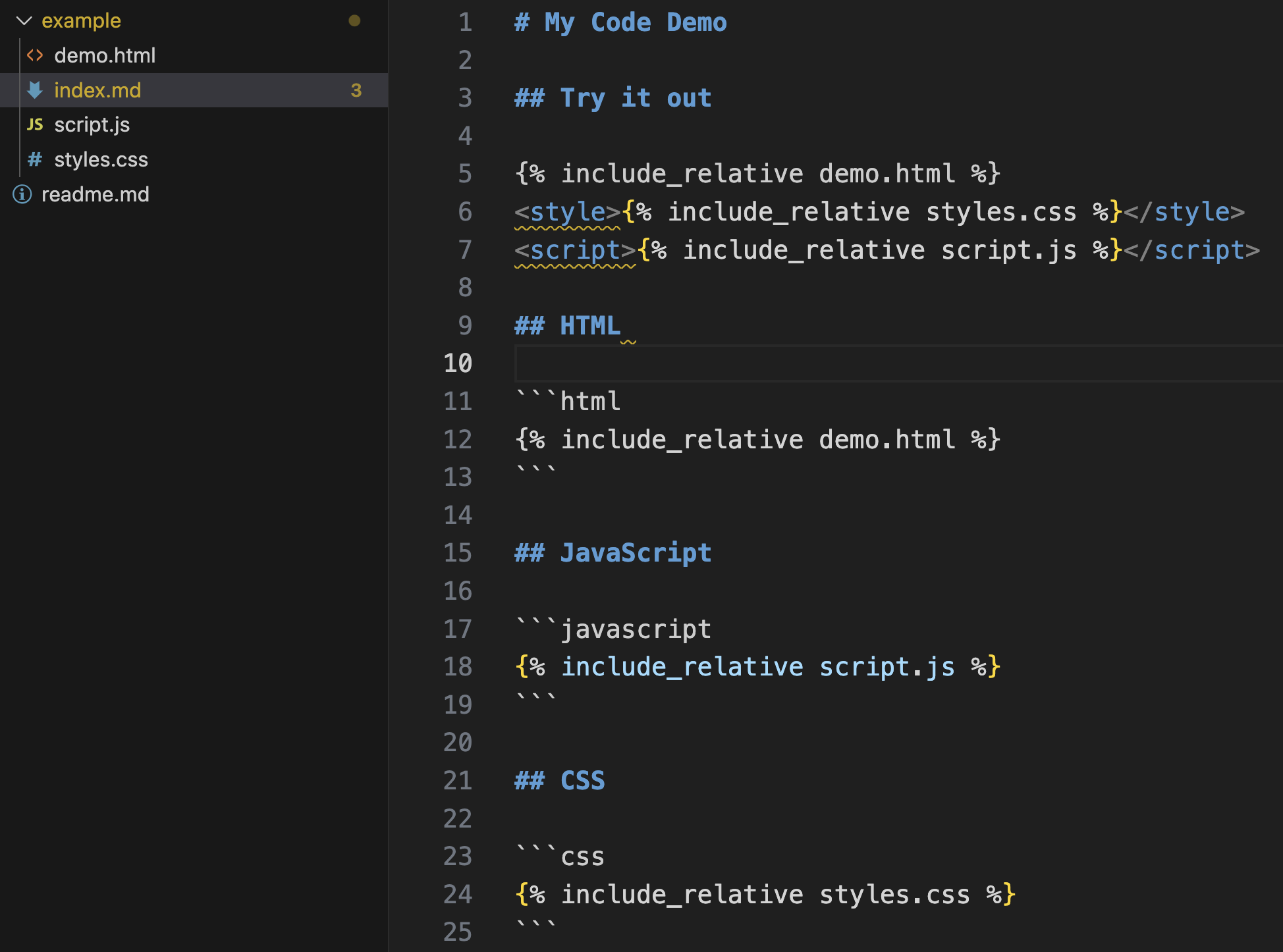
Try it out here: https://codepo8.github.io/code-hosting-demo/example/
See the source here: https://codepo8.github.io/code-hosting-demo/example/index.md
# My Code Demo
## Try it out
{% include_relative demo.html %}
<style>{% include_relative styles.css %}</style>
<script>{% include_relative script.js %}</script>
## HTML
```html
{% include_relative demo.html %}
```
## JavaScript
```javascript
{% include_relative script.js %}
```
## CSS
```css
{% include_relative styles.css %}
``` |
How to do it
You can start by forking this example repo.
In order to see the demos being rendered, you need to turn on GitHub pages and the build process:
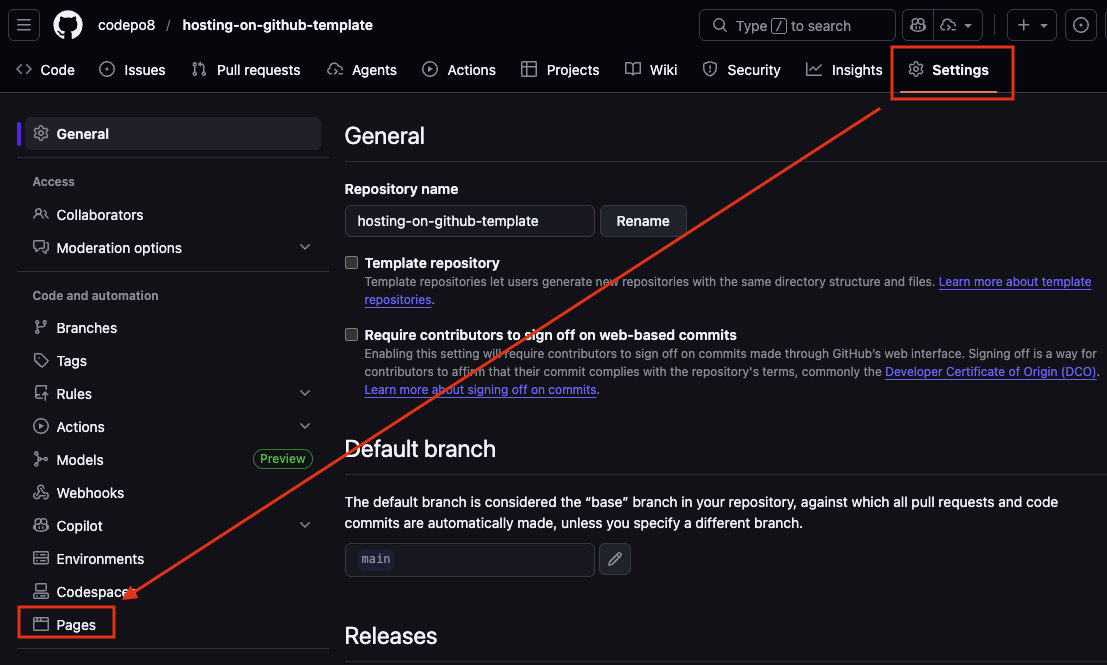
1. Go to the settings of the repository and go to pages in the secondary navigation:
2. Select `Deploy from a branch` under `Build and deployment`, choose the `main` branch and the `root` folder and press save.
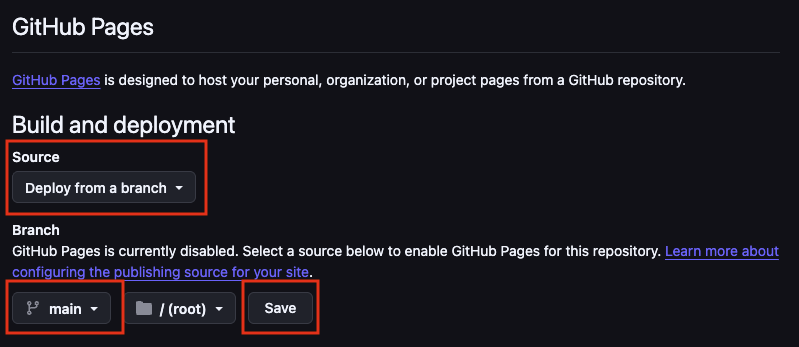
This triggers the build of the page.
3. Check the `Actions` tab of the main navigation to see the page being built.
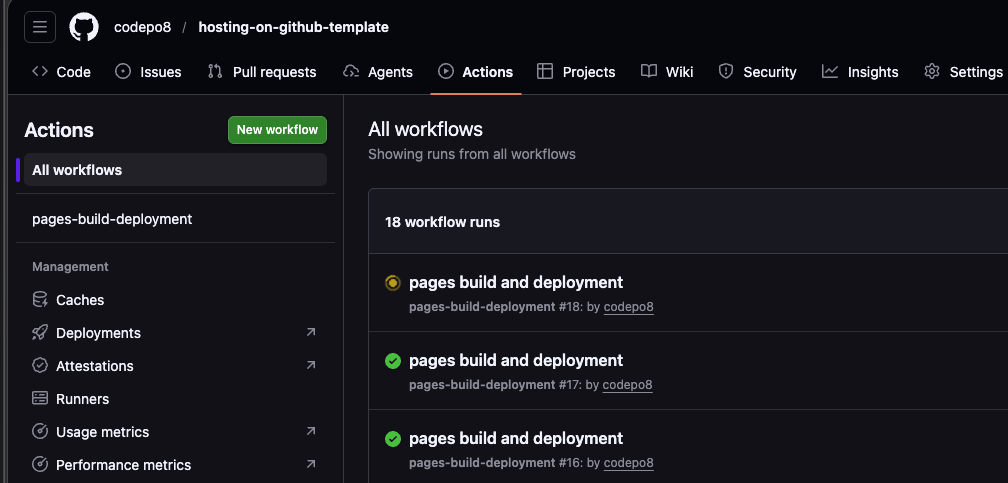
Whilst building this shows a yellow animated dot. When it is done it turns into a green check mark. If there are some issues it will show an error icon and explain what went wrong. Once it is in the green, your changes are live.
4. When the page is done building you can see in the `Pages` section that it has been deployed.
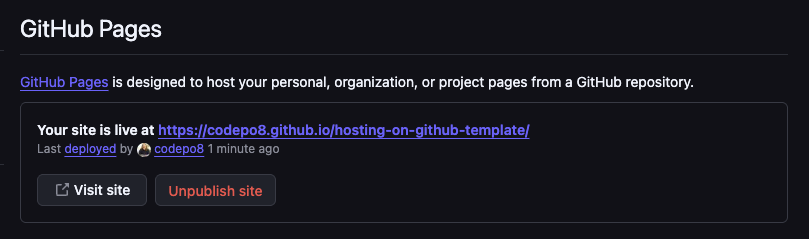
Your page is now available on the web as an HTML/CSS/JS capable environment. For example, this one is at https://codepo8.github.io/code-hosting-demo/.
The structure is `https://{{user}}.github.io/{{repository_name}}/` and comes from the repository URL at `https://github.com/{{user}}/{{repository_name}}`.
The next step will be to style the paged differently to what GitHub shows them as. Stay tuned for part 2.