Christian Heilmann

Opening Node developer tools just got easier

Thursday, December 1st, 2022 at 7:22 pm

Using the command palette in Microsoft Edge, you can open Dedicated Devtools for Node

Microsoft Edge has a command palette which allows you to run commands by typing. You can use this to launch Developer Tools for Node.

  • Press `Ctrl+Q` to open the command palette
  • Type `>`, `node` and press Enter

Using the command palette in Microsoft Edge to open Node developer tools

Alternatively, you can always use the old way to access Node devtools using `edge://inspect` and clicking the link.
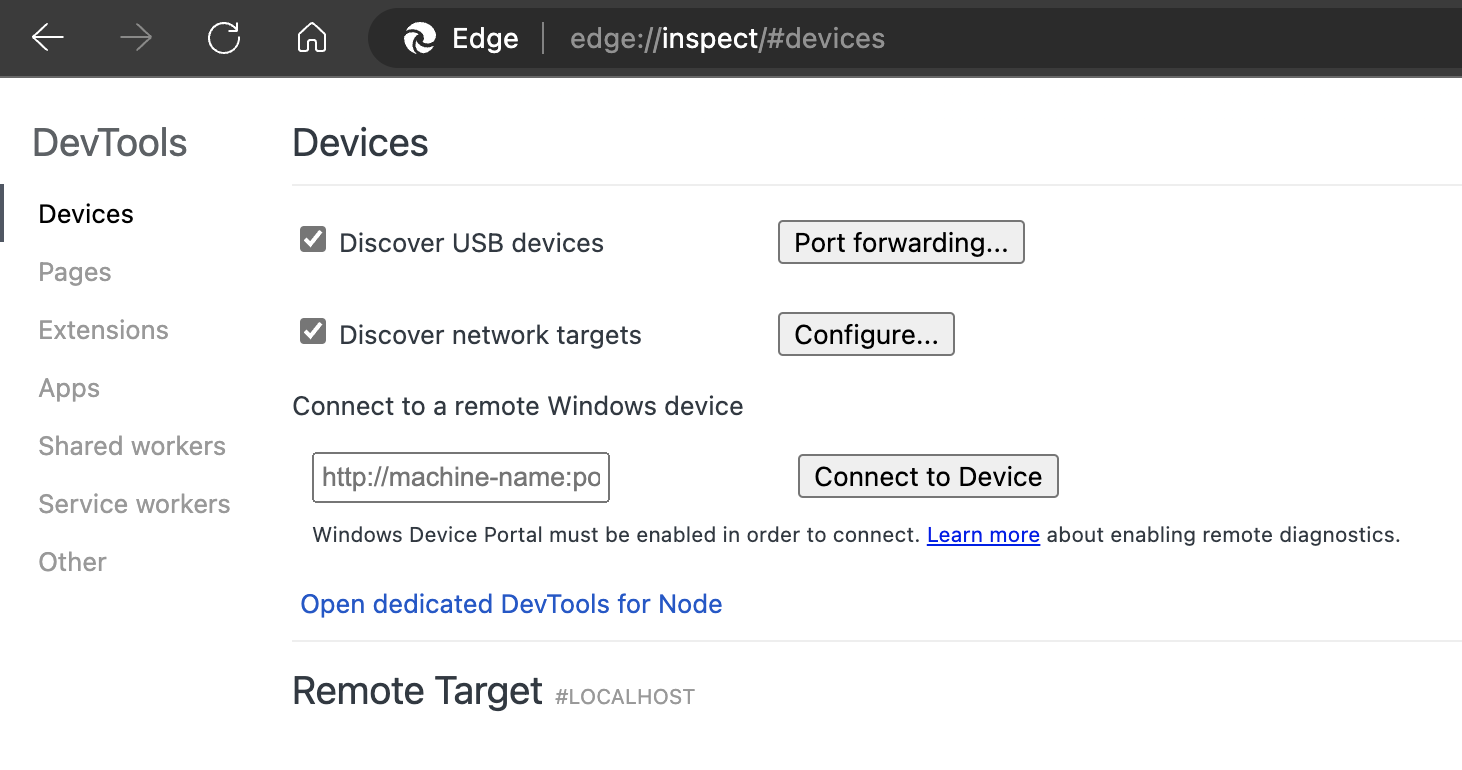
The node devtools links in the inspect page

If you don’t see the command palette

This is being currently rolled out in Edge, so if you don’t see it yet, you need to go to edge://flags and turn it on:
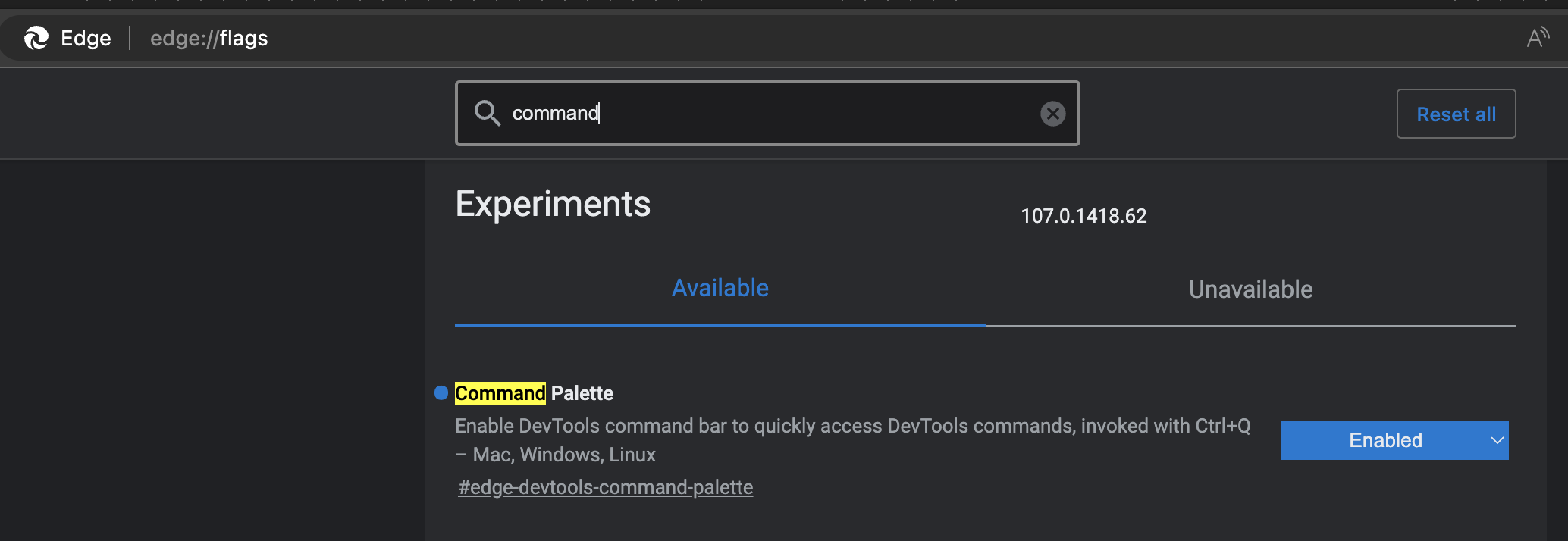
Command Palette Flag

Share on Mastodon (needs instance)

Share on BlueSky

Newsletter

Check out the Dev Digest Newsletter I write every week for WeAreDevelopers. Latest issues:

Word is Doomed, Flawed LLM benchmarks, hard sorting and CSS mistakes Spot LLM benchmark flaws, learn why sorting is hard, how to run Doom in Word and how to say "no" like a manager.
30 years of JS, Browser AI, how attackers use GenAI, whistling code Learn how to use AI in your browser and not on the cloud, why AI makes different mistakes than humans and go and whistle up some code!
197: Dunning-Kruger steroids, state of cloud security, puppies>beer
196: AI killed devops, what now? LLM Political bias & AI security Learn how AI killed DevOps, create long tasks in JS, why 1 in 5 security breaches are AI generated code & play "The Scope Creep"
195: End of likes, JS Zoo and Tim Berners-Lee doesn't see AI vs Web Meta kills like buttons, Tim-Berners-Lee thinks AI won't kill the web, GitHub is ending toasts and the worst selling Microsoft product.

My other work: