Taking screenshots of streaming video services using Browser Developer Tools
Tuesday, June 28th, 2022 at 8:58 pmOne of the more overly strict features of video players in modern operating systems is that you can not use screen recording or screenshot tools to record content from streaming video platforms like Netflix or Disney+. Whilst I understand the need for DRM and preventing recording a streaming program, taking screenshots is a different matter. Often pointing out goofs in programs with a screenshot makes for good viral web content and people aren’t really likely to stitch a silent movie together from screenshots. Although I am sure some have tried.
Now, if you want to take a screenshot of a streaming service video, you can do that using the developer tools built into the browser.
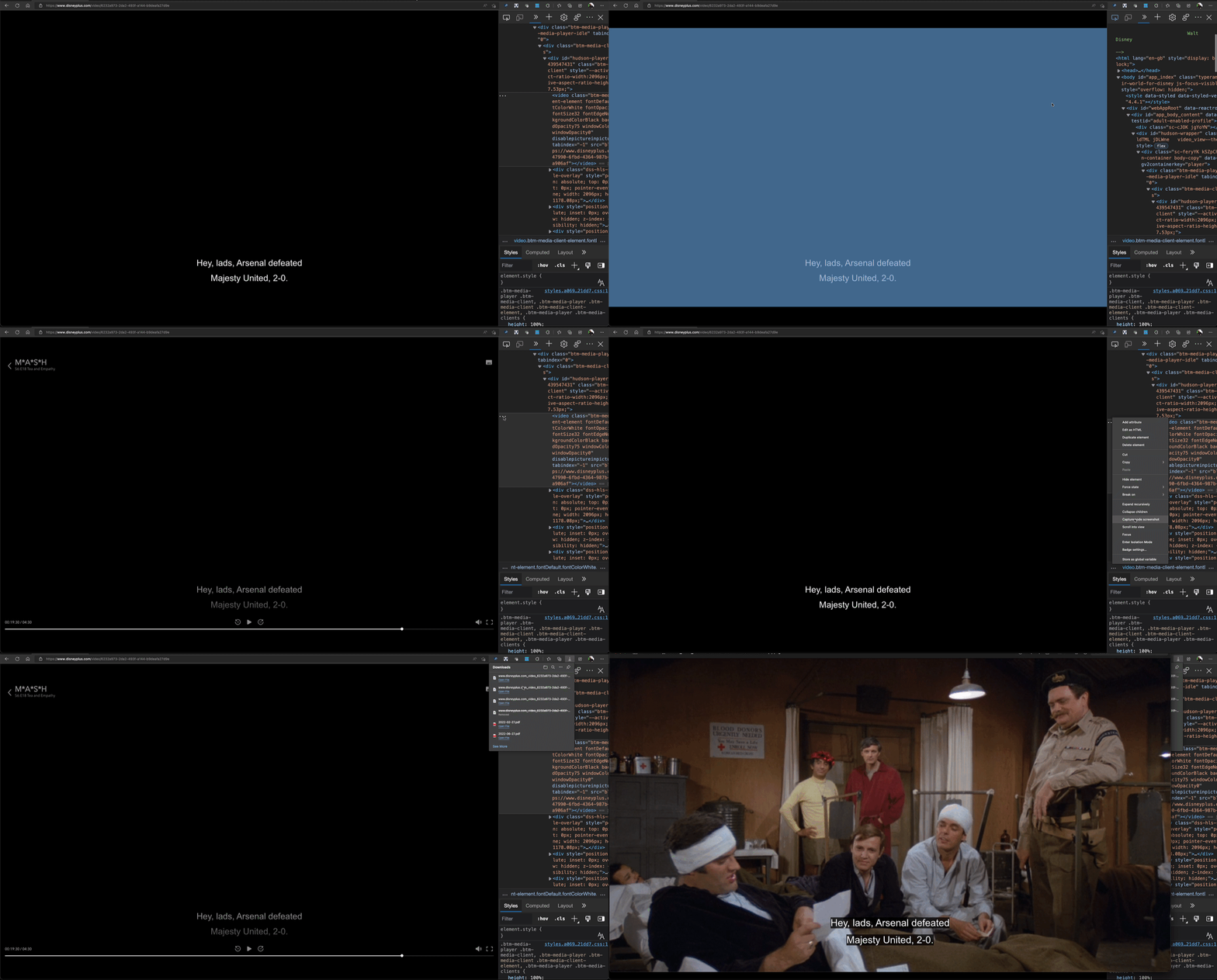
Screenshot using the Elements tool and the node context menu.
In order to take a screenshot of a video, you can do this:
- Pause the video and wait for the controls to vanish.
- Open the Developer Tools (using F12).
- Go to the Elements tool , active the Inspector and pick the video (it shows a coloured overlay).
- Activate the context menu on the … of the highlighted node in the Elements tool and pick “capture node screenshot”

And that’s it. Here’s how that looks as a screencast:
Screenshot using Device Emulation
Alternatively, you can also use the Device Emulation Tool .
- Pause the video and wait for the controls to vanish.
- Open the Developer Tools (using F12).
- Activate Device emulation
- Activate the … menu and select “Capture Screenshot”

You can see this in action in the following screencast.

The main difference to the other way is that this will take a screenshot with black borders around it.
But there is the browser extension “Superscreenshotwowtotallylegit” that does the same!
Now, I know that there are probably dozens of browser extensions that do the same thing, but I just don’t trust extensions that offer a “way around limitations of service X” as they are likely to be a front for malicious code or ad supported themselves. Why install something when your browser already has everything you need?