Quick browser Developer Tools tip: define and test interaction states in CSS using state simulation
Sunday, November 7th, 2021 at 4:58 pm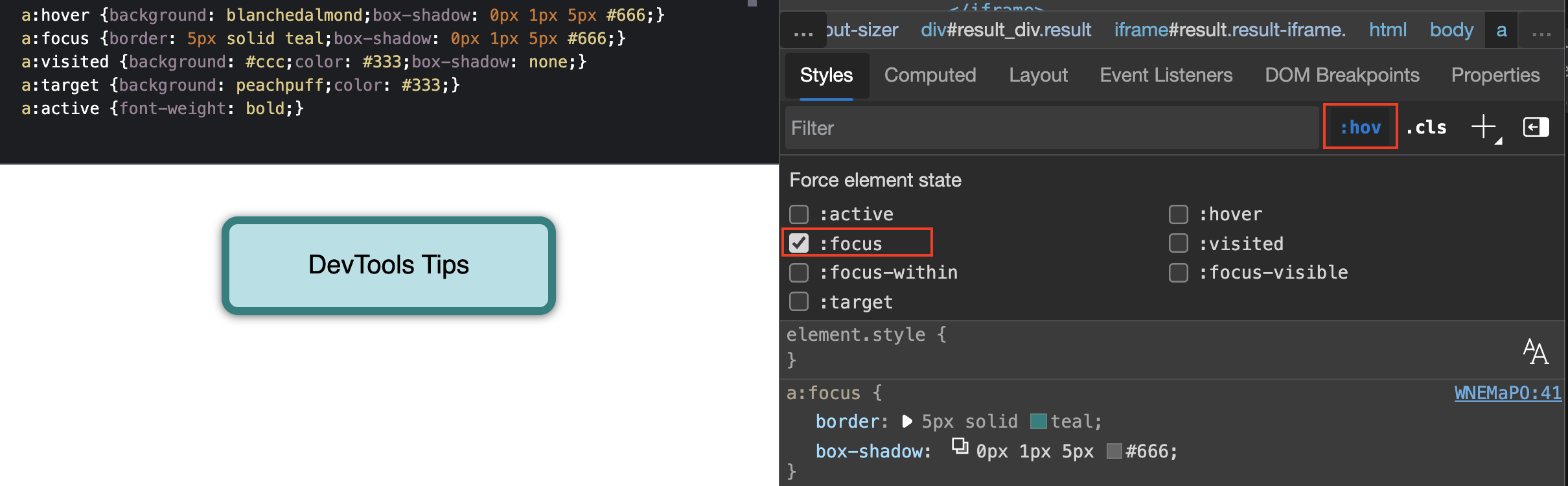
Interfaces on the web have to be accessible independent of input device. In addition to using the right HTML to make it possible to activate functionality with mouse, keyboard, voice activation or any of the possible ways it is also important to have a visual indicator which element is currently active.
This is why we should always define at least hover and focus states to help our users in their journey. The problem is that styling these states can be daunting, as you need to interact with the element to see the different states like hovering over it with a mouse or using the `tab` key to highlight it with your keyboard and trigger the `focus` state.
That’s why it is great that browser developer tools allow you to simulate these states, which means you can quickly test all the possibilities without having to interact with the elements. You do that in Chrome, Edge or Safari in the Elements panel and Firefox has this functionality as part of the Rules panel. When you activate the `:hov` button you get a group of checkboxes to simulate different states.
In the following screencast you can see how to use state simulation to check the hover, active, visited and focused state of a link without interacting with it. If you want to try it out yourself, [here is the demo page](https://codepen.io/codepo8/pen/WNEMaPO).