Quick VS Code tip: Automatically add image width and height to images
Wednesday, April 14th, 2021 at 2:14 pm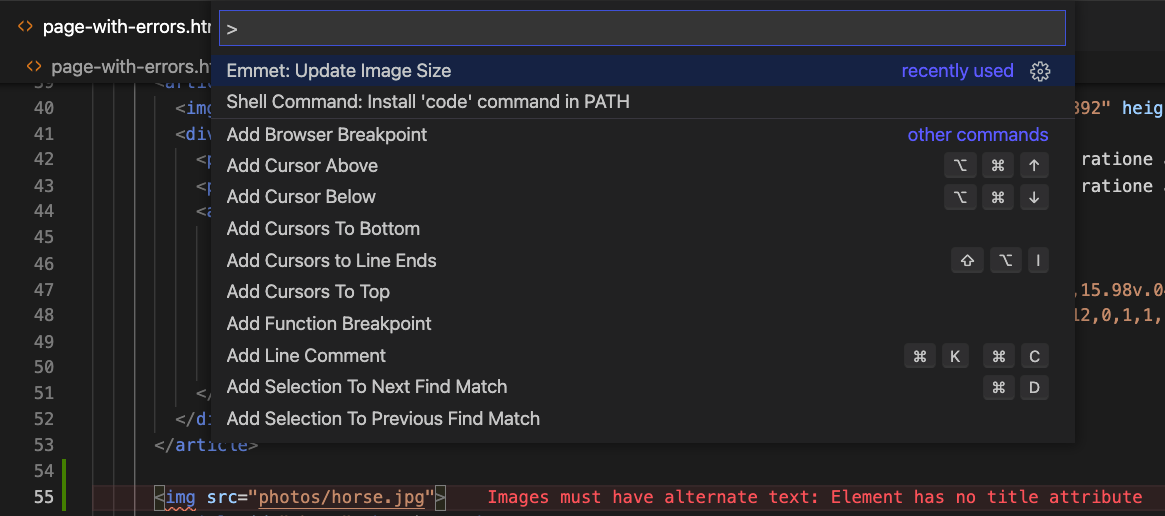
One thing that keeps amazing me about Visual Studio Code is how much it helps you automate annoying tasks when you write code. For example, if you add an img tag to the document you need to know the src and find out the width and height to avoid reflow issues when the image was loaded. You also need to add an alt attribute either to provide an alternative text or to prevent assistive technology to read out the src attribute instead.
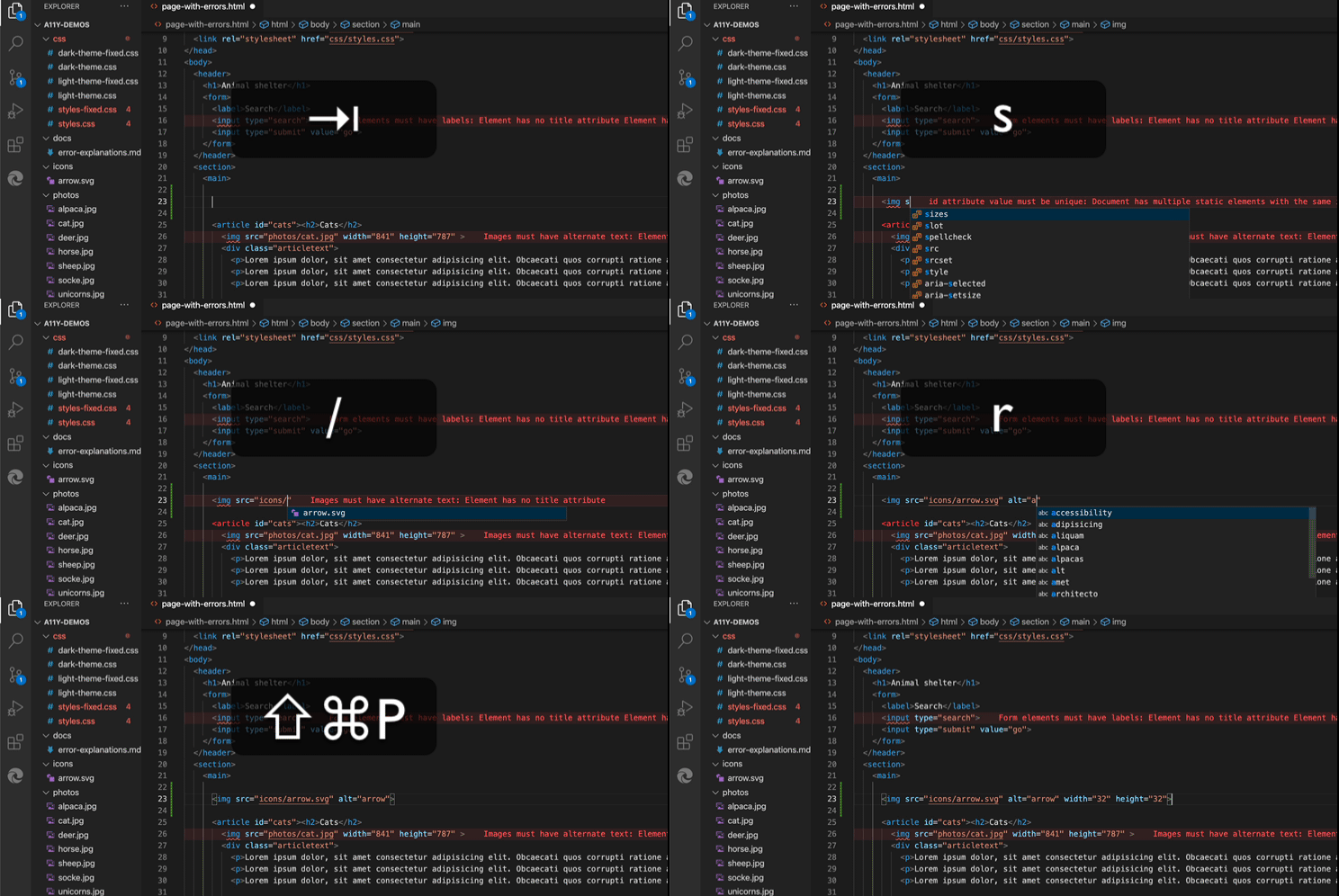
You can do this by following these steps:
- Start the img tag
- As soon as you write src=” VS Code gives you an autocomplete for local images.
- Close the img tag (this is important)
- Use the Command Palette” (CMD + Shift + P on Mac or Ctrl + Shift + P on Linux / Windows) and type “size” to trigger the Emmet size script that automatically adds width and height.
You can see it in this screencast:
My setup also warns me when I have images without any alt attribute. It puts a wavy line under any element with a problem like the img tag and shows the error right next to it. I am using two extensions for this: webhint for VS Code and Error Lens.