Syncing CSS changes in browser developer tools with Workspaces
Tuesday, March 2nd, 2021 at 11:25 amLately I’ve been looking into improving the ways I use browser developer tools by using features I’ve never looked and/or forgotten. One amazing feature of those are Workspaces which have been around for a long time but don’t get as much use as I think they should.
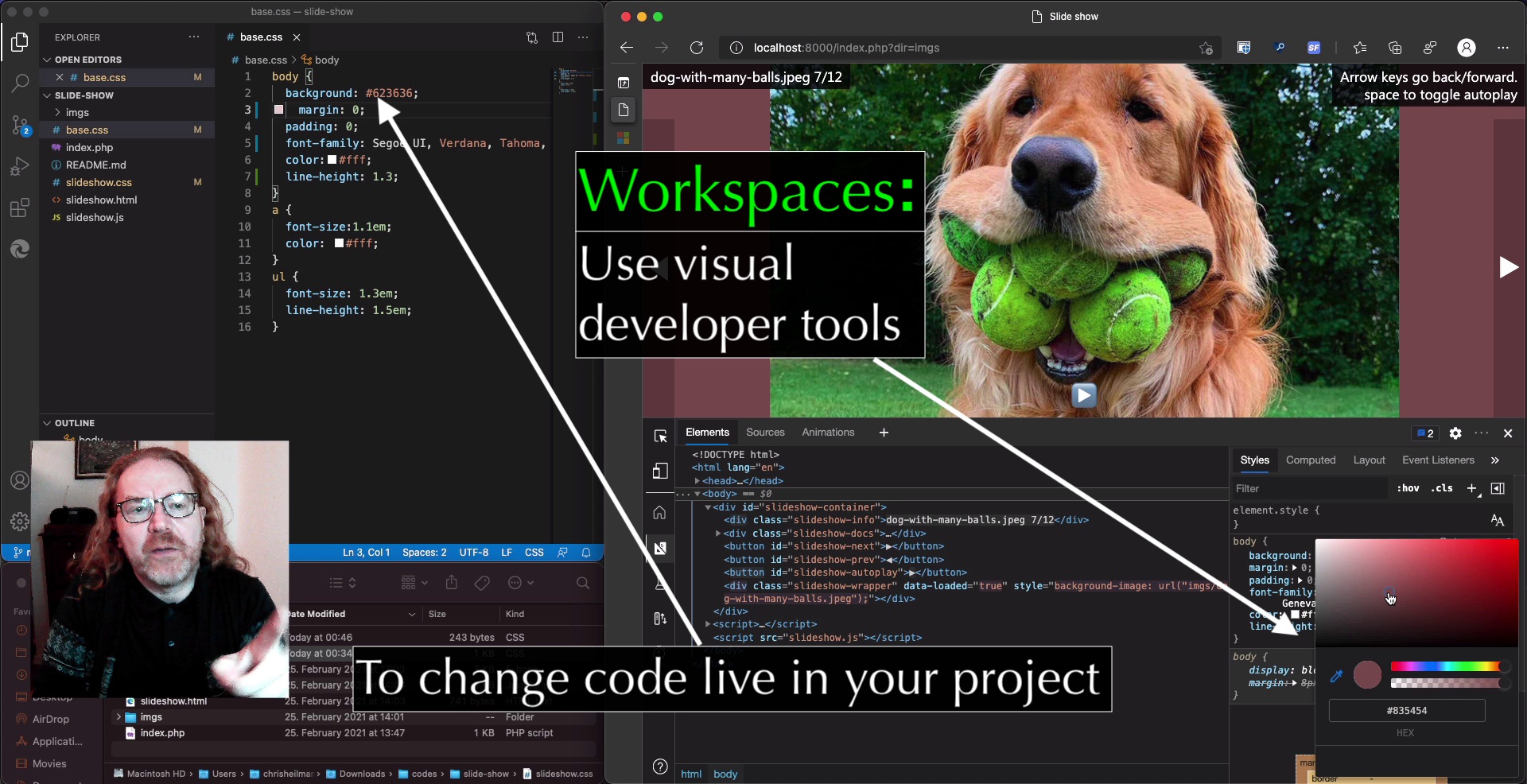
In essence, this feature allows you to use the visual tools in the developer tools to tweak and change styles in a more persistent manner. Instead of having to copy and paste the changes you made back into your CSS files in your editor, using Workspaces allows Browser Developer Tools to directly change files on the hard drive. That way you sync changes with your editor.
You can see this in action in this video on YouTube.
In the video, I cover the following steps:
- Dragging a project folder into Visual Studio Code to have all files to edit
- Opening the integrated terminal in VS Code to start a local server using “php -s localhost:8000”.
- Changing the project styles using the Colour picker and the Font editor
- Copy whole changed CSS files using the Sources panel
- Using the Command Menu to access functionality of the tools
- Using the Changes panel to track individual changes in your CSS files caused by using the developer tools
- Dragging the project folder into the Sources panel of developer tools
- Allowing the developer tools to access the hard drive to sync changes
- Using the developer tools to change CSS files directly in sync with Visual Studio Code.