Alt text overlay bookmarklet
Thursday, August 27th, 2020 at 4:15 pmA few days ago my colleague Patrick Brosset tweeted that he has a fix for Chromium Devtools to allow for horizontal scrolling in the DOM view which sparked a response by Amelia Bellamy-Royds asking for a simpler way to display alternative text of images on the page.
Now, there is already an improved way to do that in Chromium as of Version 85 – when you select an image in the DOM tree you get an “accessibility overlay” which shows all kind of a11y info and the alternative text as the “image name”. Sadly though, it isn’t multi-line.
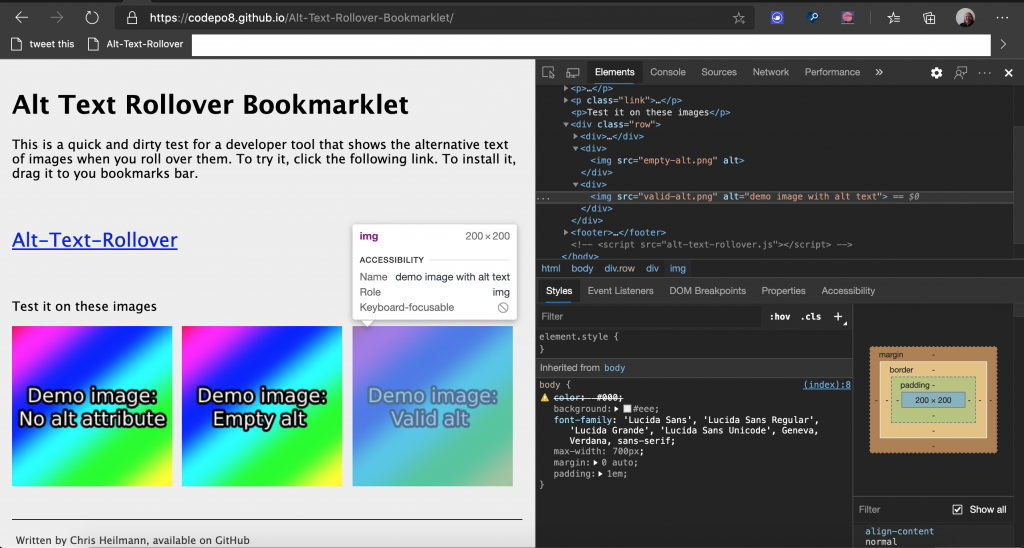
I played with the idea a bit and created a bookmarklet to easily test which images have alternative text and what it is. I’ve put it up on GitHub and you can test and add the Alt Text Rollover bookmarklet to your browser.
You can see it in action in this screencast.
Now, the only problem I am facing now is that Amelia’s original request to apply this to twitter isn’t possible because of their CSP policy (which, of course, makes sense to have):

What do you think? What would be a good place to show the alternative text? How can Developer tools help with this?