Christian Heilmann

Quick tip: how to make mailto: links open in Gmail in Microsoft Edge

Monday, July 20th, 2020 at 8:56 pm

I like mailto: links. They worked forever and they kind of make sense. Lately there was a discussion around their usability and what can be improved, which is great. I got some good feedback on Twitter and dug a bit into our design research if there’s something in the making to make things more obvious. There is. But for now, here is how to make sure that mailto: links in Microsoft Edge open in Gmail in the browser instead of trying to open an app you don’t use. (By default, my Mac opens mail every time, which I never used).

  • Step 1: Go to gmail.com in the browser
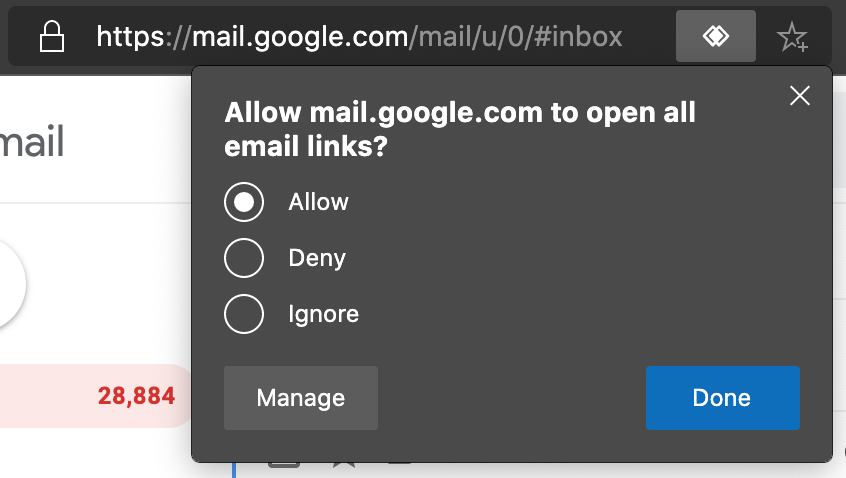
  • Step 2: Click the handler icon in the URL bar:

    Hander icon showing in the URL toolbar
  • Step 3: Select “allow”
    Allowing Gmail to open all email links

That’s it. From now on each mailto: link on the web you click on will open in Gmail and not leave the browser. Of course this works for any other webmail client that exposes an handler (Yahoo, Office 365’s Outlook…).

The context menu on any mailto: link also allows you to copy just the email (without the mailto: pseudo) and to reset the handling of emails to the OS default.
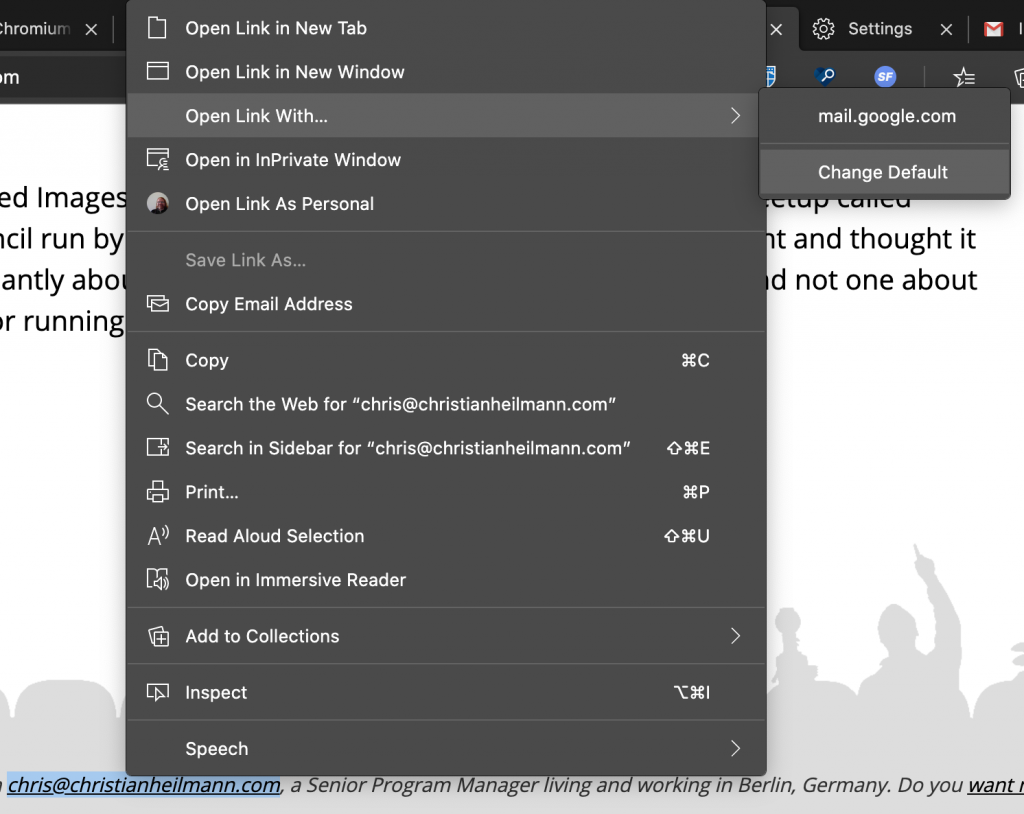
Context menu on email links showing lots of options

You can also do so in the browser settings under Site Permissions -> Handlers.
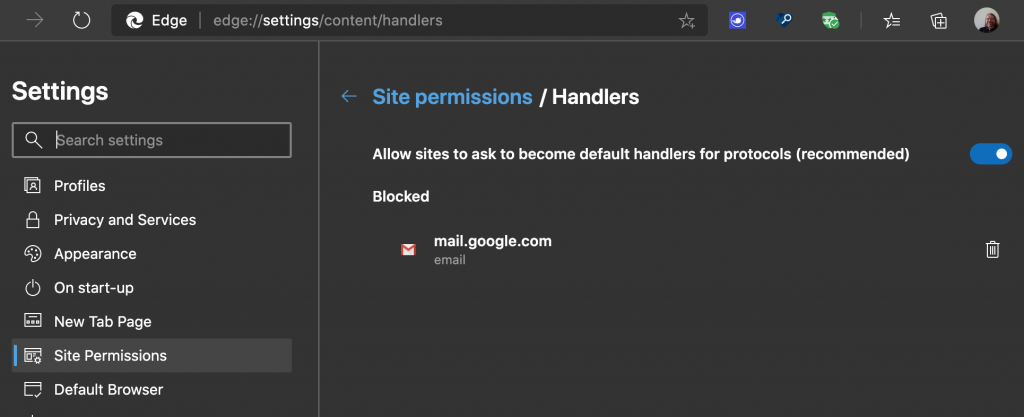
Site Permission settings in Microsoft Edge

Share on Mastodon (needs instance)

Share on BlueSky

Newsletter

Check out the Dev Digest Newsletter I write every week for WeAreDevelopers. Latest issues:

Don't stop thinking, AI Slop vs. OSS Security, rolling your own S3 Despite AI you still need to think, Bitter lessons from building AI products,  AI Slop vs. OSS security and pointer pointer…
200: Building for the web, what's left after rm -rf & 🌊🐴 vs AI What remains after you do a rm -rf? Why do LLMs know about a seahorse emoji? What image formats should you use? How private is your car?
Word is Doomed, Flawed LLM benchmarks, hard sorting and CSS mistakes Spot LLM benchmark flaws, learn why sorting is hard, how to run Doom in Word and how to say "no" like a manager.
30 years of JS, Browser AI, how attackers use GenAI, whistling code Learn how to use AI in your browser and not on the cloud, why AI makes different mistakes than humans and go and whistle up some code!
197: Dunning-Kruger steroids, state of cloud security, puppies>beer

My other work: