Testing your animations for “prefers-reduced-motion” support
Friday, June 26th, 2020 at 4:55 pm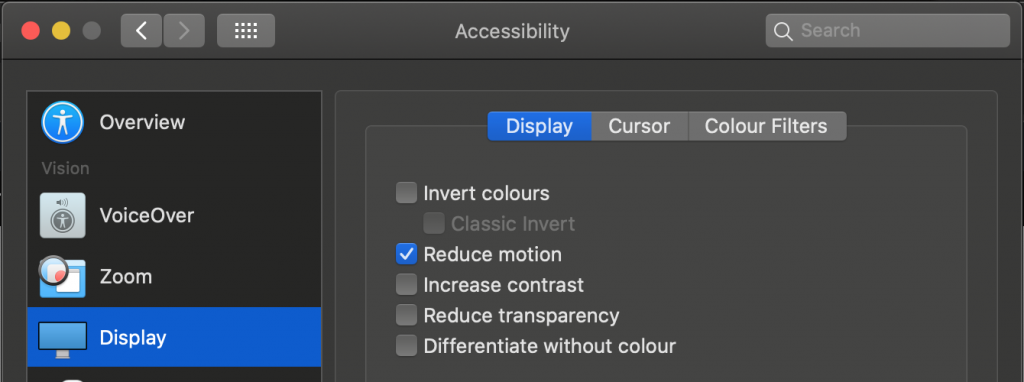
Animations and transitions are things that can make a product feel much more natural and welcoming. They can also be a great way to make slow processes feel faster. But not everybody is OK with seeing animations and they can overwhelm people or – when done wrongly – even cause nausea and seizures.
That’s why operating systems allow users to turn off animation and your web animations should comply with that decision.
Checking for animation support with ‘prefers-reduced-motion’
Luckily, this is not tough to do, as you have a CSS media query that fires when a user chose to turn off animations. In order to make your animations play nicely with that setting you can un-do any animation inside this media query.
You can see this example in this codepen.
See the Pen
Considerate animation using prefers-reduced-motion by Christian Heilmann (@codepo8)
on CodePen.
.turtle { font-size: 50px; animation: move 1s infinite linear alternate; } @keyframes move { to { transform: translate(200px, 0);} } @media (prefers-reduced-motion: reduce) { .turtle { animation: none; } } |
Alternatively, you can also wrap any animation inside the positive media query:
.turtle { font-size: 50px; } @media (prefers-reduced-motion: no-preference) { .turtle { animation: move 1s infinite linear alternate; } @keyframes move { to { transform: translate(200px, 0);} } } |
You can even use it in a link element to avoid any CSS related to animations to be loaded:
<link rel="stylesheet" href="animations.css" media="(prefers-reduced-motion: no-preference)"> |
For JavaScript animations, you can use matchMedia to test if animations are wanted.
const wantsanimation = window.matchMedia('(prefers-reduced-motion: reduce)'); wantsanimation.addEventListener('change', () => { console.log(mediaQuery.media, mediaQuery.matches); // Stop JavaScript based animations. }); |
How to test your animations using developer tools
Testing your animations for compliance with your users’ settings can be annoying as you need to turn the setting on and off in your Operating System. There is, however, an easier way to do it, using Chromium developer tools.
As described in the Edge Developer Tools documentation, you can simulate the support for animations
You can see this in action in this video :
The steps are described in the documentation . You either use keyboard shortcuts CMD/CTRL+Shift+i to open devtools, CMD/CTRL+Shift+P to open the Command Menu and type “reduce” followed by enter to toggle the setting. Or you can use the menu, select the … menu up top and navigate to “More Tools” -> “Rendering” where you scroll down to the “Emulate CSS media feature prefers-reduced-motion” to toggle the setting.
If that is too complex, I’d love to hear where you’d expect this functionality to live in the developer tools! Reach out to me via Twitter at codepo8 or directly to EdgeDevTools.
Further reading
- Thomas Steiner’s (@tomayac) excellent article on prefers reduced motion on web.dev
- Elijah Manor’s (@elijahmanor) Use the `prefers-reduced-motion` media query to toggle CSS and JavaScript animations