Simple things: styling ordered lists
Wednesday, November 19th, 2014 at 7:09 pmThis blog started as a scratch pad of simple solutions to problems I encountered. So why not go back to basics?
It is pretty easy to get an ordered list into a document. All you have to do is add an OL element with LI child elements:
<ol> <li>Collect underpants</li> <li>???</li> <li>Profit</li> </ol> |
But what if you want to style the text differently from the numbers? What if you don’t like that they end with a full stop? The generated numbers of the OL are somewhat of that dark magic browsers do for us (something we work on dragging into the sunlight with ShadowDOM).
In order to make those more style-able in the past you had to add another element to get a hook:
<ol class="oldschool"> <li><span>Collect underpants</span></li> <li><span>???</span></li> <li><span>Profit</span></li> </ol> |
.oldschool li { color: green; } .oldschool span { color: lime; } |
Which is kind of a terrible hack and doesn’t quite scale as you may never know who edits your list. With newer browsers we have a better way of doing that using CSS counters. The browser support is ridiculously good, so there should be no excuse for us not to use them:

Using counter, you keep the HTML structure:
<ol class="counter"> <li>Collect underpants</li> <li>???</li> <li>Profit</li> </ol> |
You then reset the counter for each of the lists with this class:
.counter { counter-reset: list; } |
This means each list will start at 1 and not go on through the document tree. You then get rid of the list style and style the list item like you want to. In this case we give it a colour and we position it relative. This allows us to position other, new content in there and contain it to the list item:
.counter li { list-style: none; position: relative; color: lime; } |
Once you hid the normal numbering with the list-style: none; you can create your own numbers using counter and generated CSS content:
.counter li::before { counter-increment: list; content: counter(list) '.'; position: absolute; top: 0px; left: -1.2em; color: green; } |
If you wanted to remove the full stop, all you need to do is remove it in the CSS. You have now full styling control over these numbers, for example you can animate them slightly moving from one colour to another and zoom out a bit:
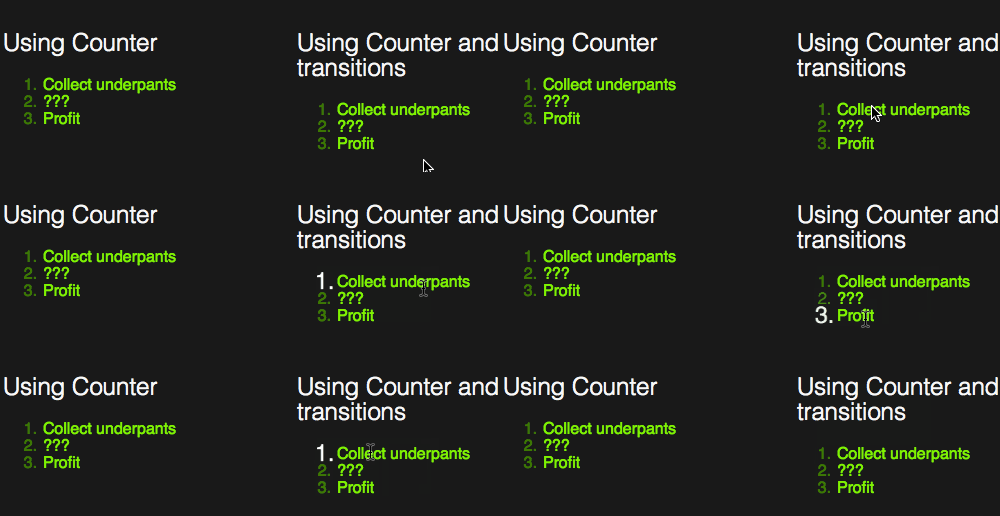
.animated li::before { transition: 0.5s; color: green; } .animated li:hover::before { color: white; transform: scale(1.5); } |
Counters allow you for a lot of different times of numbering. You can for example add a leading zero by using counter(list,decimal-leading-zero), you can use Roman numerals with counter(list,lower-roman) or even Greek ones with counter(list,lower-greek).
If you want to see all of that in action, check out this Fiddle:
Pretty simple, and quite powerful. Here are some more places to read up on this: