[Evangelism Reps] How to say “hi” with a quick video – recording and editing
Tuesday, April 10th, 2012 at 3:07 pmOne of the things we want participants in the The Evangelism Reps program to do is give us a quick introduction video of themselves to have a face to connect to a name. This should not be anything big, a simple, “hi, here I am” will suffice. So here is my introduction as an example.
All in all the production and publication time of this was an hour – and that included cycling a mile to find a shop that has Tofu sausages and Babybel cheese. Here’s what I used:
- A MacBook Air (could be any laptop with a camera)
- Photobooth (or any other tool that can record a camera – this could be on your mobile, too)
- MPEG Streamclip
The first thing to remember when trying to do something like this is to simply for go for it. So I wrote myself a little script and just had it open next to the recording tool:
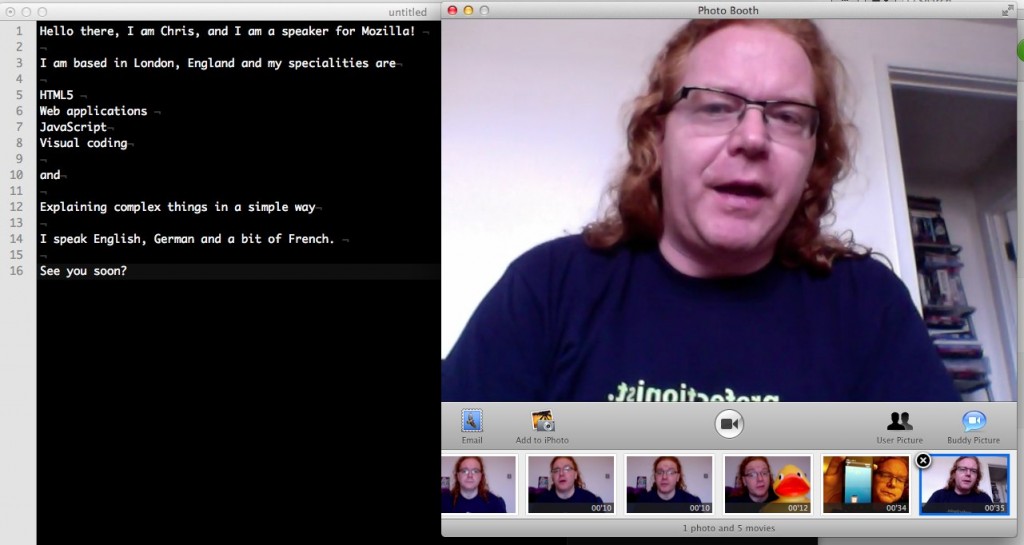
Technically, this is not good, but I wanted to do this quickly. You can see my eyes flicking to my script from time to time. I shouldn’t have to as I knew what I wanted to say but humans work that way. Give us a “Linus blanket” and we will always come back to it.
Regardless, of course this didn’t work in one go, so here is the full recording with out-takes:
This is the simplest way to record – don’t try to re-start the recording and delete it in between failed takes, just go on and cut the bits that didn’t work afterwards.
You can see that I waved my hand over the screen every time I started again. This is the sign to myself that another take started.
For cutting, I used MPEG Streamclip which couldn’t be simpler:
- Go to the hand movement and find the start of the next take
- Hit O for “out” – this highlights the video from start to where you are now
- Press cmd+x to cut (delete) the video up to the point where you are
- Find the end of the video
- Press I for “in” to mark the video from there to the end
- Press cmd+x again
- Save as MP4
You can see this in action on vid.ly.
All in all this is very simple to do, so I am looking forward to a lot of those cropping up in the nearer future.