Quick hack tutorial – how to build a Google Auto Suggest comparison
Monday, January 11th, 2010 at 5:11 pmThis morning I stumbled upon this funny article on predictably irrational which shows the difference between men and women by using Google Autosuggest:
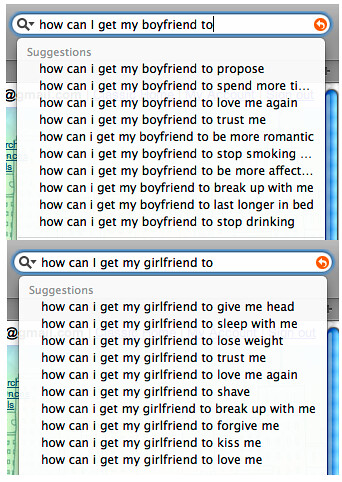
Google suggest has been the source of many a joke so far (and there are even collections of those available) and I wondered how hard it would be to write a comparison tool.
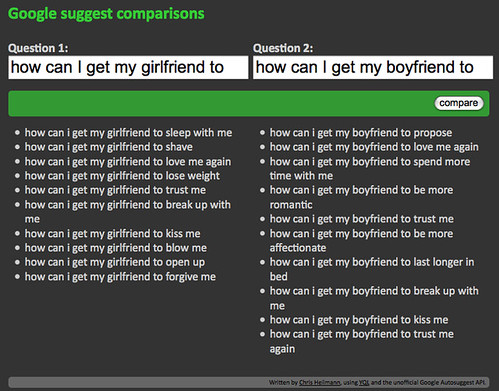
Turns out it is dead easy, see it here:
The first step was to find the right API. A Google search for “Google Suggest API” gave me this old blog post on blogoscoped which told me about the endpoint for an XML output of the Google Suggest:
http://google.com/complete/search?output=toolbar&q=chuck+norris
The result is very straight forward XML:
[... repeated 10 times with other data ...]
Now to get more than one I could have used two calls, but why do that when you have YQL?
select * from xml where url in (
‘http://google.com/complete/search?output=toolbar&q=chuck+norris’,
‘http://google.com/complete/search?output=toolbar&q=steven+seagal’
)
Using this gives me a dataset with both results:
[... repeated with different data ...]


[... repeated with different data ...]
Good, that’s the data – now for the interface. Using YUI grids and the grids builder it is easy to build this:
Google suggest comparisons
Written by Chris Heilmann, using YQL and the unofficial Google Autosuggest API.
All that is left is the PHP:
query->results->toplevel[0]->CompleteSuggestion;
// if data came through, assemble the list to be shown
if(sizeof($res1)>0){
$out1 = '';
foreach($res1 as $r){
$out1 .= '- '.$r->suggestion->data.'
';
}
$out1 .= '
';
// otherwise assemble an error message
} else {
$out1 = '- Error: No results found
';
}
// do the same for the second set
$res2 = $data->query->results->toplevel[1]->CompleteSuggestion;
if(sizeof($res2)>0){
$out2 = '';
foreach($res2 as $r){
$out2 .= '- '.$r->suggestion->data.'
';
}
$out2 .= '
';
} else {
$out = '- Error: No results found
';
}
// if no data was sent, say so...
} else {
$error = 'Please enter a search term for each box.';
}
?>That’s it! Adding a lick of CSS and we have the final product.